

The ability to sort data relies on a series of plugins. If you cannot find
them in your application, contact your system administrator.
Sort a table
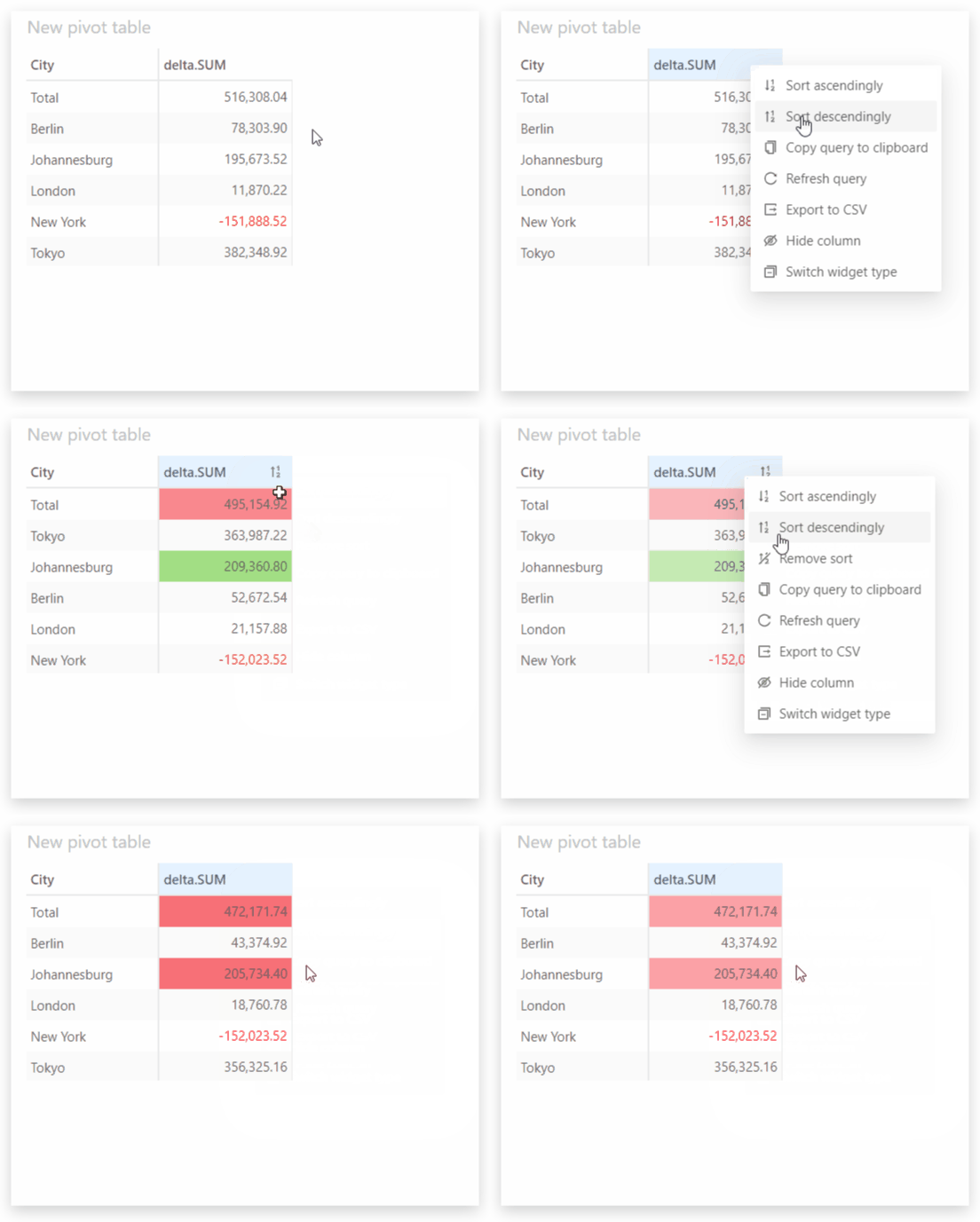
To sort a table:- Right-click on the header of the column you want to sort.
- Select either Sort ascendingly or Sort descendingly from the context menu.
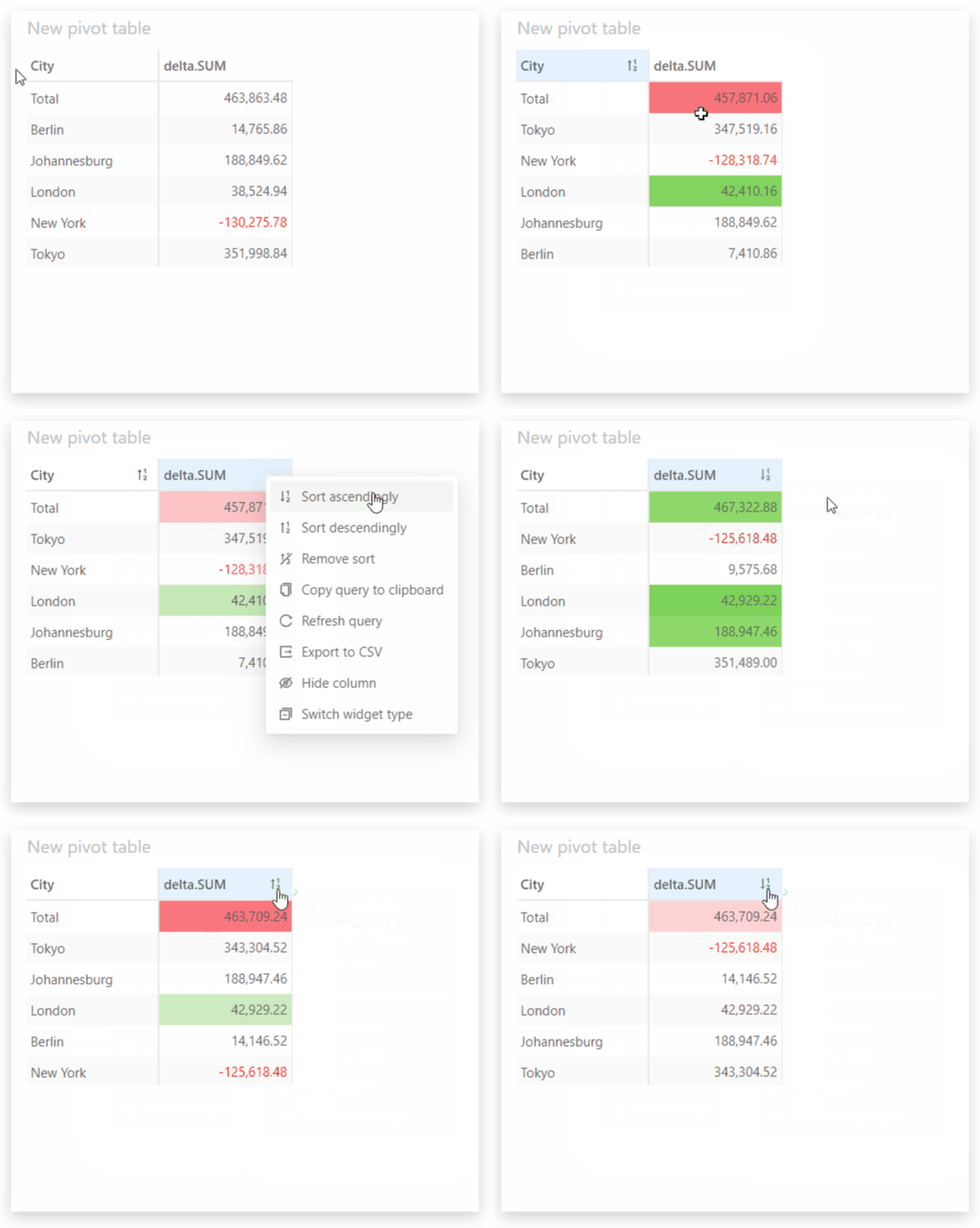
Pivot table and Tree table widgets have a non-breaking sort, whereas Table widgets have a breaking sort.See the Microsoft documentation to learn more about the difference between a breaking and non-breaking sort.
Sort a chart
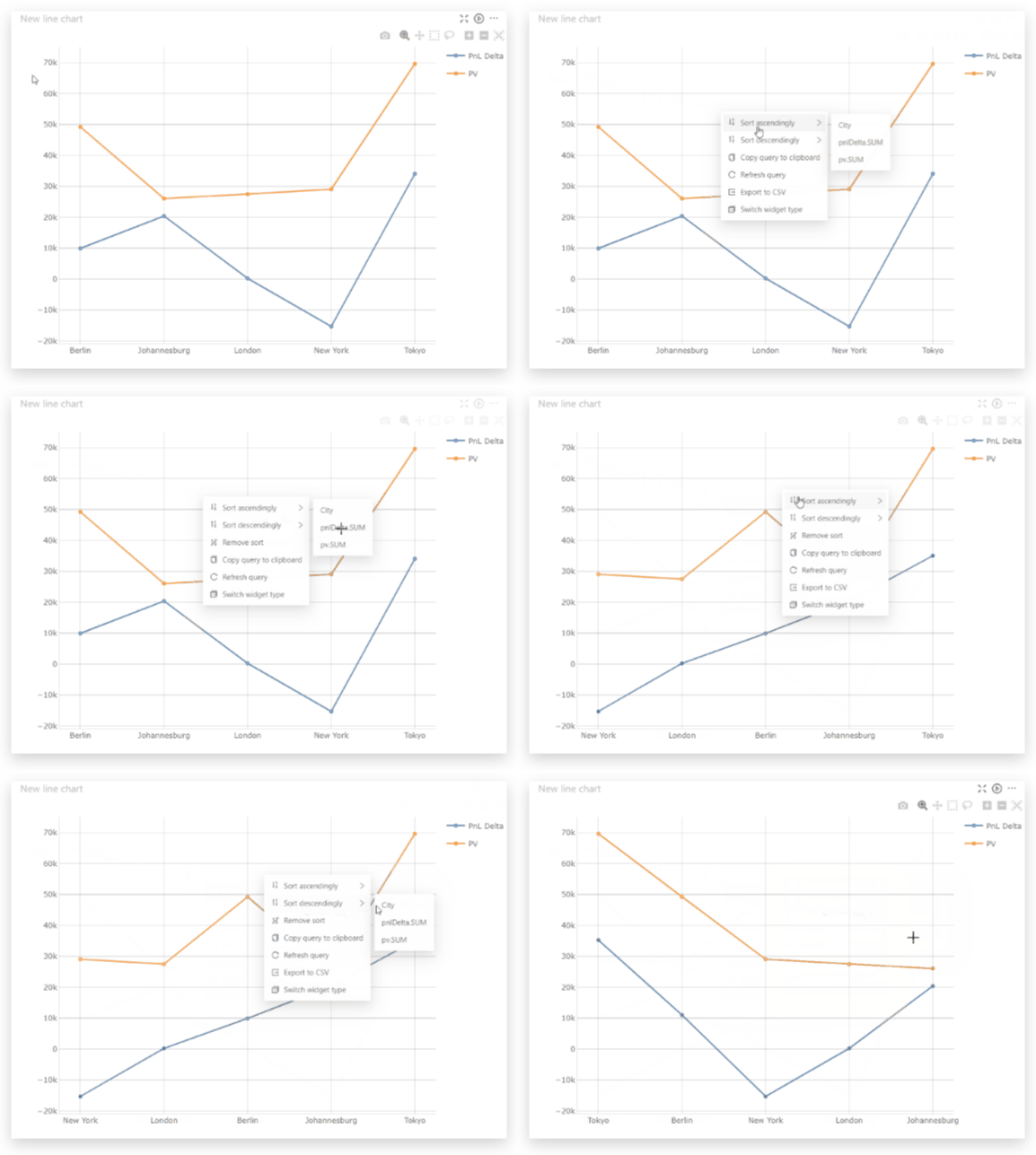
To sort a chart:- Right click anywhere on the chart.
- Select either Sort ascendingly or Sort descendingly from the context menu.
- A second menu will appear where you can select the measure or hierarchy to sort on.
Reorder members manually
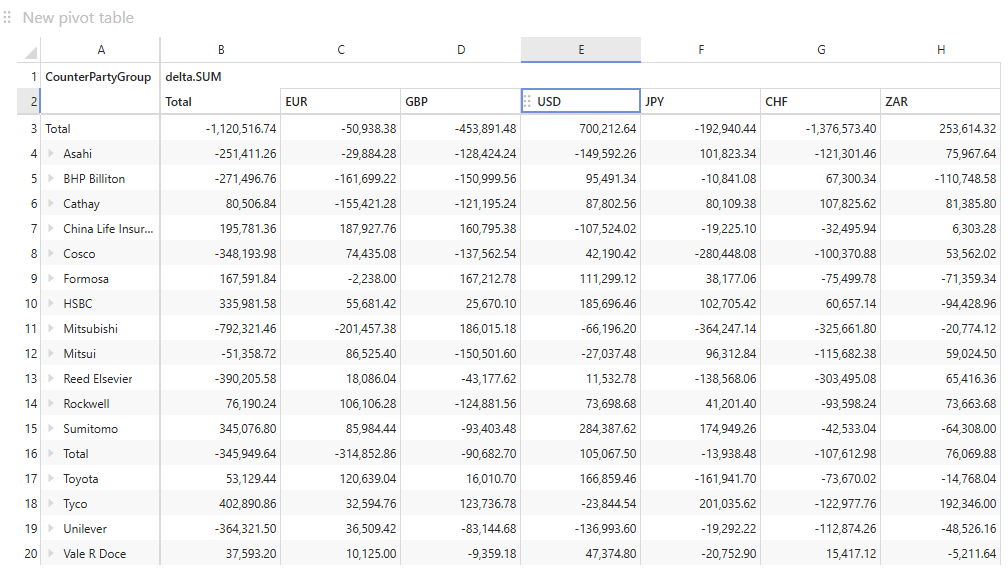
The members displayed in the columns of a table widget can also be ordered manually, without sorting on a measure or a hierarchy.- Click the header cell of the member to move. The cell becomes the only selected one, and a drag handle appears along its left edge.
- Click the cell again and hold it, drag it to the left or to the right, then drop it at the desired location. A vertical line marks where the column will land.
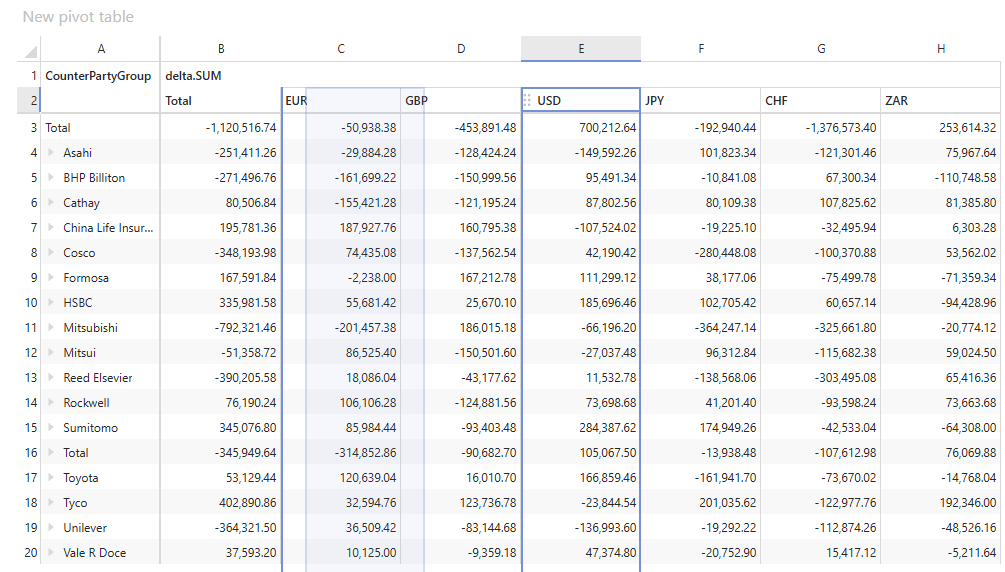
- A member always keeps its parent.
- When several hierarchies are displayed on the same axis, the members of the hierarchies below stay grouped under the member of the hierarchy above they belong to. The hierarchy cannot be broken by moving such a member out of its parent.
- Totals and subtotals cannot be moved.
Manual ordering is unavailable when the dataset is too large to be loaded at
once.
Remove sort
The process to remove a sort is the same for all types of widgets.- Right-click anywhere on the widget to open the context menu.
- Select Remove sort.
The Remove sort menu item only appears if the widget is currently sorted
or has manually ordered members. It removes both.