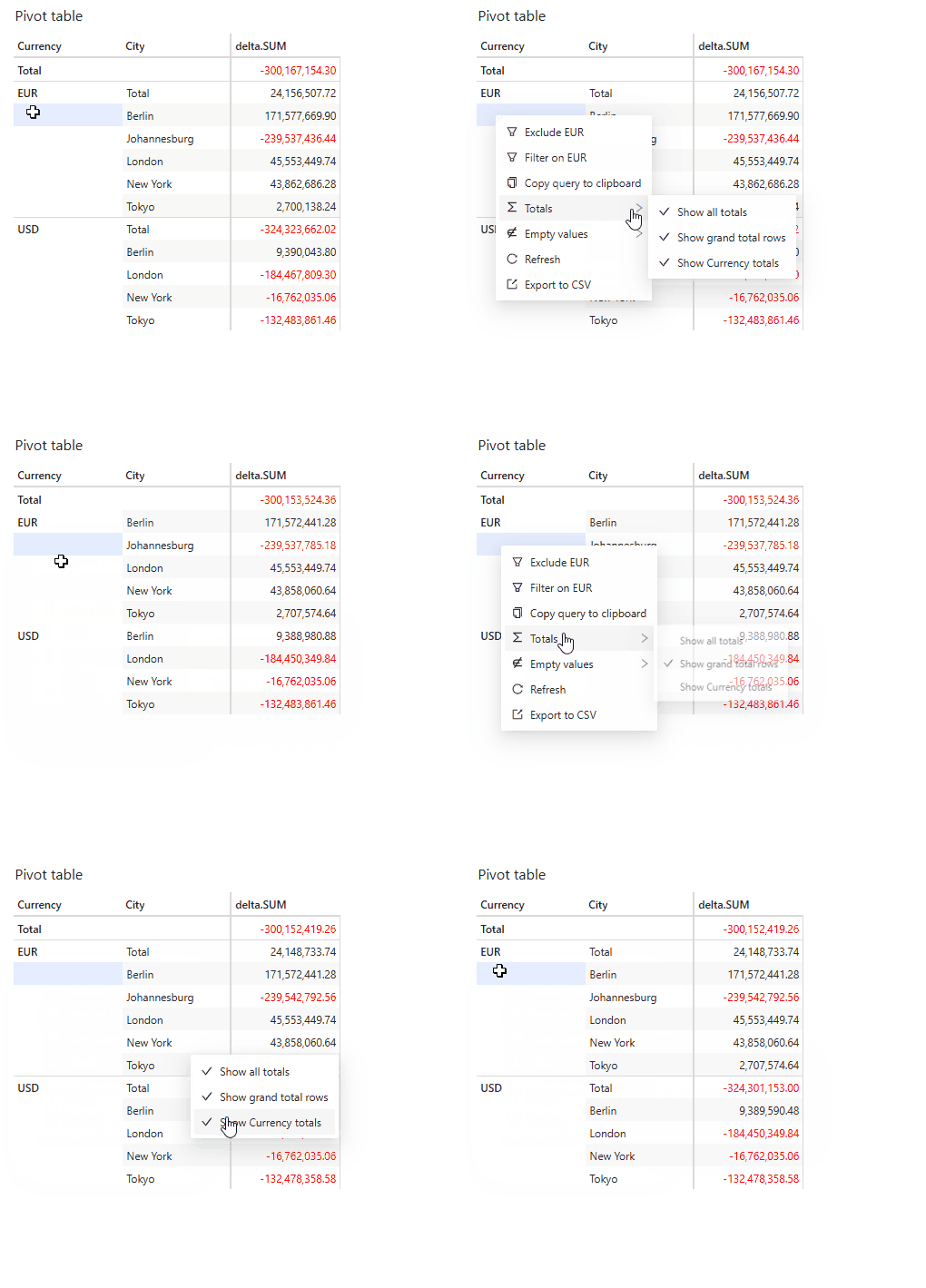
The ability to show or hide totals relies on a plugin. If you cannot find this
in your application, contact your system administrator.
Grand total rows or columns
To show or hide grand total rows:- Right-click anywhere on a table or KPI widget to open the context menu.
- Select Totals then Show/Hide grand total rows
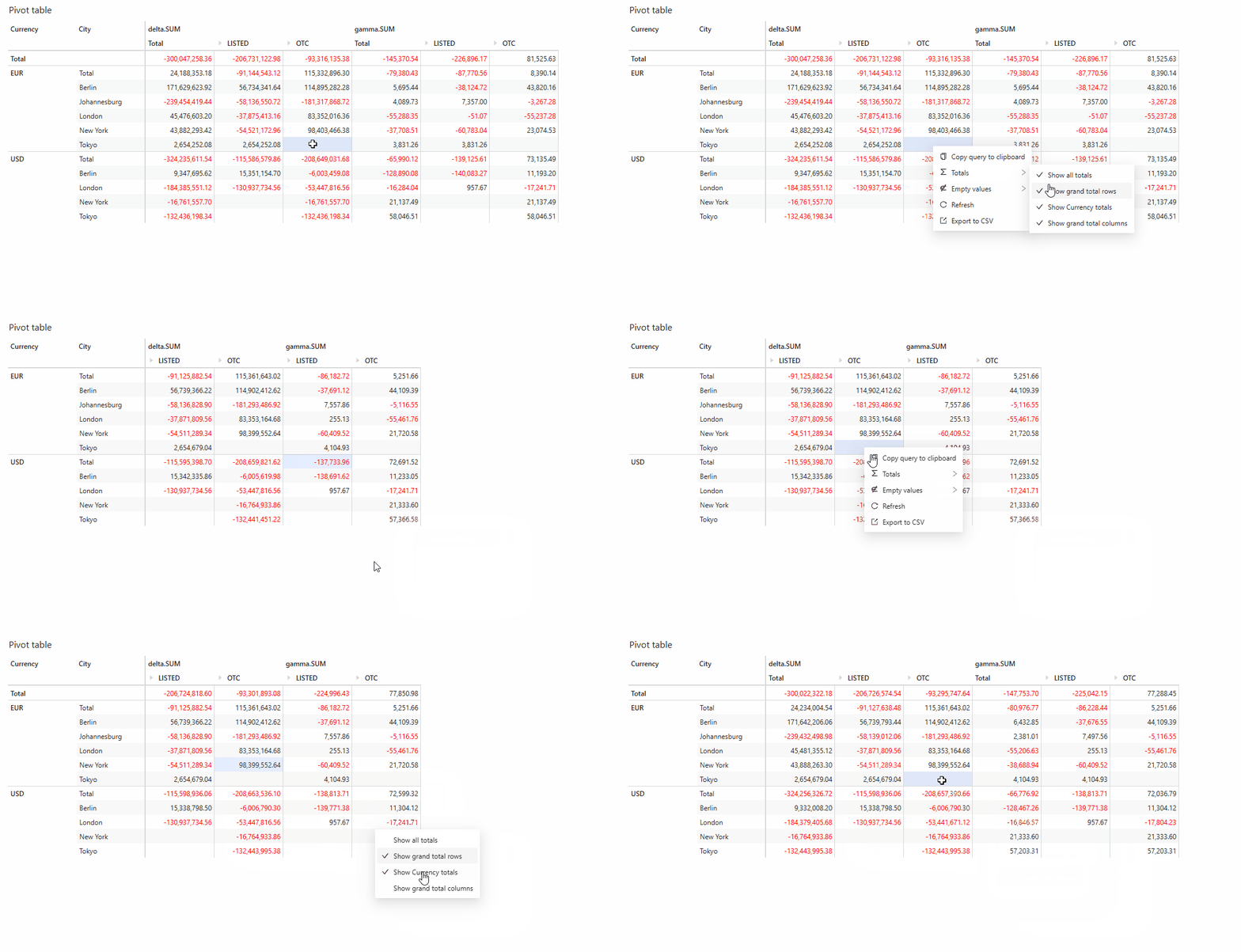
Subtotals
Subtotals can be shown or hidden on a per level basis. If you have several levels in your widget you can choose to show or hide the subtotals for each one. To show or hide subtotals:- Right-click on a cell from the level for which you wish to show or hide subtotals.
- Select Totals then Show/Hide ‘level name’ subtotals.