

This means Atoti can work with large datasets stored outside the application, reducing memory usage and allowing real-time access to updated data. It is especially useful when working with external systems that already manage data storage, versioning, or access control.
When is DirectQuery relevant?
DirectQuery is useful for users who need:- Interactive access to external data sources
- Reduced memory footprint in Atoti applications
- Integration with enterprise databases such as Snowflake, BigQuery, ClickHouse, and others
What assumptions does DirectQuery make about external data?
Unique keys
Tables must define and enforce unique key fields. This is essential for reliable joins and maintaining many-to-one relationships.Vector integrity
DirectQuery supports vectors stored across columns or rows. Each format has its own constraints: Column-based vectors:- Each value must be non-null
- Indexes must start at 0 or 1
- All indexes must be present and consistent
- No null values are allowed in primitive types
Native and emulated vector support
Some databases, such as ClickHouse, offer native support for vectors through array types and built-in functions. These databases can handle vector operations efficiently without additional configuration. Other databases, like BigQuery, may support array types but lack the necessary aggregation functions for vectors. In these cases, DirectQuery emulates vector behavior to ensure consistent functionality. Emulation includes techniques for storing and processing vectors across multiple columns or rows. When native support is available, DirectQuery avoids emulation to preserve performance. Emulation is only used when necessary to bridge gaps in database capabilities.Validation tools
DirectQuery includes optional validation interfaces to help confirm that external data meets its operational requirements. These tools can detect:- Duplicated keys
- Missing vector indexes
- Null values in vector fields
- Inconsistent start indexes
How does DirectQuery connect to external databases?
DirectQuery connects Atoti to external databases by delegating queries directly to them. This allows Atoti to retrieve data without storing it in memory, reducing resource usage. To establish this connection, Atoti requires:- A valid connection string or connector configuration
- Appropriate permissions to access and query the external database
How does DirectQuery manage joins and relationship optionality?
Stores are joined with key fields. Foreign key field columns in a source table are either optional or mandatory.- Mandatory: For example, every trade must be associated with a desk, and a desk can be associated with more than one trade. In this example the desk field in the trade table is mandatory.
- Optional: For example, the
CreditRatingIDfor counterparties is unknown or unnecessary for some contracts. The relationship between theCreditRatingIDand the trade is optional.
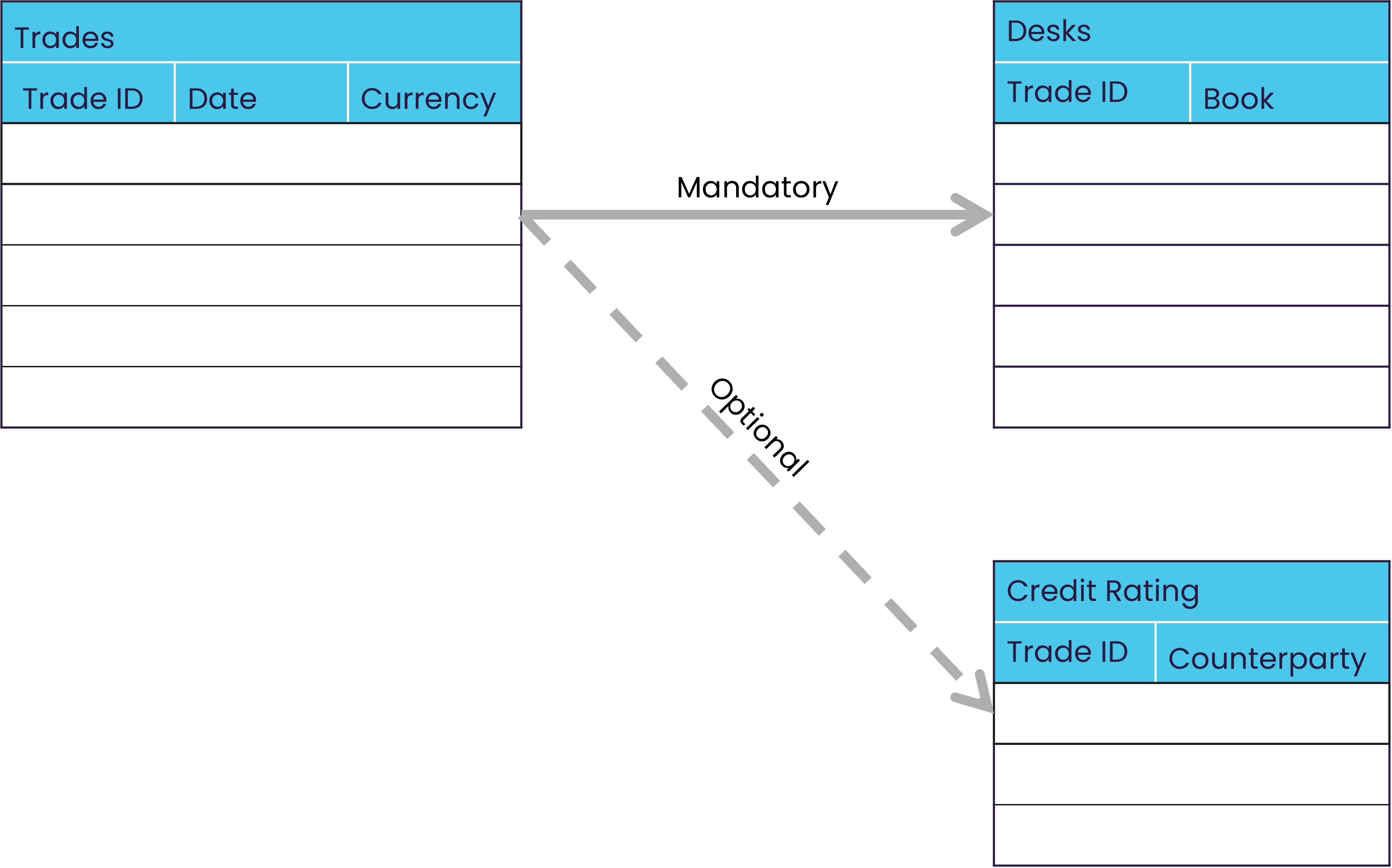
Some relationships are optional while others are mandatory.
How are data updates in the external database managed?
DirectQuery manages data updates by relying on the versioning capabilities of the external database. Versioning allows Atoti to track and query data as it existed at specific points in time, which is essential for maintaining consistency in analytical results when the underlying data changes frequently. Unlike Atoti’s in-memory datastore, DirectQuery does not store historical versions internally. Instead, it depends on the external database to provide access to past states of the data, either through native time-travel features or emulated mechanisms configured by the user. Find out more about Atoti manages versions on this page.Native time-travel
Some databases, such as Snowflake and BigQuery, support native time-travel. This allows DirectQuery to query historical versions of data directly, ensuring that all components of the cube remain synchronized. When native time-travel is available:- DirectQuery automatically uses it by default. This ensures data consistency, minimal memory footprint, and real-time access without extra configuration.
- It can be disabled if needed via configuration
- Discovery queries are used to determine the latest version of each table
Related reading
Find out more about DirectQuery using:Emulated time-travel
For databases that do not support native time-travel, DirectQuery with Atoti Java SDK offers an emulated time-travel mechanism. This requires additional setup in the external database:- Tables must include versioning columns (e.g.,
valid_fromandvalid_to) - These columns define the time range during which each row is valid
- The data type must support SQL comparisons and be consistent across tables
How does DirectQuery ensure version discovery and consistency?
Atoti uses discovery queries to determine the current version of each row. These queries run when a new version is created and help filter out invalid rows. Maintaining version consistency is critical to avoid desynchronization between cube components and the external database.How are data changes in the external database synchronized with Atoti?
When data in the external database changes, DirectQuery must ensure that the Atoti cube reflects those updates accurately. This synchronization is essential for maintaining consistency between the cube’s internal structures and the source data. DirectQuery supports two approaches to synchronize data:- Incremental refresh: Only part of the data is synchronized
- Full refresh: All of the data is synchronized