

Atoti can therefore work with large datasets stored outside the application. This reduces memory usage and gives real-time access to updated data. It is especially useful when working with external systems that already manage data storage, versioning, or access control.
When is DirectQuery relevant?
DirectQuery is useful for users who need:- Interactive access to external data sources
- Reduced memory footprint in Atoti applications
- Integration with enterprise databases such as Snowflake, BigQuery, ClickHouse, and others
What assumptions does DirectQuery make about external data?
Unique keys
Tables must define and enforce unique key fields. This is essential for reliable joins and maintaining many-to-one relationships.Vector integrity
DirectQuery supports vectors stored across columns or rows. Each format has its own constraints: Column-based vectors:- Each value must be non-null
- Indexes must start at 0 or 1
- All indexes must be present and consistent
- No null values are allowed in primitive types
Native and emulated vector support
Some databases, such as ClickHouse, offer native support for vectors through array types and built-in functions. These databases can handle vector operations efficiently without additional configuration. Other databases, like BigQuery, may support array types but lack the necessary aggregation functions for vectors. In these cases, DirectQuery emulates vector behavior to ensure consistent functionality. Emulation includes techniques for storing and processing vectors across multiple columns or rows. When native support is available, DirectQuery avoids emulation to preserve performance. Emulation is only used when necessary to bridge gaps in database capabilities.Validation tools
DirectQuery includes optional validation interfaces to help confirm that external data meets its operational requirements. These tools can detect:- Duplicated keys
- Missing vector indexes
- Null values in vector fields
- Inconsistent start indexes
How does DirectQuery connect to external databases?
DirectQuery connects Atoti to external databases by delegating queries directly to them. This allows Atoti to retrieve data without storing it in memory, reducing resource usage. To establish this connection, Atoti requires:- A valid connection string or connector configuration
- Appropriate permissions to access and query the external database
How does DirectQuery manage joins and relationship optionality?
Stores are joined with key fields. Foreign key field columns in a source table are either optional or mandatory.- Mandatory: For example, every trade must be associated with a desk. A desk can be associated with more than one trade. In this example the desk field in the trade table is mandatory.
- Optional: For example, the
CreditRatingIDfor counterparties is unknown or unnecessary for some contracts. The relationship between theCreditRatingIDand the trade is optional.
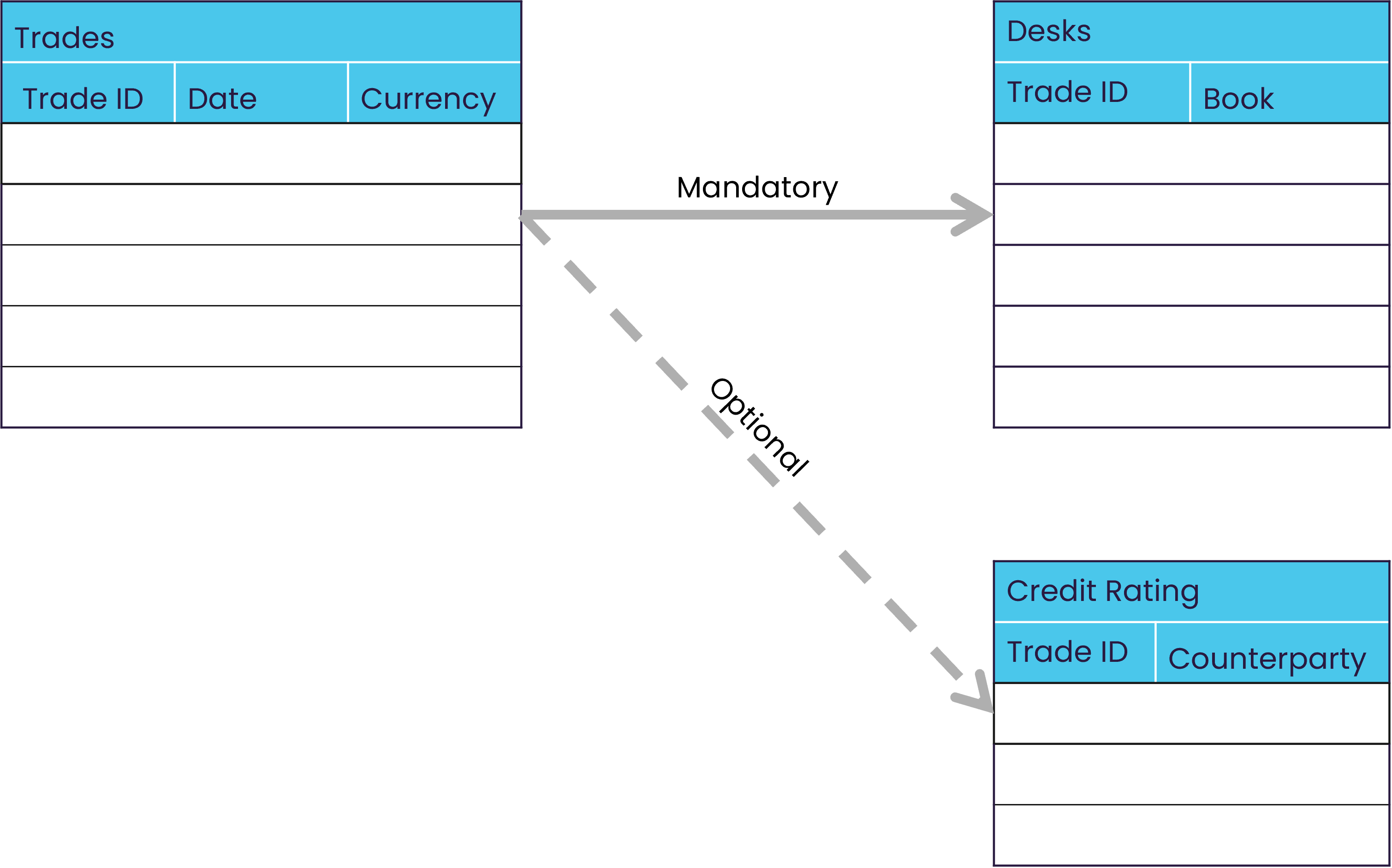
Some relationships are optional while others are mandatory.
How are data updates in the external database managed?
When the data in the external database changes, Atoti sees the new data only after a refresh. Between refreshes, DirectQuery relies on time travel to keep query results consistent.Related reading
Find out how to connect to an external database with:- Atoti Java SDK: Connect to an external database
- Atoti Python SDK: Query an external database