Export to CSV and Export to PDF are plugins. If you cannot find them
in your application, contact your system administrator.
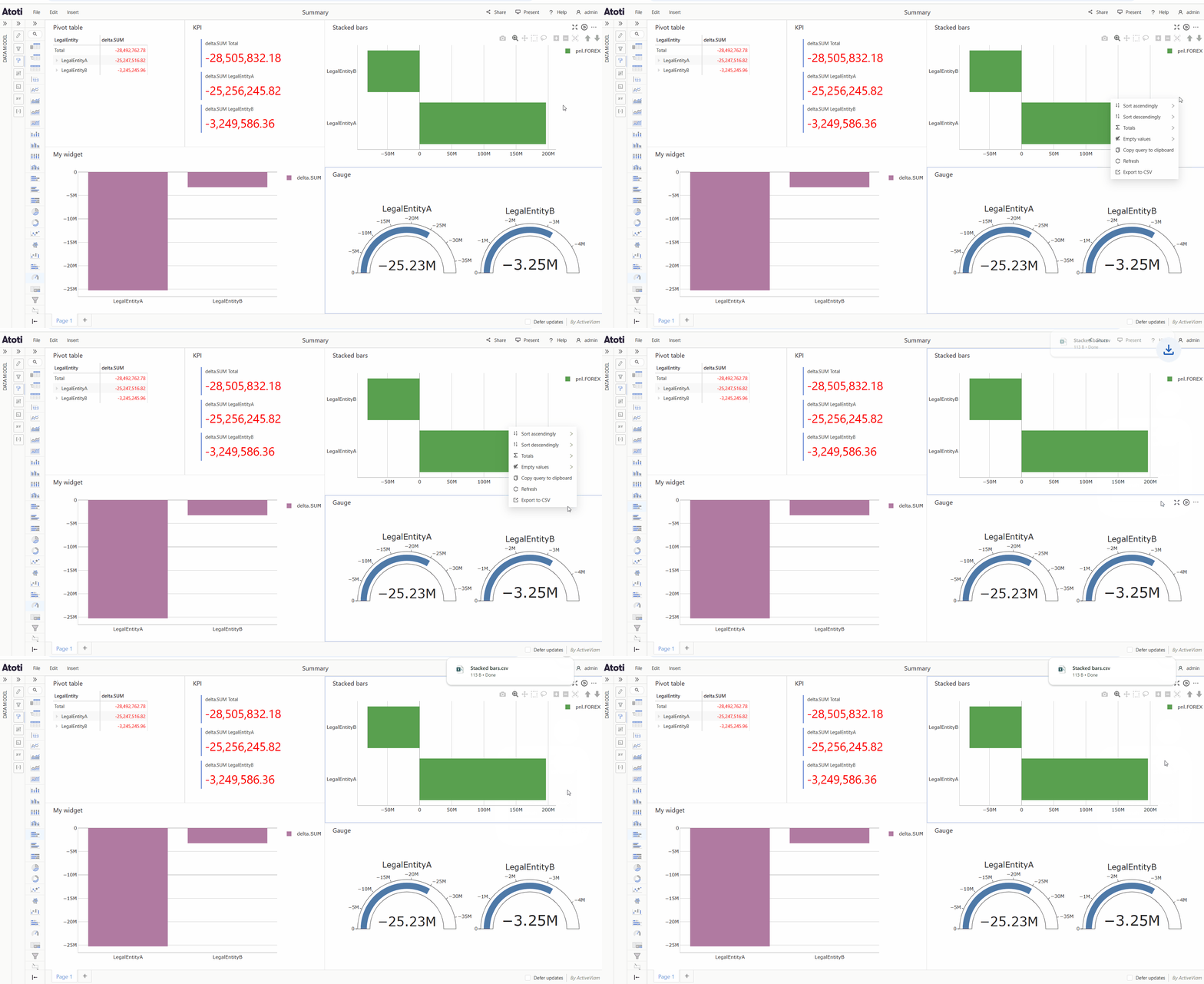
Export to CSV
To download the data from a widget as a CSV:- Right click on a data visualization widget to open the context menu.
- Select Export to CSV.
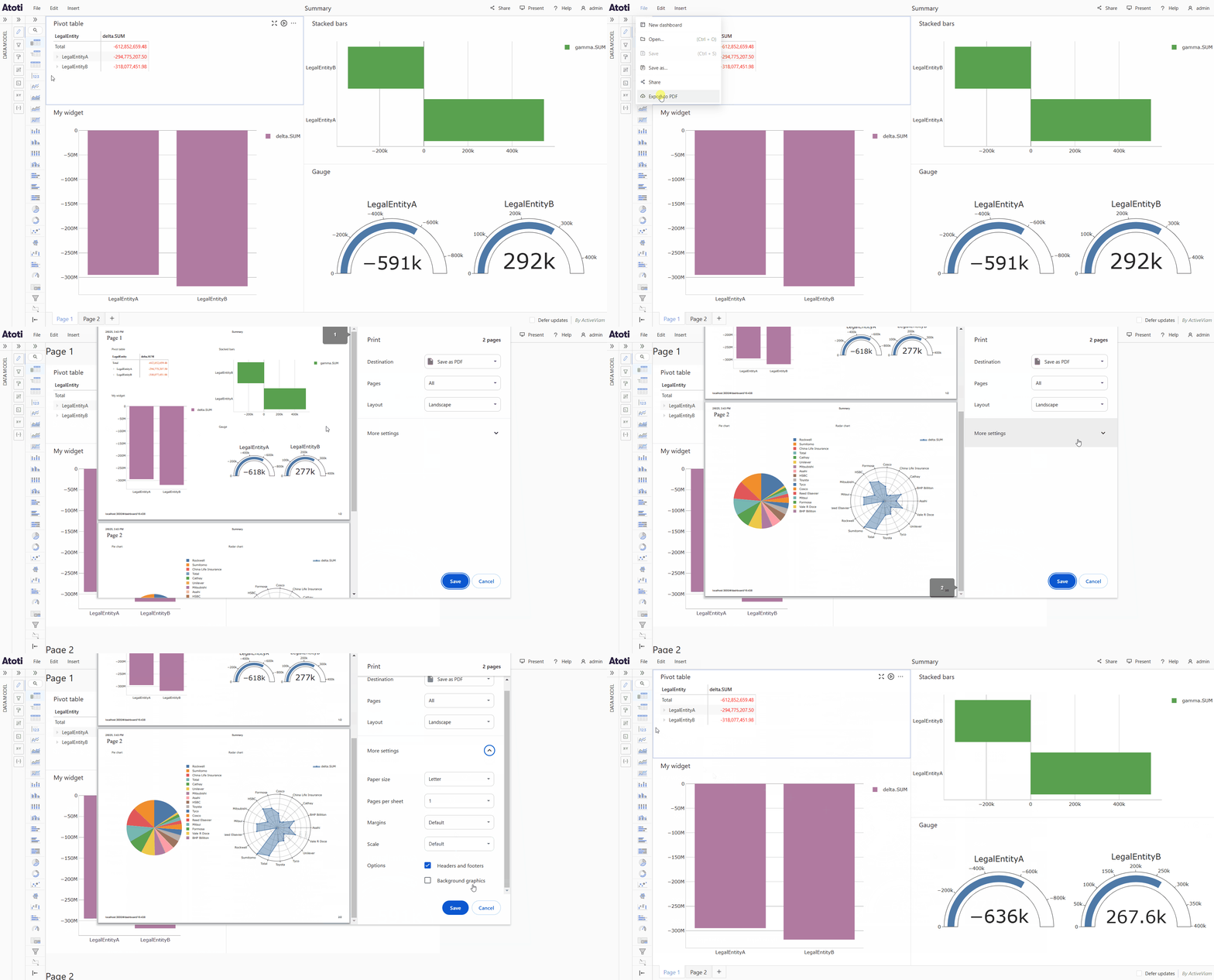
Export to PDF
To download a dashboard as a PDF:- Open the File menu.
- Select Export to PDF.
- A popup will open, you can customize the settings here if you wish, for example choose which pages to include if your dashboard has more than one page.
- Click Save, this will open the file explorer.
- Choose where you want to save the PDF file, then click Save again.