Introduction to ETL in Atoti
Datastore API and data sources
As described in the Datastore Transactions section, data can be loaded in the datastore thanks to the API below. This works for sources that are already in-memory, such as POJOs, Arrow, or data coming from message brokers (for example Kafka).ETL pipeline
Atoti data sources help build a standard ETL (Extract - Transform - Load) pipeline. Atoti’s data source API enables developers to populate their datastore(s) from multiple data sources. Currently, Atoti supports the following data source types:- CSV files
- Parquet files
- JDBC (Java DataBase Connectivity)
- allow for ETL pipeline orchestration
- provide out-of-the-box implementation of the extraction step for some common data format, such as CSV, Parquet, and JDBC
- are extensible to support other data formats
Extraction
The extraction step is responsible for reading data from a data source.- For data already in an in-memory format, the extraction step is not needed
- For data in databases, Atoti relies on the JDBC standard and a JDBC driver provided by the client to extract the data
- For CSV files and Parquet files, Atoti provides its own parsers in order to extract data from those
Transformation
Once the data is extracted, it can be transformed before loading it into the datastore. Classical transformations include:- data cleaning: e.g. removing duplicates, handling missing values
- data type conversion: e.g. converting a string to a number
- augmenting the data with additional information: e.g. adding the ingestion date, or the source of the data
Loading
Lastly, the data is loaded into the datastore. Atoti data sources automate the interaction with the datastore transaction manager. Different out-of-the box implementations are provided to load data into the datastore, but it is also possible to implement custom data loaders.The Atoti ETL model
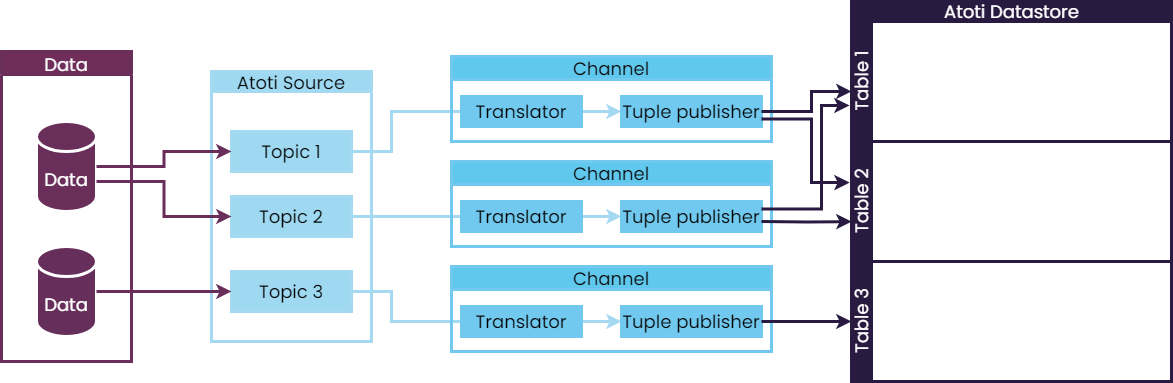
Let’s dive into the different components of the Atoti ETL model, which allows data to be loaded into the datastore from different sources.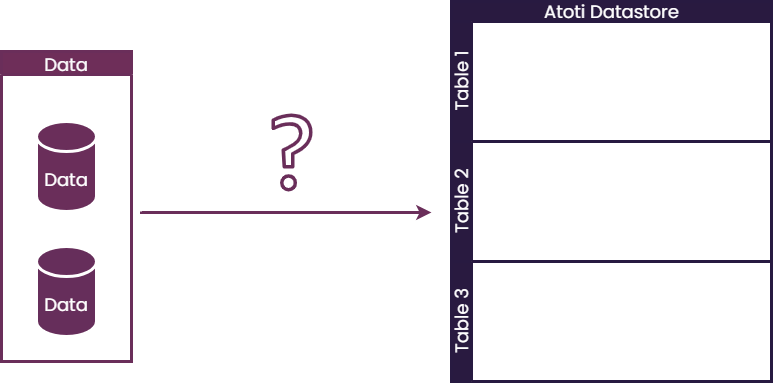
Extraction step
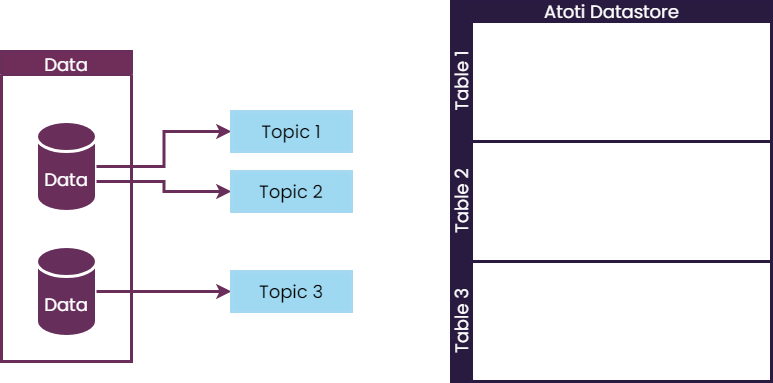
To model the extraction step, Atoti provides different abstractions: AnITopic is a representation of a data extraction step.
It contains the business logic to extract data into an in-memory representation.
The topic is a link to a specific collection of data, that can be:
- a file
- a directory containing many files (in order to keep each file size reasonable)
- a JDBC query (returning a database table, a database view, or a subset of those)
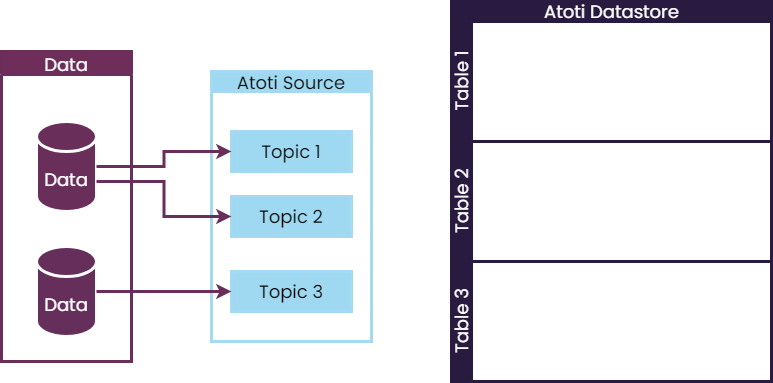
ISource represents the extraction process (one-off fetching of data, or listening for further updates).
There is usually more than one topic per source.
Channels
Each topic uses one channel to route data to a table in a datastore. Channels are responsible for:- transforming the data if needed
- loading the data into the datastore
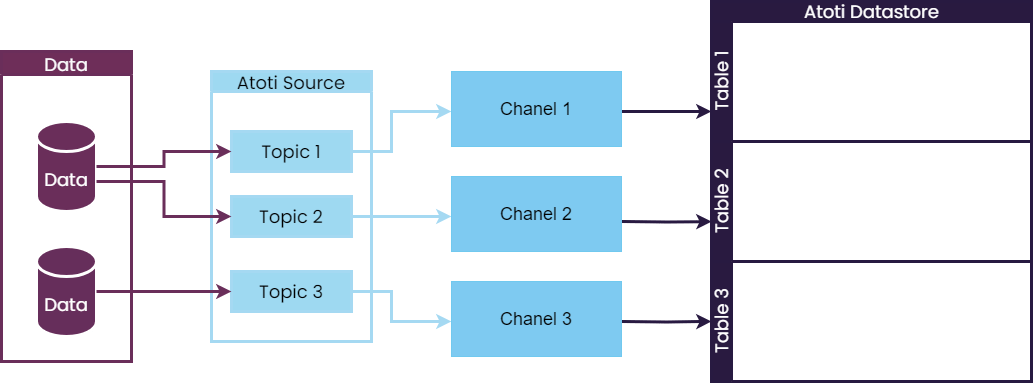
IStoreMessageChannel) are created by a channel factory (IStoreMessageChannelFactory).
Transformation step
Atoti provides theITranslator abstraction to model the transformation step.
A translator is a set of transformations that can be applied to the data, effectively transforming it to a new format.
Channels created with translators will apply the transformation before loading the data into the datastore.
In addition, Atoti provides a set of default translators, based on IColumnCalculator.
A column calculator is a transformation that takes a set of columns and produces a new column.
Atoti provides some abstract column calculators that can be extended to create custom ones:
AColumnCalculatorAIndexedColumnCalculator
Loading step
In addition to the transformation logic, channels are responsible for loading the data into the datastore. Interaction with the datastore transaction manager is done via theITuplePublisher abstraction.
The tuple publisher is responsible for:
- deciding when to commit the transaction (at the end of the data, after a certain number of rows, after each row, or not at all)
- streaming the data to the datastore or publishing it in batches
- mapping the data to the datastore schema (for example, it can map one topic to one table, or one topic to multiple tables)