

Setting limits for query results
AGetAggregatesQuery does not only build
the cells it returns. To produce them, the engine materializes intermediate results, and those can
be far larger than the final result. The IQueriesResultLimit context value caps that intermediate
work, so that a single expensive query cannot exhaust the server’s memory and disrupt every other
user.
These limits belong to the GetAggregatesQuery layer, not to the MDX engine. They are applied
during query evaluation. They are not the MDX
result limit, which caps the number of cells in the
result and is checked after evaluation. An MDX statement is still subject to
IQueriesResultLimit, because it compiles into one or more GetAggregatesQuery: it can return ten
cells and still be stopped by what those queries had to compute to get there.
Exceeding either limit raises a RetrievalResultSizeException and aborts every operation involved
in the query.
What is counted
The limits count point locations: the individual points held by the results of the retrievals that make up a query. They do not count rows read from the database, cells returned to the client, or bytes. Reading the execution plan first is the fastest way to make sense of these limits, because the plan is where the counted quantities are printed.Configurable limits on query results
There are two limits, and they catch two different problems.
A few consequences are worth spelling out.
intermediateLimit is per partition. A retrieval running over eight partitions produces eight
results, and each one is checked separately against the limit. The execution plan prints one result
size per partition for exactly this reason.
transientLimit covers one GetAggregatesQuery (GAQ). A GAQ carries many locations, and in most
cases a single MDX statement compiles into a single GAQ covering all of its locations, so in practice
the transient limit is the ceiling on a whole MDX query. Each GAQ execution counts against
its own budget, so a statement that leads to more than one, such as a multi-pass query or one
evaluated against several cube versions, gives each execution a budget of its own.
The two fields do not always move independently. Setting only transientLimit leaves
intermediateLimit at its default. In the other direction, when the limits are read from properties,
such as a shared context value, the transient limit is never left below the intermediate one: setting
only intermediateLimit to a value above the transient default raises transientLimit to match it,
and setting it to -1 lifts both.
Default values
The same pair is available as
QueriesResultLimit#defaultLimit().
Setting the limits
Query result limits can be set through Atoti context values,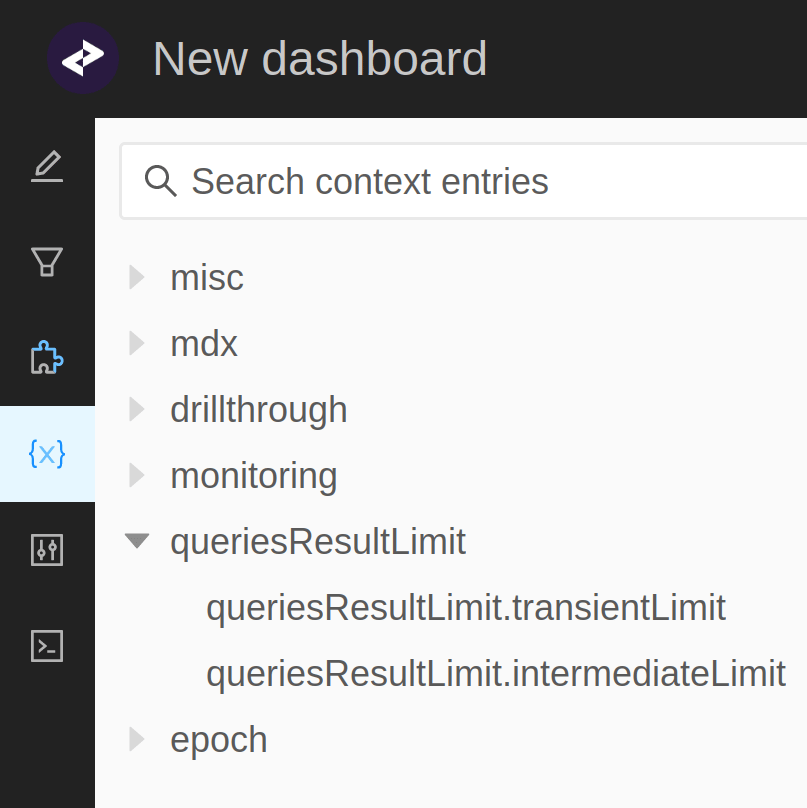
Choosing values
There is no formula that turns a query into a limit. The number of points a query computes depends on the measures involved, the shape of the data and the way post-processors expand locations, so it is measured rather than predicted. The execution plan reports the size of every retrieval result, which is the quantity the limits are compared against, so the procedure is:- Run the representative query once with
QueriesResultLimit#withoutLimit(), outside production. - Enable the execution plan timing print mode of
execution plan logging, which is the mode
that measures result sizes, and read the
Result size (in points)line of each retrieval. It holds one value per partition of that retrieval. - The largest value across the whole plan is the floor for
intermediateLimit, and the sum of all of them is the floor fortransientLimit. - Add headroom for data growth, and set the limits above those floors.
That sum is a lower bound on what the transient limit counts. When a result is copied or merged, its
points are contributed again, so a query can accumulate more points than the sum of the result sizes
shown in the plan. Treat it as a starting point to tune from, not as an exact target.
Diagnosing a rejected query
The exception names the limit that was reached and the field to change. Which of the two fired tells you what to look at:intermediateLimit: one retrieval produced too many points on its own. Find the largestResult size (in points)in the plan and look at that retrieval. A deep granularity or a Copper join fanning out over a large dimension are the usual causes.transientLimit: the query accumulated too many points across all its retrievals, and no single retrieval need be anywhere nearintermediateLimit. This is the wide query case, with many locations running through a chain of measures. RaisingintermediateLimitwill not help here.
Only the contribution that crosses the transient limit reports it. Retrievals of the same query
that are still running are cancelled, and they raise a
CancellationException carrying
A retrieval exceeded the limit. Cancelling this retrieval... instead. When you search logs for a
rejected query, expect one RetrievalResultSizeException among several cancellations.In a distributed setup
The limits are enforced twice, in two different places. Each data node applies them to its own retrievals, against its own transient budget. If one data node exceeds its limit, the whole query fails, and the partial results of the other data nodes are not accounted for. The query node then applies them again to the results it receives, so its budget has to cover what all the data nodes return together, not just the largest of them. Budget for considerably more than that in a polymorphic setup. The query node replicates the results it receives across the combinations the data nodes do not hold, so a single point returned by a data node can materialize as many points on the query node, some of them without any underlying contribution. This is the usual reason a query node hits the limit while every data node stayed well under it.Miscellaneous
A few more behaviors to keep in mind:- Intermediate results may exceed the limit even when the final result does not. A Copper join including factless points that are later removed from the final result is a typical example.
- A retrieval missed during a post-processor chain is recomputed by a new query with a fresh transient budget, so the points it computes do not count against the query that needed it.
- The Continuous Query Engine enforces the limit on the shared retrievals it runs while processing real-time events. That check can be disabled for the update path only. See the continuous query engine.