

What is required before launching a report?
- A Risk Portal account with access to the required report and portfolio.
- Access to any custom market-data environments required for the report.
- A valuation date with suitable position and market data.
- The required market-data settings, cutoff, and position filter, where applicable.
How to set up the report
Saving a setup adds a launcher item. Saving does not start a calculation.- Select Reports in the sidebar.
- Select Risk. The Risk Report Launcher page opens.
- Select Add on the toolbar. The Add Report dialog opens.
- Select the portfolio in Portfolio.
- Select the report in Report Name.
- Select Simple under Date Setup.
- Clear Live Data if the checkbox is shown and selected.
- Clear Locked to Today if selected. The label changes to Lock to Today, and manual date selection becomes available.
- Select the valuation date in Run Date. Future dates are unavailable.
- Set Market Data Environments to the required custom selection, if any. An empty custom selection uses the configured defaults.
- Check Cut Off against the required report setup, if shown.
- Check Position Filter against the required report setup, if shown.
- Select the reporting currency in Currency.
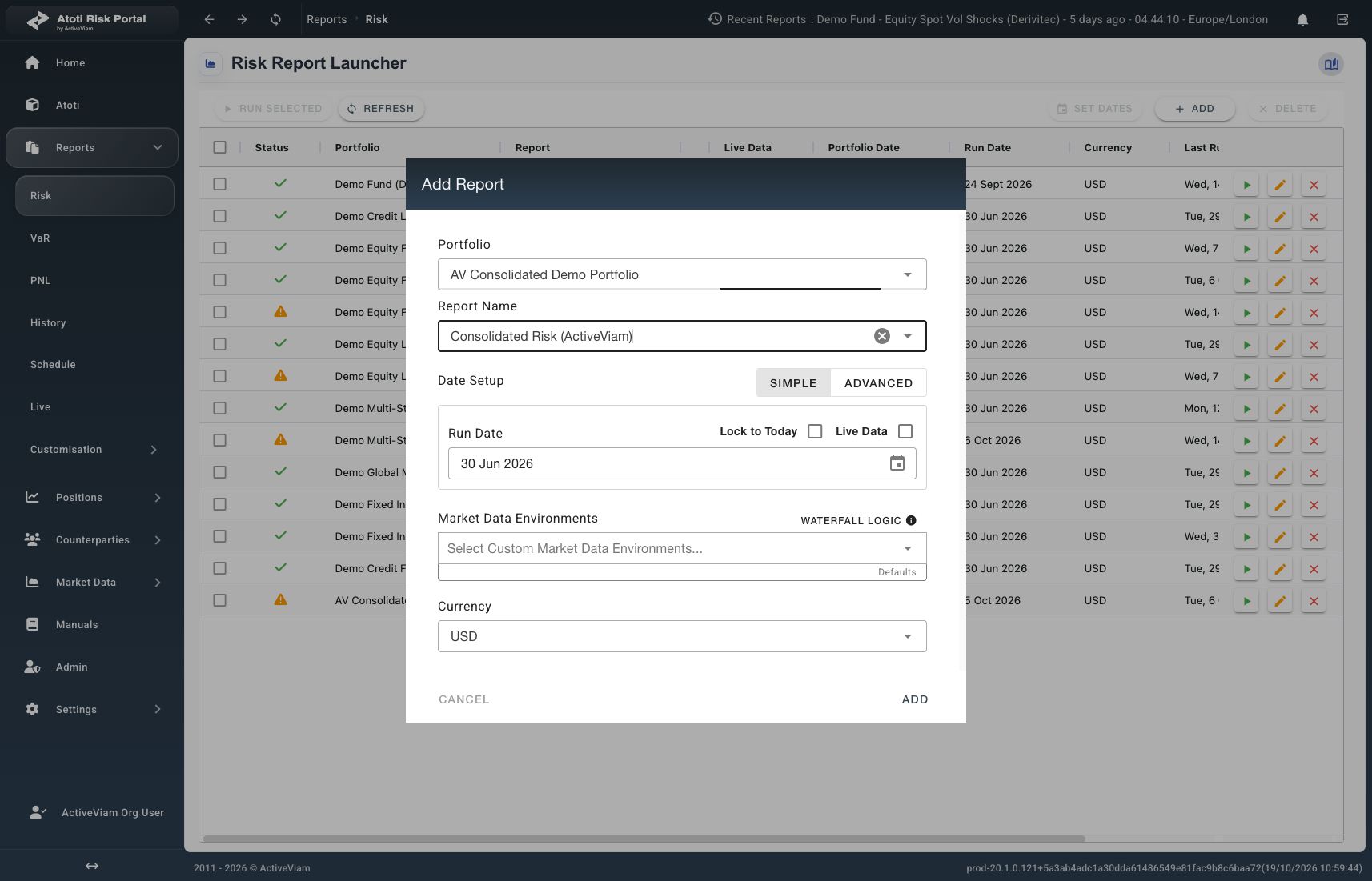
Example setup for AV Consolidated Demo Portfolio with a fixed valuation date and USD reporting currency.
- Select Add inside the dialog to save the setup. The dialog closes.
In Simple mode, the portfolio date follows Run Date, subject to cutoff settings.
The market-data date can differ from Run Date.
How to run the report
- Locate the saved setup in the launcher grid.
- Select the row’s Run icon, shown as a play button.
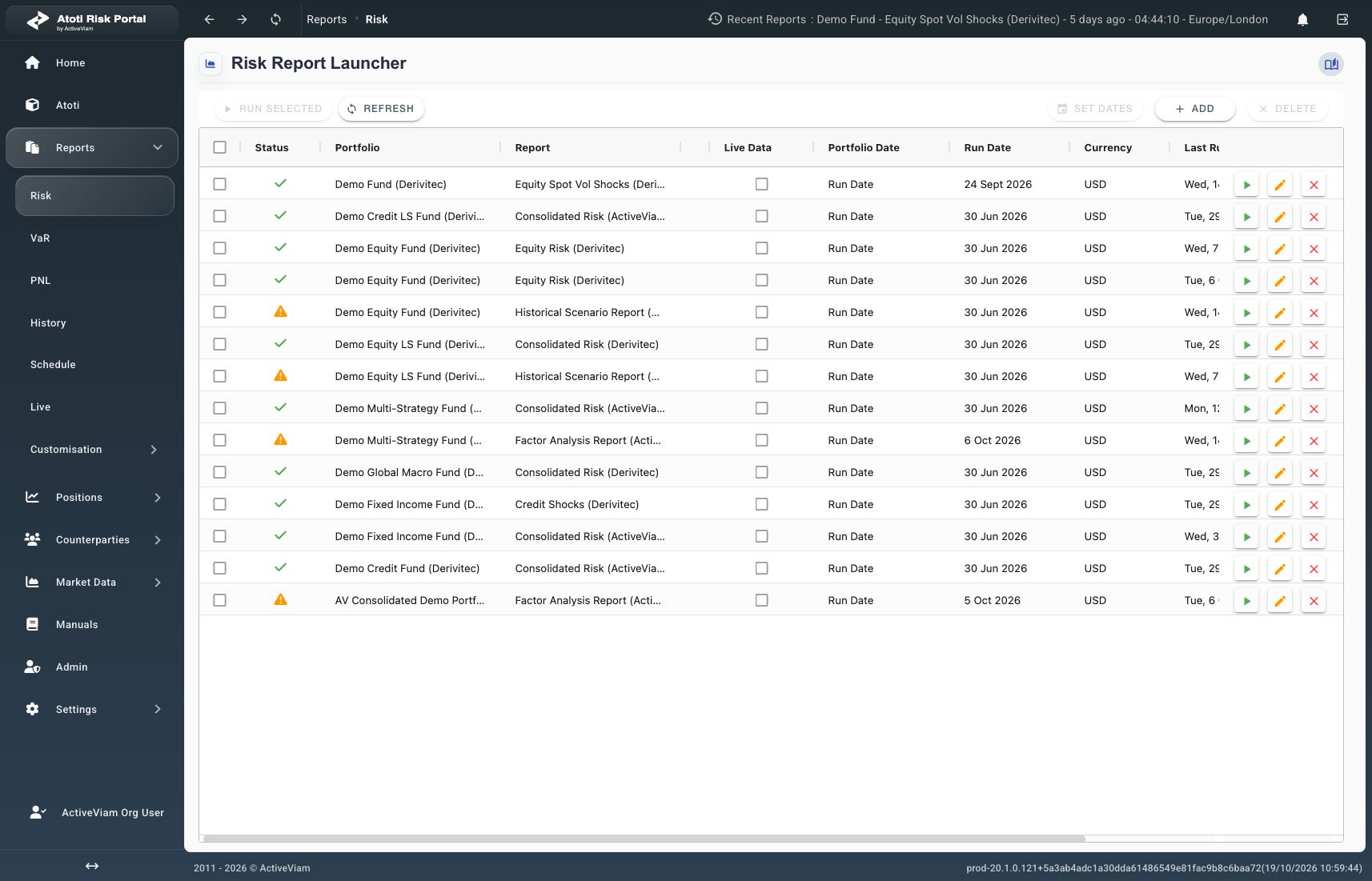
Saved launcher rows show setup fields, completion indicators, and Run buttons on the right.
How to open the results
- Wait for a green check or orange warning triangle on the saved row.
- Select the report name in the completed row. The report view opens.
A warning tooltip shows the supplied status message, or Succeeded with errors when no message is supplied.
Read any available warning details before relying on the results.
What can prevent a report from completing?
For unresolved failures, provide the reported error and selected setup to the configured support contact.