What is What-If
The What-If functionality is a Solution add-on to the ActiveViam platform. It provides a consistent approach (including auditing and memory management) across all business solutions developed on top of the ActiveViam platform and is extendable and customizable. You can use it, for example, to test the impact of a variety of scenarios that affect a bank’s risk-based capital charge.How does it work
On a daily basis, the production data set is loaded from a variety of sources, such as trade, reference, market data, and stored in an Atoti Server Cube. This serves as the master data set from which all potential scenarios or simulations evolve. Once What-If is initialized, you can apply certain changes to the risk data and parameters. These updates are reflected in a What-If branch of data that is created from the master data set used to perform the What-If scenario. In the screenshot, the capital calculations are displayed based on the data in the master branch, as well as in an experimental branch called WhatIf Fx RW -> 15, having the parameter “Calib_FX_Weight” increased by a user from “8.1” to “15”.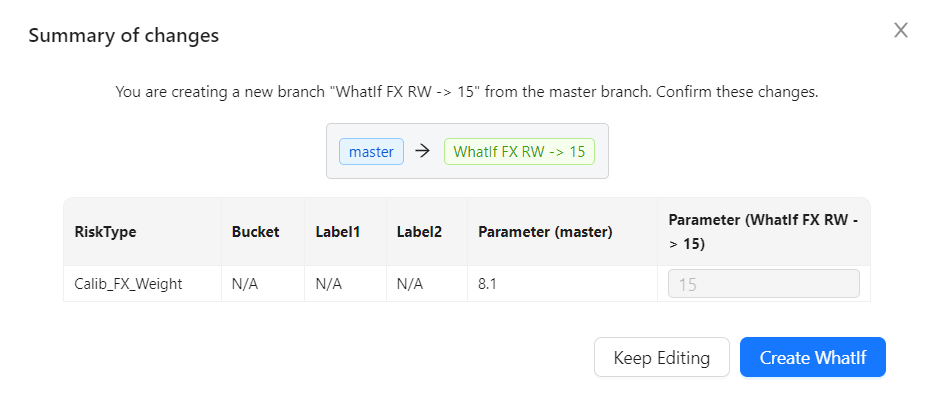
Types of What-If analysis
The use-cases supported by Atoti ISDA-SIMM out-of-box:Parameter Sets
Override values of supervisory parameters and immediately visualise the impact on screen. See Parameter Sets widget to learn more.Trade Scaling
Apply scaling to one or more trades in an experimental mode. See Trade Scaling.File Upload
Upload stress test sensitivities and modified calibration data into an experimental branch and evaluate What-If scenarios. See File Upload to learn more.Trade novation
Update a trade’s given portfolioId. By changing a trade’s portfolio, you can see a trade’s impact on risk. See Trade Novation.Additional Margin parameters
Add, adjust and remove factors and add-ons used in the Additional Initial Margin Formulas. See Additional Margin ParametersAny other What-If use-cases and features would be developed on a client implementation project and would not be part of Atoti ISDA-SIMM.
Branches
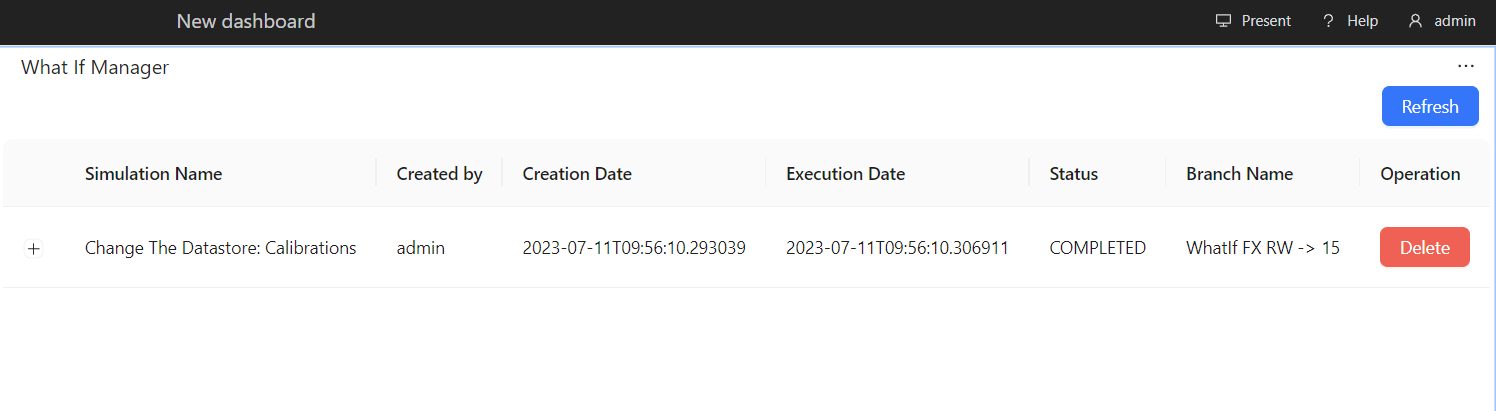
Each simulation you run creates a separate cloned branch of the master. However, as the What-If is purely for simulation purposes, these branches never impact the master branch.WhatIf Manager
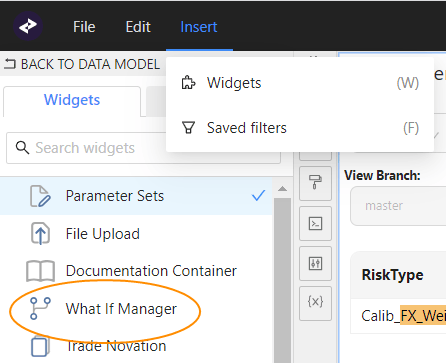
To manage your branches and the simulations on them, use the WhatIf Manager. To open the WhatIf Manager:- In the top left menu, click Insert > Widgets.
This opens the list of available widgets. - Drag and drop the What-If Manager to your dashboard.
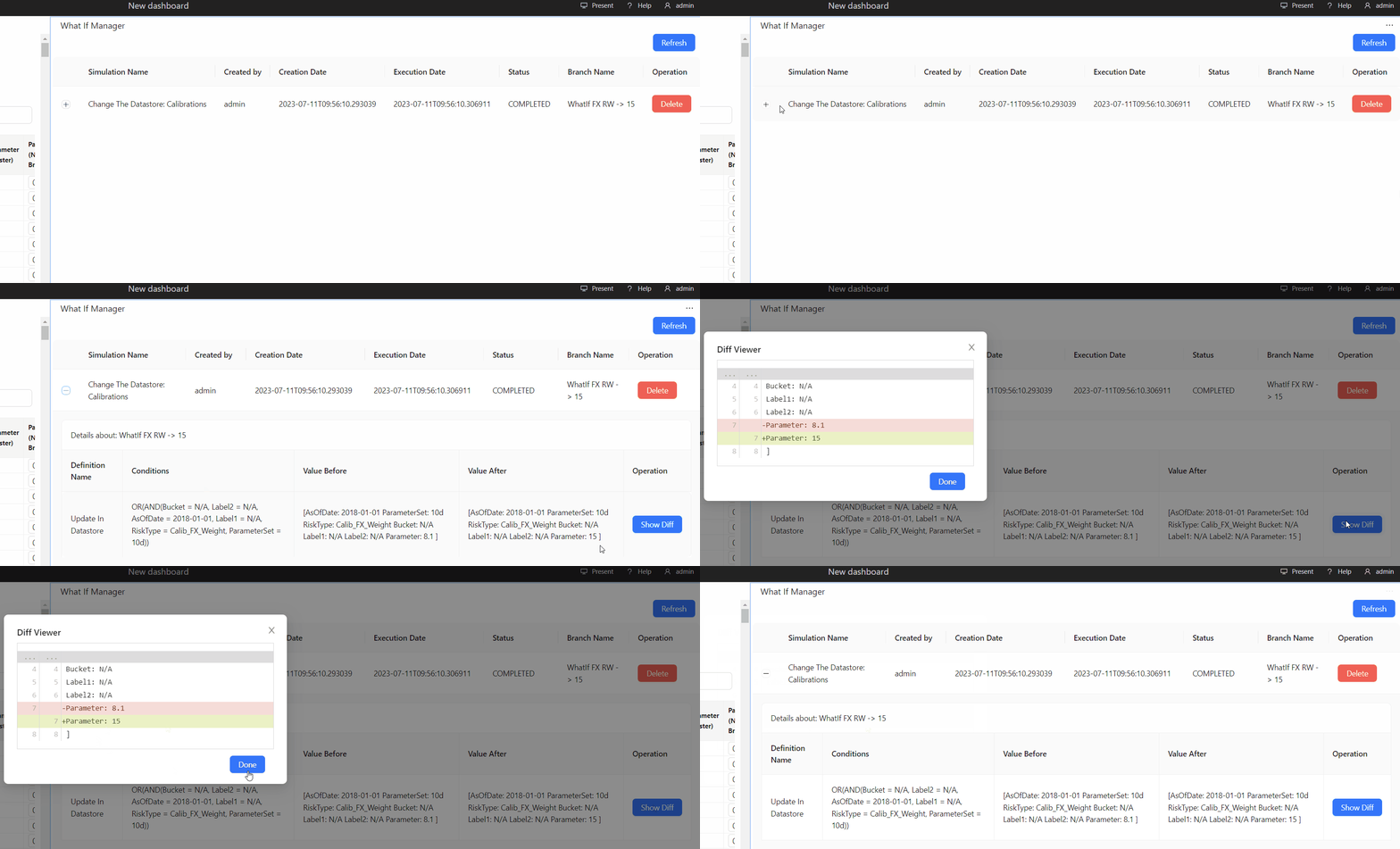
The diff is not available for What-Ifs created using the File Upload widget.