​The Trade Novation widget allows you to move trades across portfolios and compare the risk.

Using the widget

  1. In the top left menu, click Insert > Widgets, then drag and drop the Trade Novation widget to your dashboard.
  2. On initial display, you’re prompted to enter or select the following:
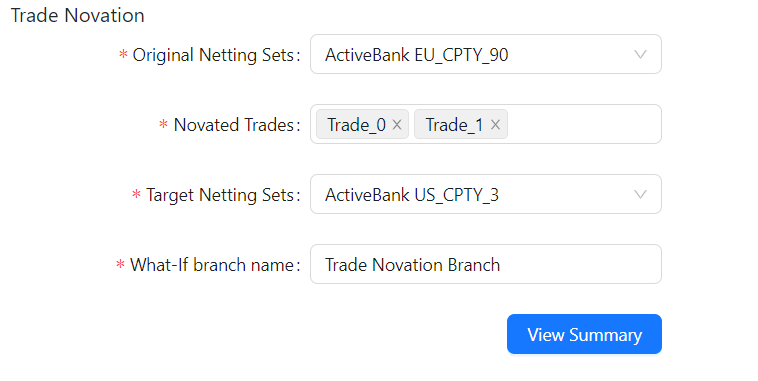
Trade Novation Widget
  1. After entering the necessary data, click View Summary to see a summary of your What-If.
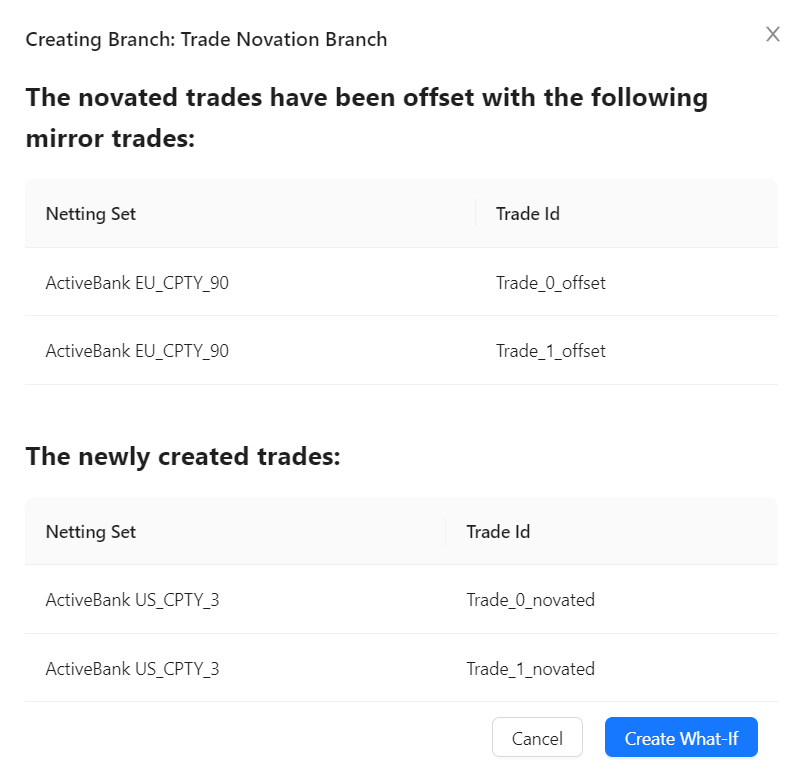
Trade Novation Summary Two copies of the Novated Trades are created: an “offset” and a “novated”. The “offset” trades cancel out your risk from the Original Netting Set. The “novated” copy applies the trade’s risk value to the Transferee Netting Set.
  1. Click Create What-If to finalize your changes.
To view the experimental calculations, add the Epoch hierarchy into the view, for example, on columns of your Pivot Table. You may also want to set a filter on this hierarchy and select: “master” and your branch.