

What is required before grouping results?
- An accessible report with loaded results.
- A field that the report supports for grouping.
How to add a grouping field
- Select Columns beside the grid.
- Locate an eligible field in the column list.
- Drag the field into the grouping area above the grid.
- Place it at the required position among the existing grouping fields.
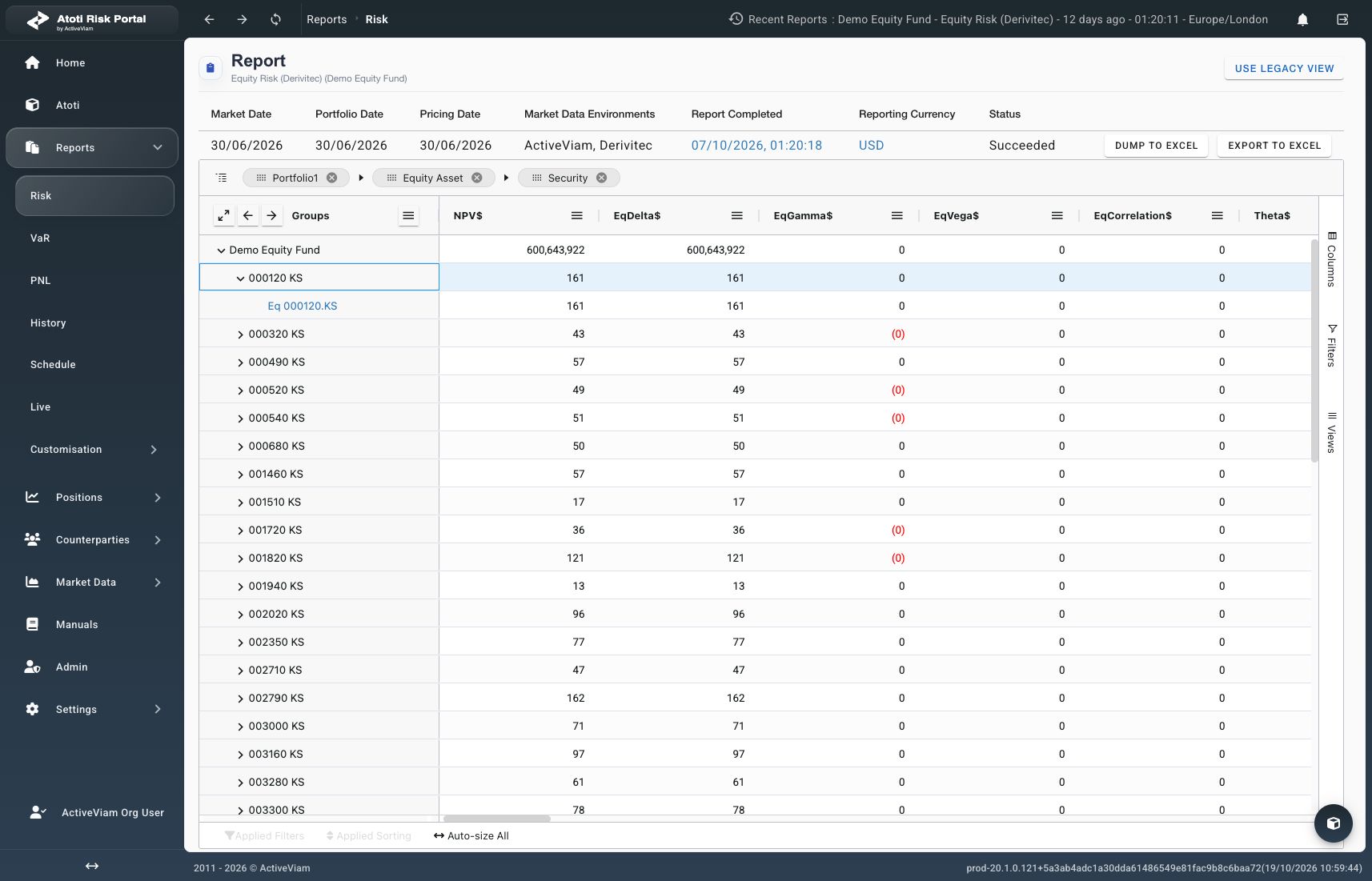
Portfolio1, Equity Asset, and Security form three grouping levels. Production, October 19, 2026.
How to change the hierarchy
Drag an existing grouping field to a different position in the grouping area. Verify the new field order before interpreting the regrouped results. To remove a grouping level through the results:- Open the context menu on a group value at that level.
- Select Un-Group by followed by the field name.
How to expand or collapse groups
Use a row’s expansion control to inspect its child groups. Use Group Menu in the Groups header for broader changes.
Wait for requested rows to load after expansion.
Grouping and expansion are separate: collapsing a level retains its grouping field.