

Prerequisites:
- Ensure you have a definition for your task.
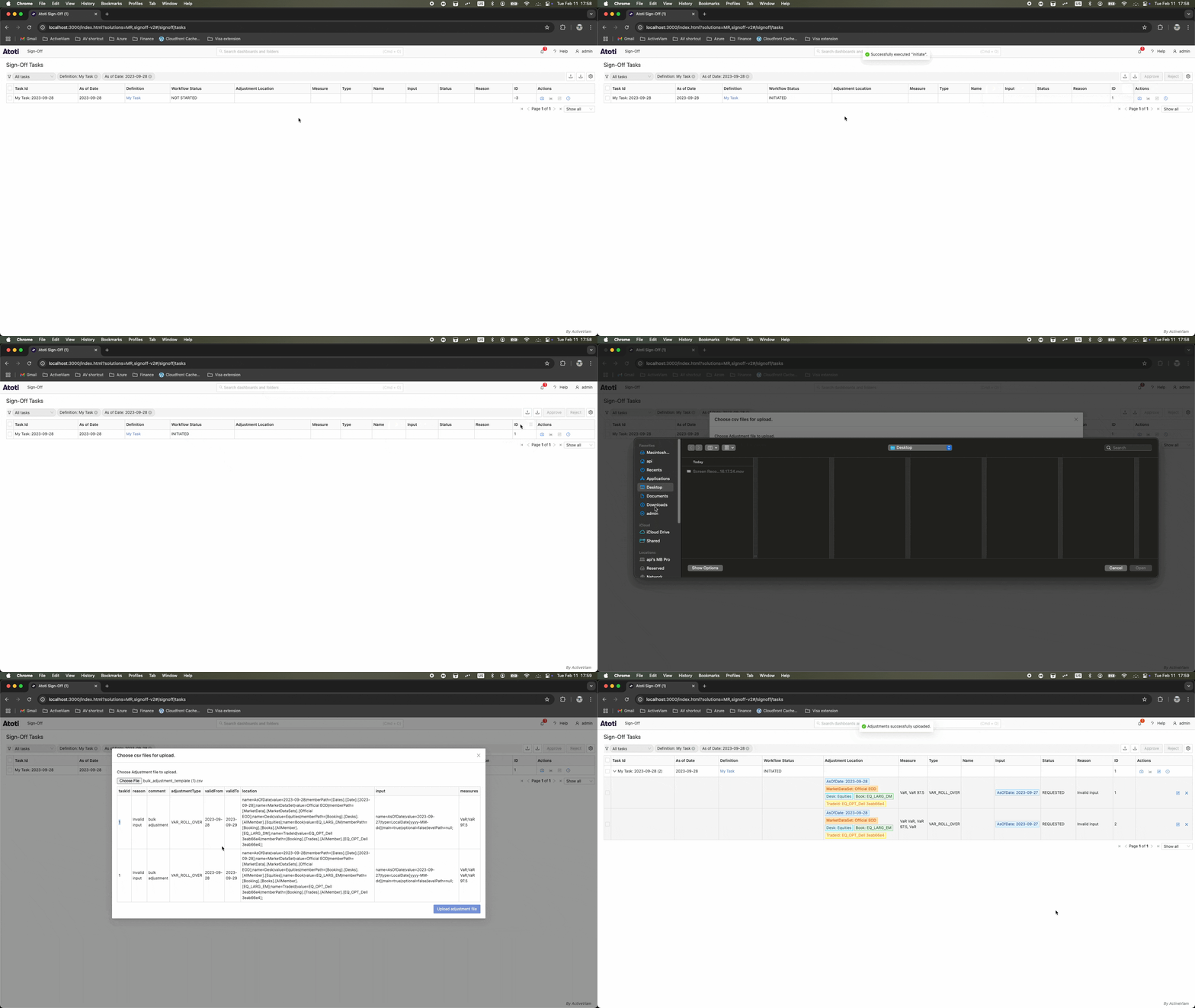
- Ensure the task referenced in your file is created and initiated.
- In the Tasks screen, click the upload icon to open a dialog, then click Choose file.
- In the file browser, select your CSV file.
- Review the imported file.
- Click Upload adjustments file. This creates your adjustments or displays an error.
If a single adjustment cannot be performed, none are performed.