| Field Name | Description |
|---|---|
| Rule | The supported limit rules are: - Greater Than: The limit has a breach status when the measure value is greater than the specified value. - Less Than: The limit has a breach status when the measure value is less than the specified value. |
| Warning | Enables or disables warning status when utilization reaches a specified percentage of the limit value. This is useful when you want to monitor when limits have high utilizations, for example, over 80%. |
| Warn when utilization reaches % of a limit | The warning threshold defines how close the value is to the limit before triggering a warning. The KPI status is displayed as an amber triangle in the pivot table when the status is a warning. For example, for a “greater than” limit of 10,000 and a warning set at 90%, a warning is generated when the value reaches 9,000, which means there is 10% of the limit remaining before a breach. For a “less than” limit of 10,000 and a warning set at 90%, a warning is generated when the value reaches 11,000, which means there is 10% of the limit remaining before a breach. |
| Value/Absolute Value | Sets whether the measure value should be interpreted as an absolute value when comparing to limit value. This is useful, for example, when you want to set sensitivity limits, which can be positive or negative numbers, but should be monitored as an absolute value. |
- Rule: Choose between Greater Than and Less Than.
- Warn utilization reaches % of a limit: Choose between true and false. If true, specify the percentage.
- Absolute Value: Choose between true and false.
| Rule | Warning | Absolute Value | |
|---|---|---|---|
| 1. | GREATER_THAN | True (80%) | True |
| 2. | LESS_THAN | True (80%) | True |
| 3. | GREATER_THAN | False | True |
| 4. | LESS_THAN | False | True |
| 5. | GREATER_THAN | True (80%) | False |
| 6. | LESS_THAN | True (80%) | False |
| 7. | GREATER_THAN | False | False |
| 8. | LESS_THAN | False | False |
Overview
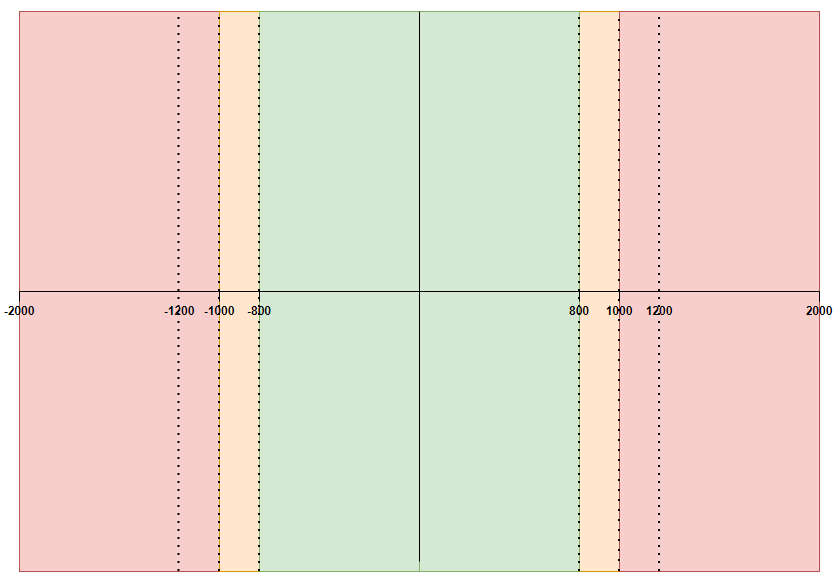
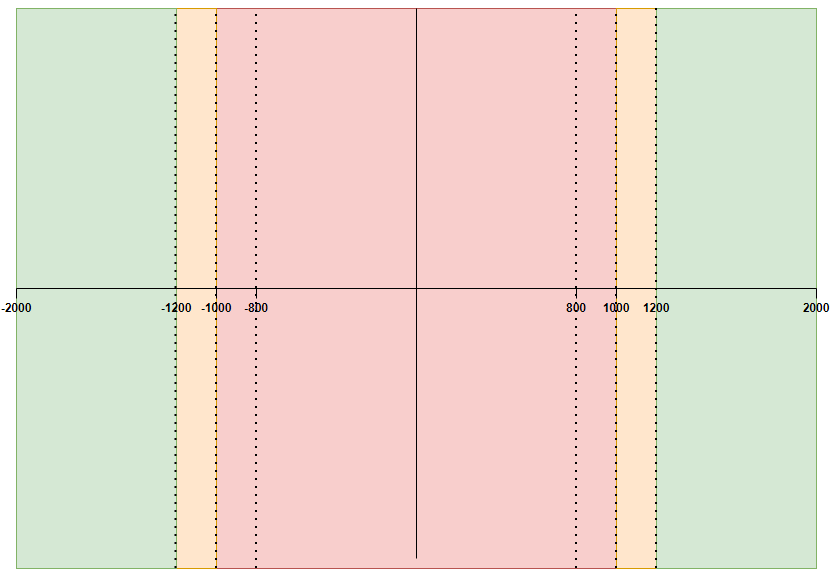
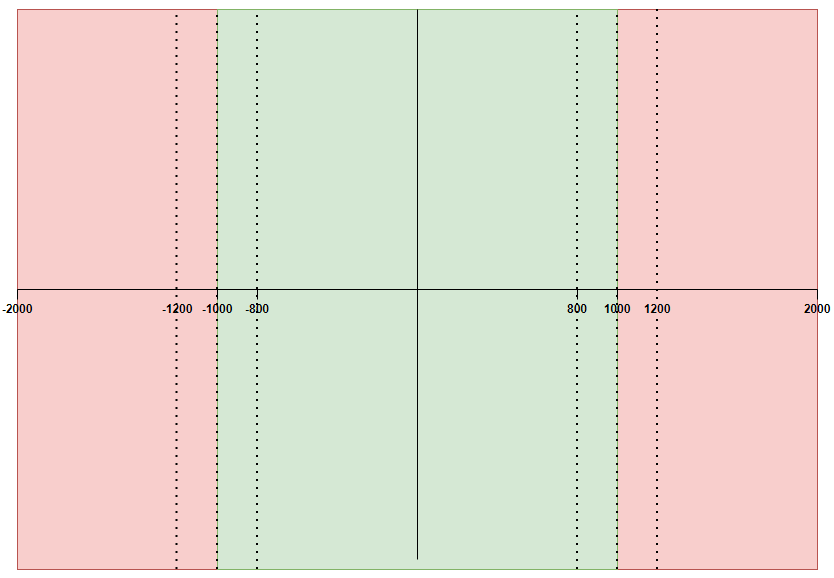
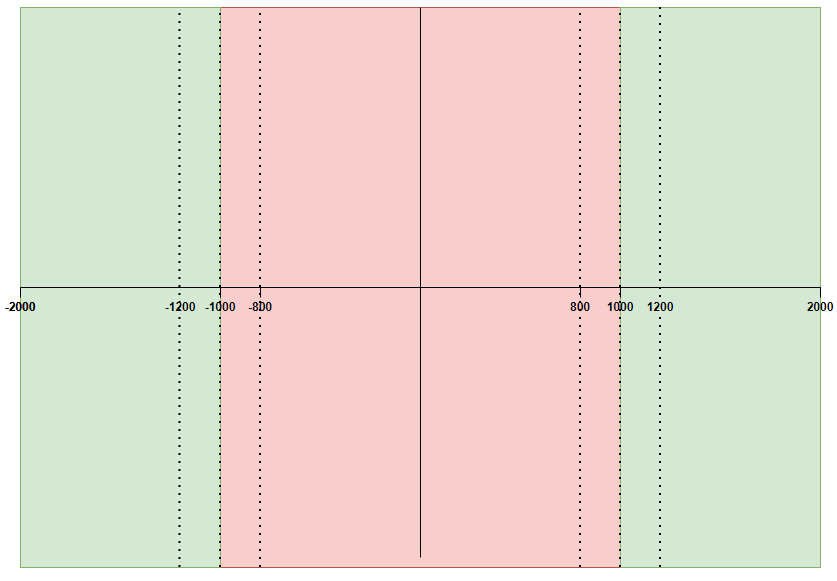
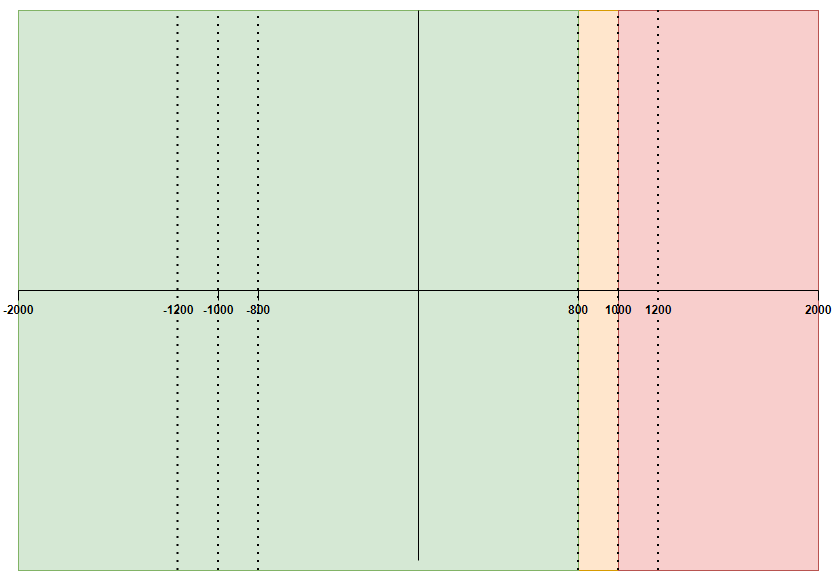
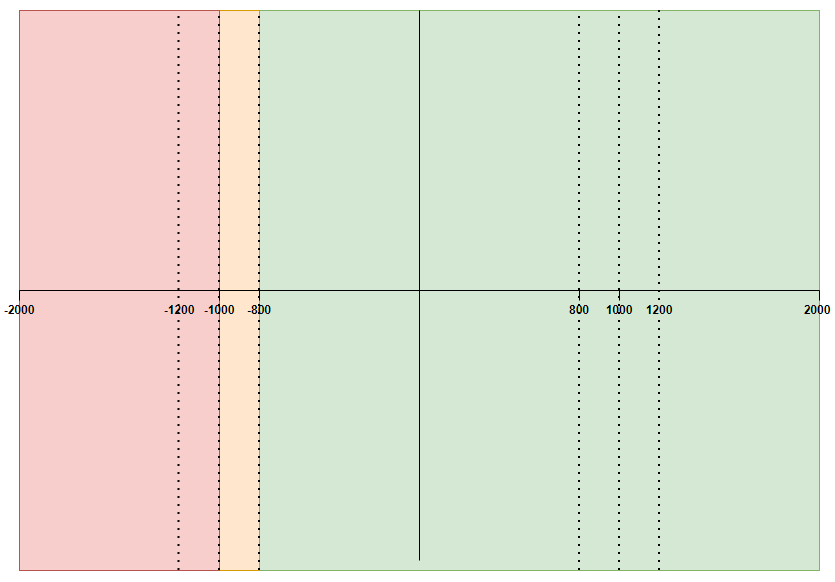
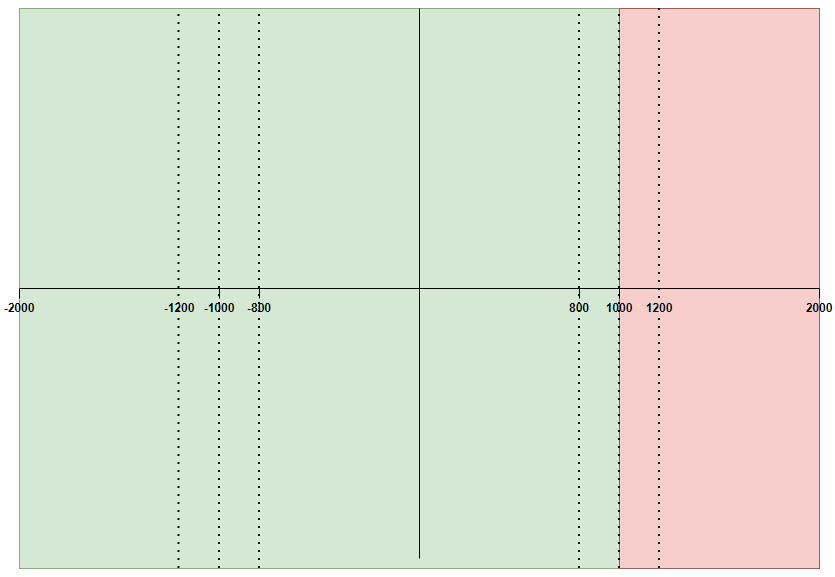
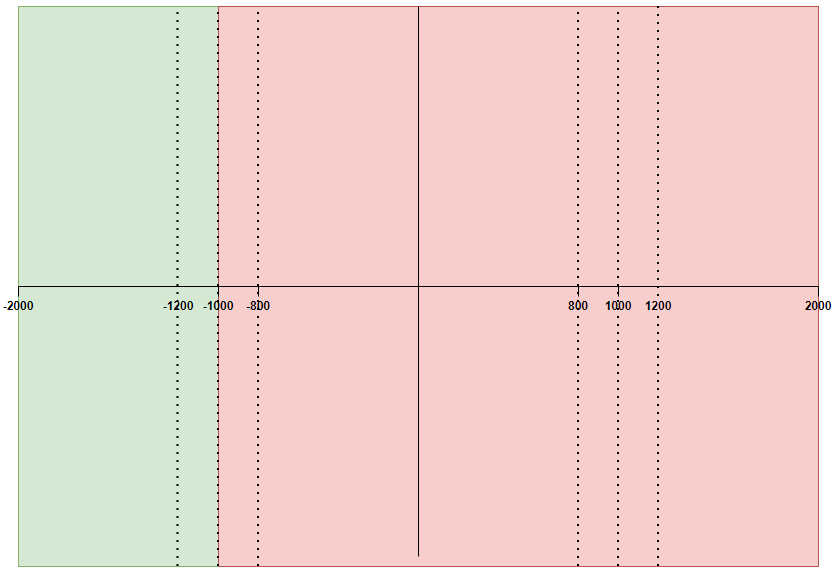
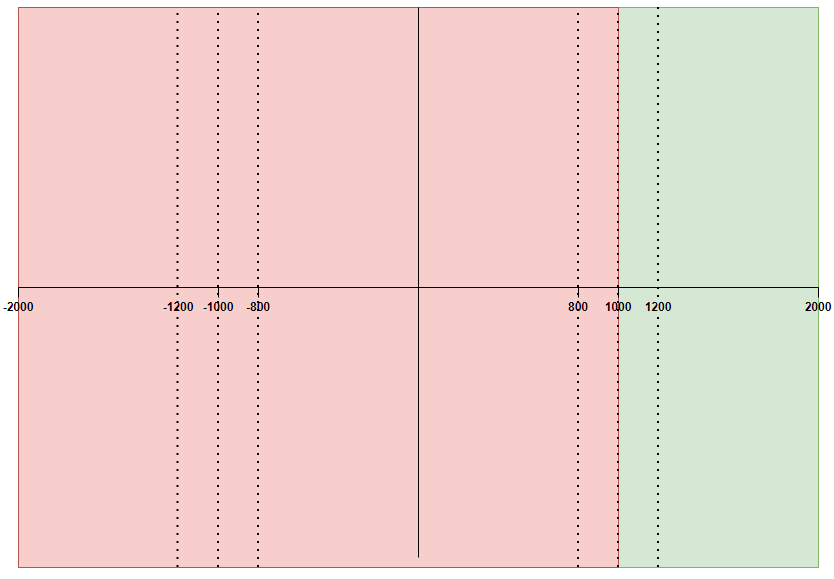
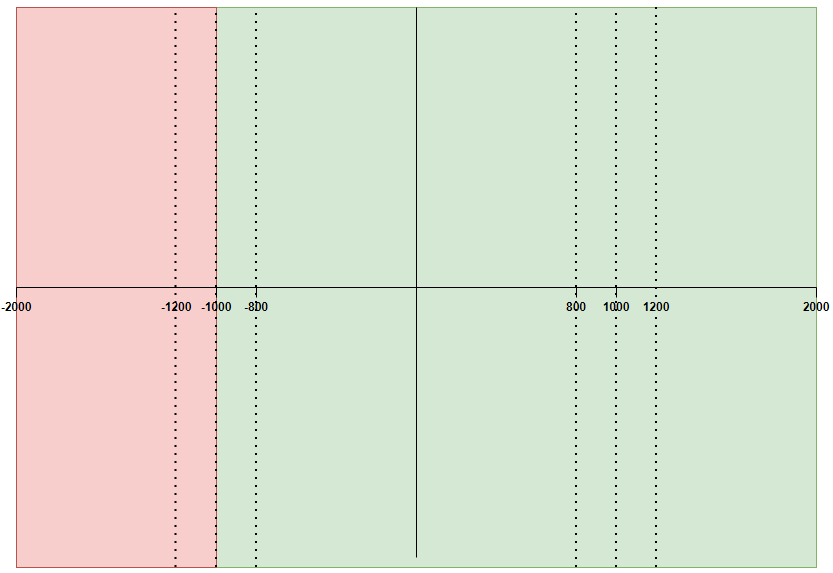
In the following examples we will use similar data to illustrate the different combinations of limit design. The data is as follows:- the limit value will be 1,000 or -1,000
- when used, the warning threshold will be 80% of the limit value
- breach, denoted by red zones
- warn, denoted by amber zones
- pass, denoted by green zones
Case 1
| Rule | Warning | Absolute Value |
|---|---|---|
| GREATER_THAN | True (80%) | True |
Diagram
Diagram
Case 2
| Rule | Warning | Absolute Value |
|---|---|---|
| LESS_THAN | True (80%) | True |
Diagram
Diagram
Case 3
| Rule | Warning | Absolute Value |
|---|---|---|
| GREATER_THAN | False | True |
Diagram
Diagram
Case 4
| Rule | Warning | Absolute Value |
|---|---|---|
| LESS_THAN | False | True |
Diagram
Diagram
Case 5
| Rule | Warning | Absolute Value |
|---|---|---|
| GREATER_THAN | True (80%) | False |
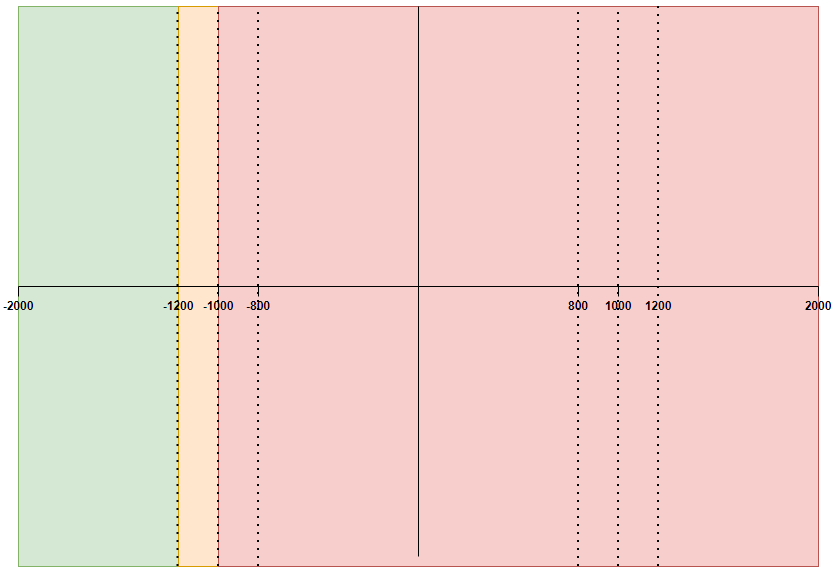
Case 6
| Rule | Warning | Absolute Value |
|---|---|---|
| LESS_THAN | True (80%) | False |
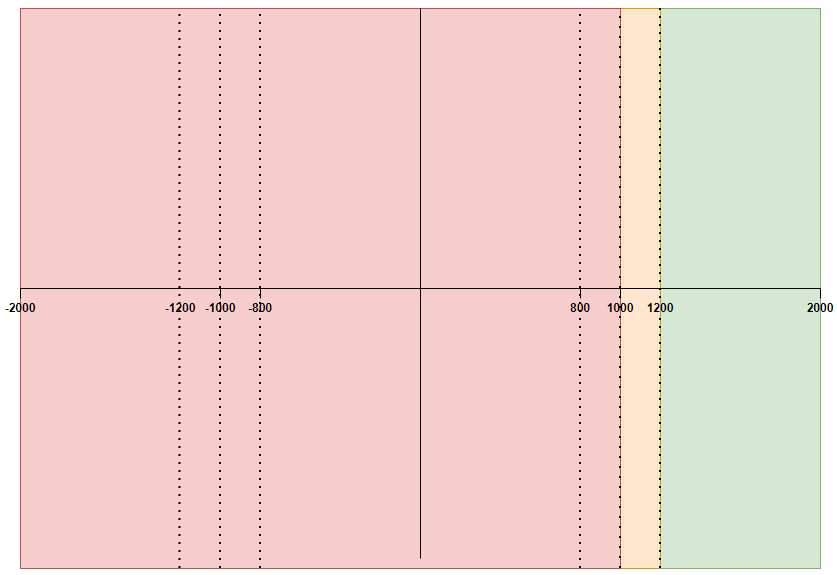
Case 7
| Rule | Warning | Absolute Value |
|---|---|---|
| GREATER_THAN | False | False |
Case 8
| Rule | Warning | Absolute Value |
|---|---|---|
| LESS_THAN | False | False |
Setting the limit value to 0
We will also consider four special cases where the limit value is 0. When the limit value is 0, it is not possible to generate a warning. This is because the calculation of the warning range multiplies the warning threshold by the limit value, which always results in zero in this case. This also means the utilization cannot be calculated due to the zero denominator. It is also not possible for breaches to occur when the limit value is 0, the rule is set to LESS_THAN, and the absolute value is set to True, as the measure value will always be greater than or equal to 0. This is shown in Zero case 4 below. Combinations with a limit value = 0:| Rule | Absolute Value | |
|---|---|---|
| Zero Case 1 | GREATER_THAN | True |
| Zero Case 2 | GREATER_THAN | False |
| Zero Case 3 | LESS_THAN | False |
| Zero Case 4 | LESS_THAN | True |
| Rule | Absolute Value |
|---|---|
| GREATER_THAN | True |
Zero case 1
| Rule | Absolute Value |
|---|---|
| LESS_THAN | True |
Diagram
Diagram