Types of What-If analysis
Roll over - override current data with data from a specific date
- For VaR/ES: Substituting PnL vectors of the current data with the previous day’s data. Rollover candidates are based on all previous dates available in the cube. For the scenarios of the PnL vector for which there is no data (that is, X days discrepancy between D and D-X) the value is set to 0.
- For Sensitivities: Replacing sensitivities data for a given perimeter with proxy data
Scaling: Adjust the trade data by a given percentage or an absolute amount
- For VaR/ES: Trade PnL or PnL scenario scaling - The scaling factor is either a percentage shift up or down or just initialising the vector to 0.
- For Sensitivities: Trade sensitivities scaling - by a percentage or absolute amount.
File upload
- Create or append a What-If scenario by uploading CSV files into the cube.
Branches
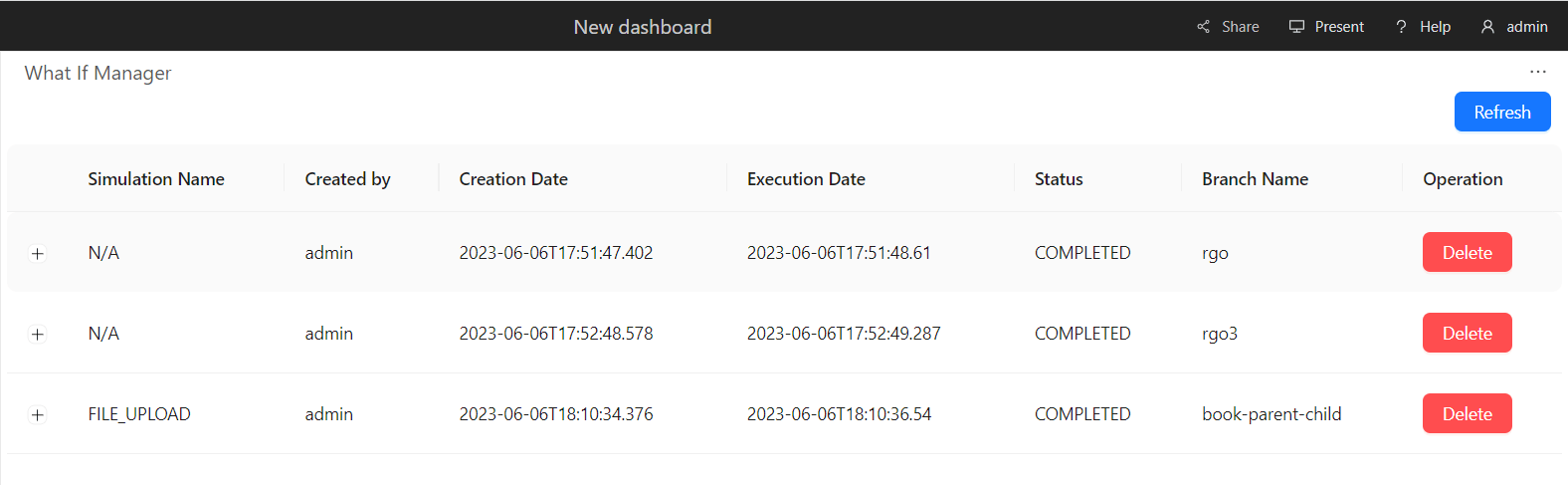
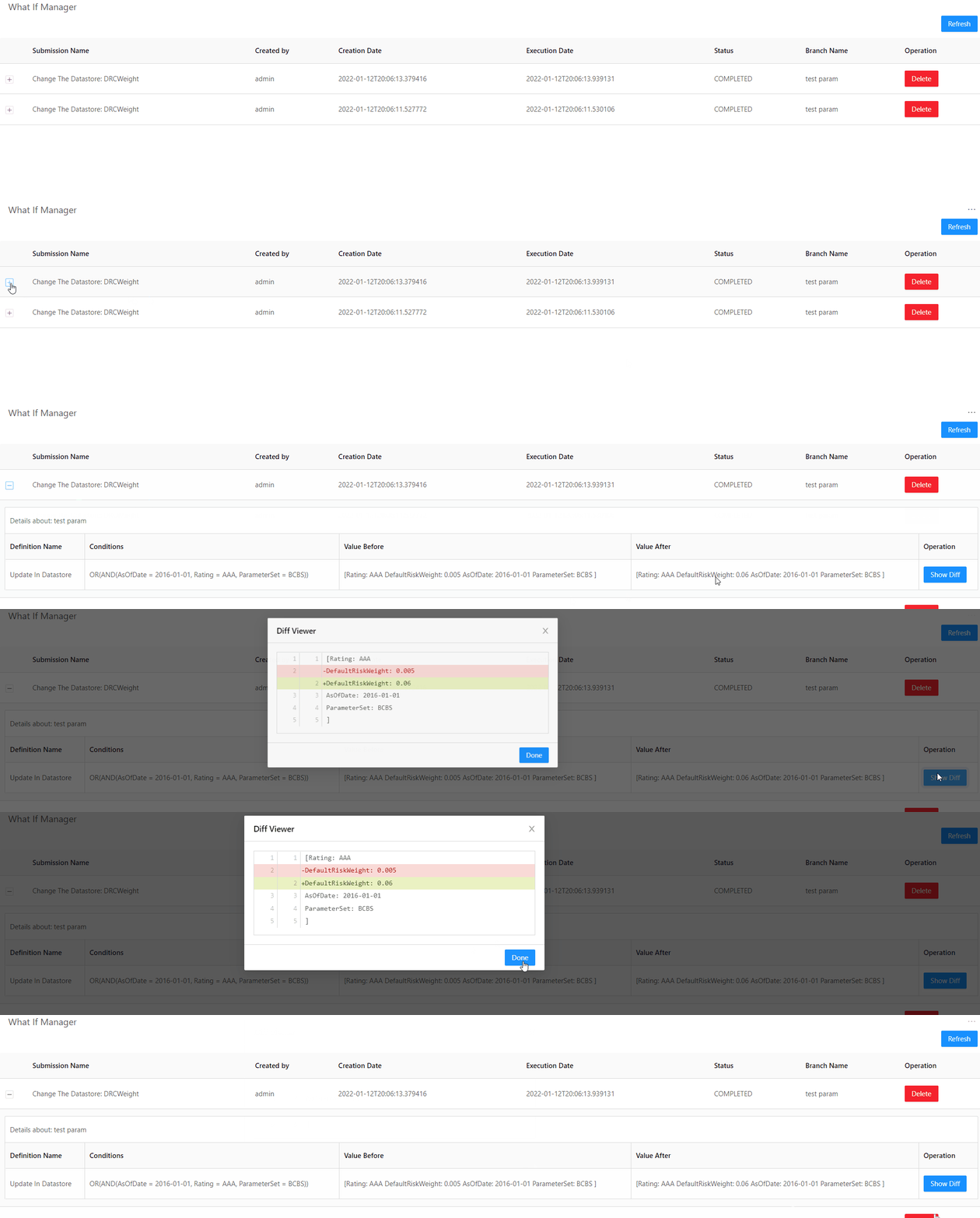
Each simulation you run creates a separate cloned branch of the master. However, as the What-If is purely for simulation purposes, these branches never impact the master branch.What If Manager
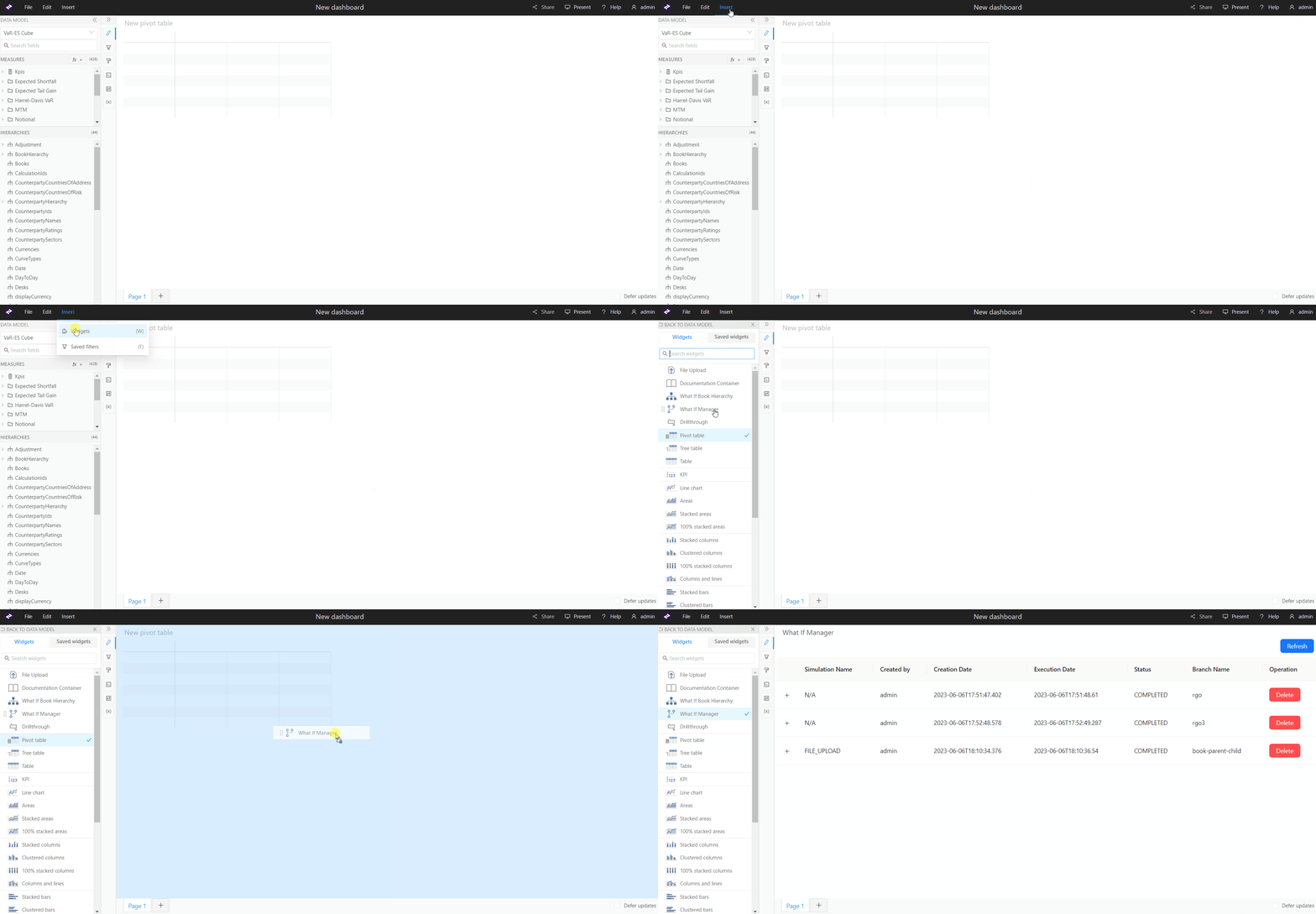
To manage your branches and the simulations on them, use the What If Manager. To open the What If Manager:- In the top menu, click Insert > Widgets. This opens the list of available widgets.
- From the list, drag and drop the What If Manager widget to your dashboard.