Integration
For details on how to connect your Atoti FRTB instance to a remote Database, see the Getting Started with DirectQuery developer documentation.DirectQuery data access
With DirectQuery, data can be queried from a database in Atoti Server. At query time, the data is aggregated on the external database and sent to Atoti Server for further calculations. At startup, Atoti FRTB will populate caches of summary data by querying the database for these aggregated values. This means that queries at the book and desk level are as fast as the in-memory datastore and the only time the external database is used at query time is for trade-level queries. Read-only access to the external database is sufficient for Atoti Server. It does not write to the database.Deployment options
It is possible to load all data using DirectQuery. However, some features are only available using in-memory data. To take advantage of those features, a hybrid approach is recommended, with the most recent COB dates loaded in memory and older or historical COB dates loaded using DirectQuery. The hybrid approach uses horizontal distribution:- Recent COB dates are loaded into an in-memory data node
- Historical COB dates are available in a DirectQuery data node
- A query node seamlessly combines the data
Supported databases
- ClickHouse
- Databricks
- MSSQL
- Snowflake
- Others coming soon. See Atoti Server‘s compatible Databases
DirectQuery in action
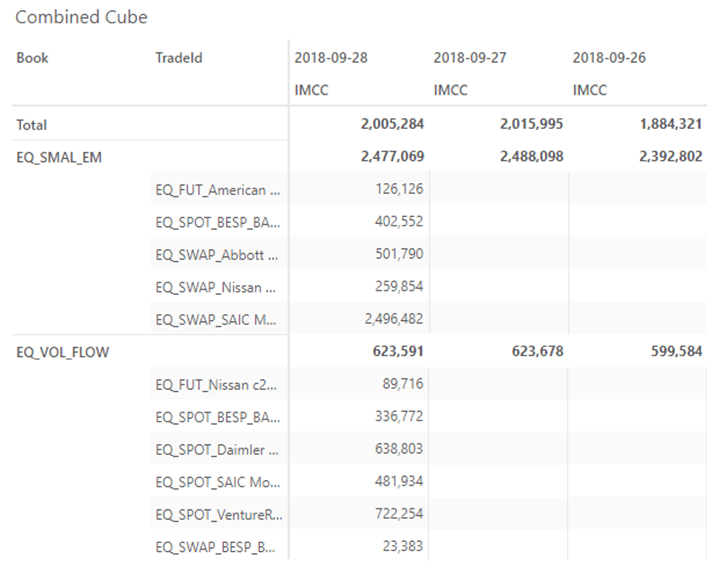
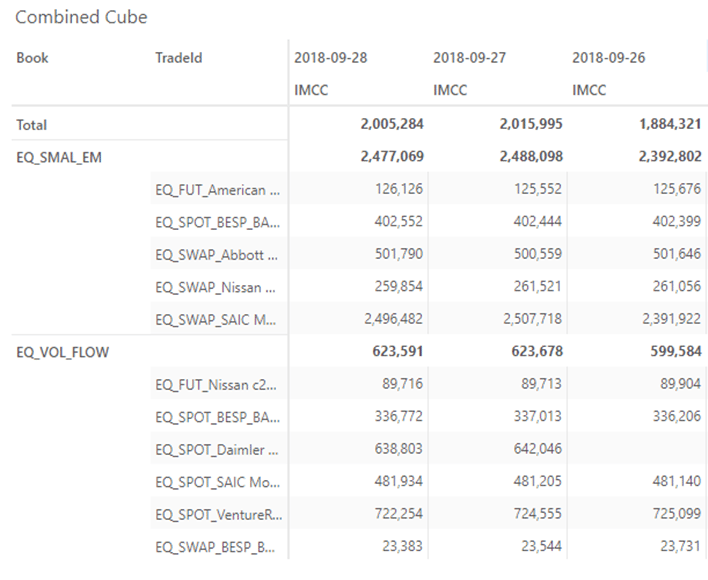
To see DirectQuery in action, a single date of data, 2018-09-28, is loaded into memory with two pre-aggregated dates of historical summary data, 2018-09-27 and 2018-09-26. Drilling down to the Trade level gives the following results: