

/xmla endpoint.
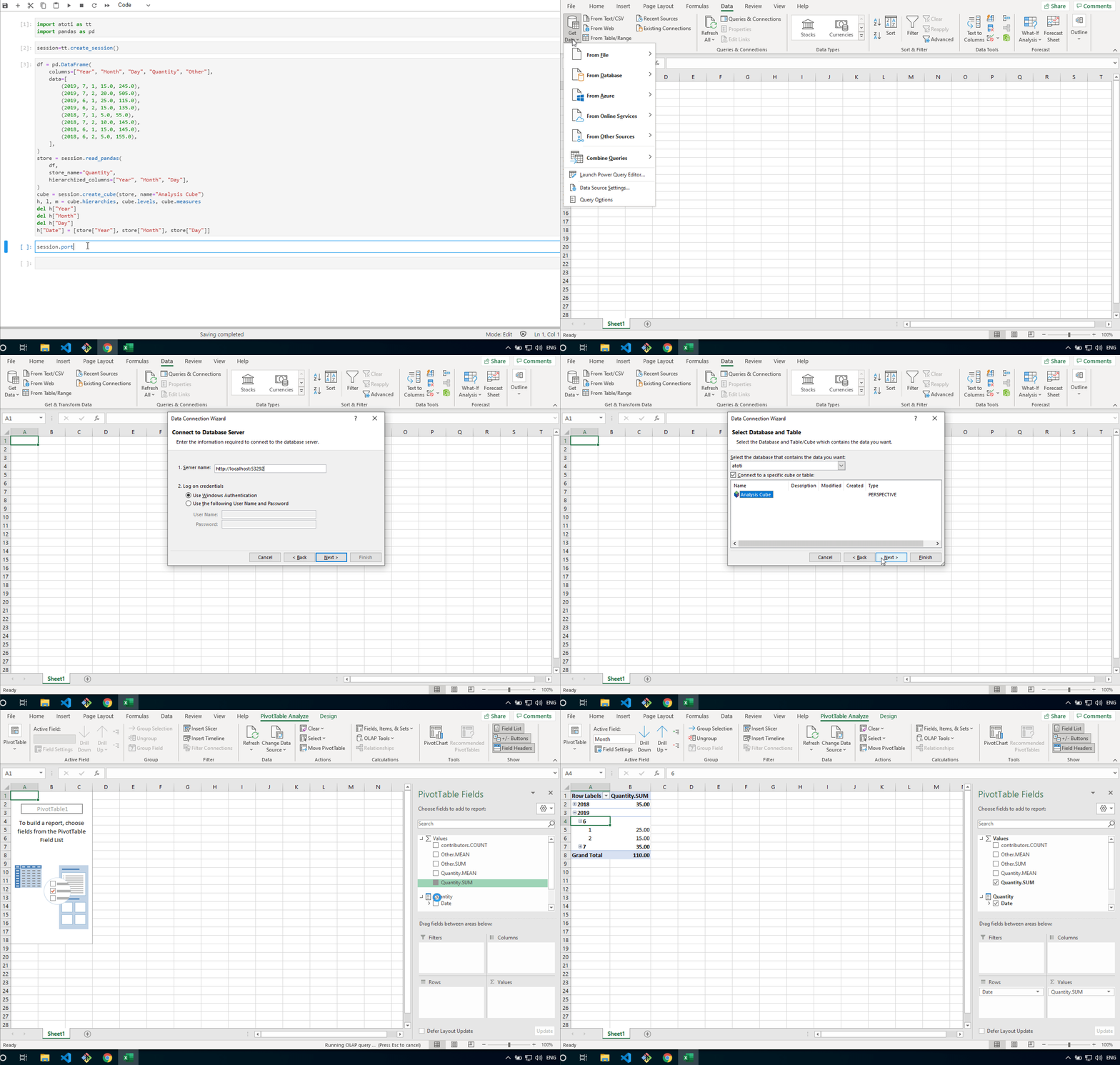
Create a new connection to an Analysis Services.
Use this URL for the server field and choose to connect with:
- Use Windows Authentication if Kerberos secures
/xmla, which is the case whenmain_ssoorxmla_ssois aKerberosConfig. - User Name and Password:
- Without security, leave these fields blank.
- With
security, fill them with your basic authenticationcredentials.
Connecting to a session using OpenID Connect
Excel’s Analysis Services connector offers Windows (Kerberos) and Basic authentication only, so it cannot present the identity of an OpenID Connect provider. A session whosemain_sso is an OidcConfig can still be queried from Excel, in one of two ways:
- With a username and password:
/xmlakeeps accepting basic authentication, so define thecredentialsof the Excel users and give them roles. - With single sign-on, by setting
xmla_ssoto aKerberosConfig./xmlathen authenticates with Kerberos while every other endpoint keeps usingmain_sso, so Excel users are not prompted for a password.
/xmla come from individual_roles and from the default roles of the provider that authenticated them.