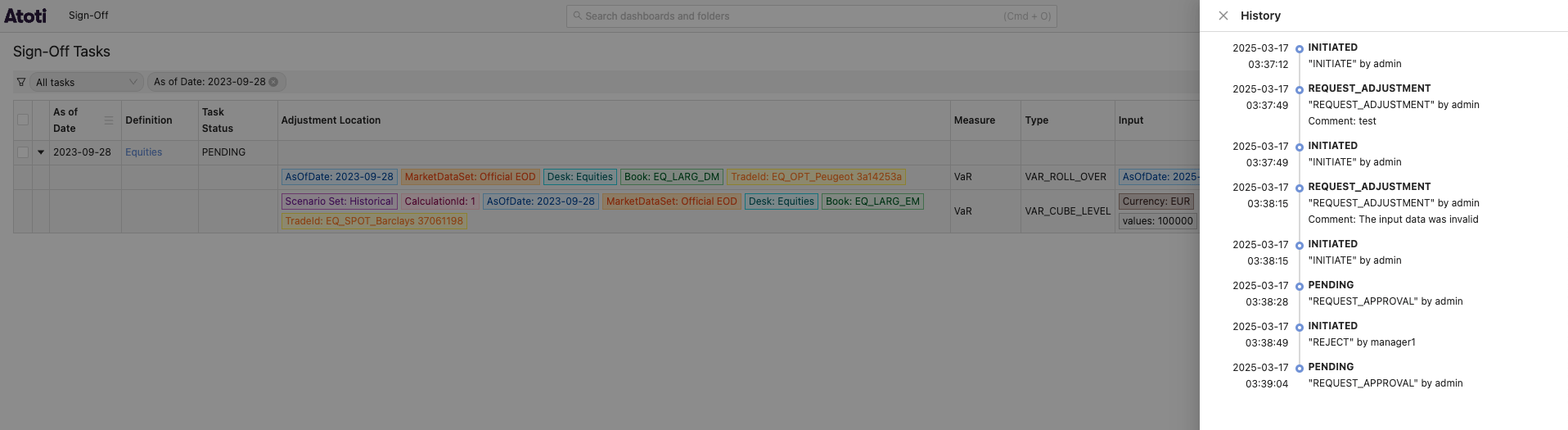
- From the top Sign-Off menu, navigate to the Tasks screen.
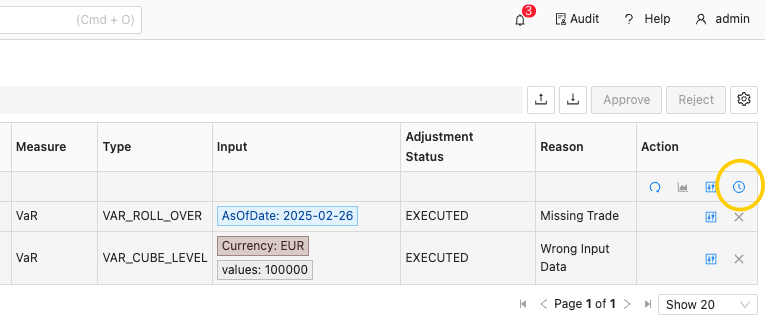
- In the required task’s Action column, click the “History” button.
Audit
How to track changes to your sign-off data in Atoti Sign-Off, including viewing the history of a specific task and accessing the full audit history screen.
Atoti Sign-Off lets you keep track of any changes to your data using the Atoti Audit Service. You can see the audit log for a selected task, or the entire audit history for all your tasks in one dedicated screen.
To see the audit history of a selected task:
This opens the History panel, showing you details of all modifications that have been made to the task.
For details on the dedicated Audit screen, see Audit History screen.