

Overview
The File Upload Widget is another tool that we provide for solutions to create What-If scenarios. This feature allows you to select files that are already located in a specific directory on the server side, and use them to create the What-If branch.
Example use cases for this widget:
- Creating What-If branches with new sensitivities.
- Creating What-If branches with different parameters.
- Changing datastore configurations.
- Uploading ‘scenarios’ as What-Ifs. Files part of a specific scenario can be organized in a single grouping and sent to the UI to be selected that way.
- Group topics and their related files to be selected as part of What-Ifs.
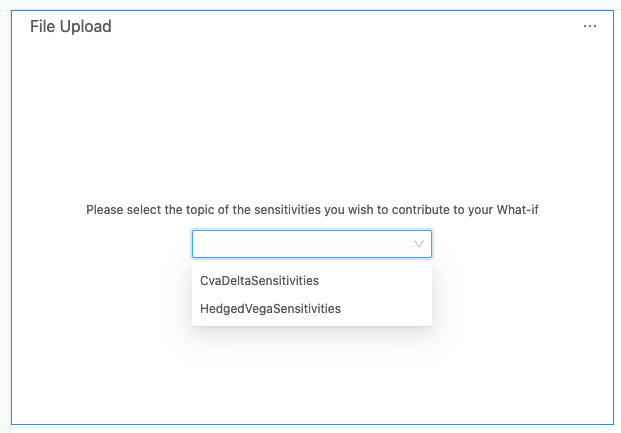
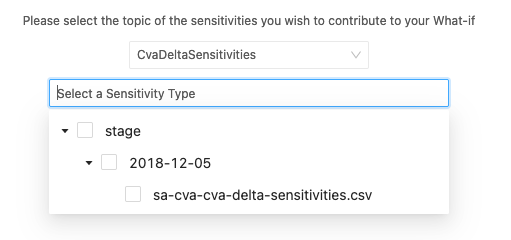
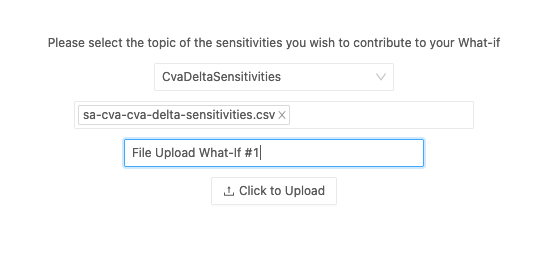
Availability
Settings
How to modify a setting
To modify a setting, you need to modify thebasSettings that you provide to the activate function. The following example shows you how to provide the activate function with the default basSettings while updating the settings for the File Upload widget:
How to disable it
Disable universally
To disable this feature for all solutions, add this line at the end of your extension’sactivate function to unregister the plugin:
Disable for specific servers
To disable this feature for a given server, you must delete this feature’s settings for that server key by altering thebasSettings parameter before calling the activate function.
Example
Disabling this feature for the FRTB server only: