

Overview
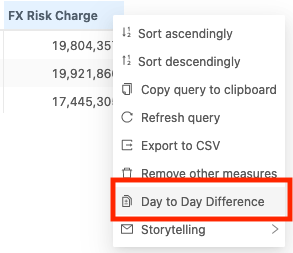
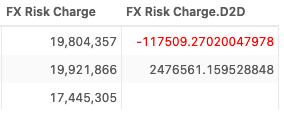
This context menu action plugin allows you to select the header of a single measure in a table and calculate the Day-To-Day difference for it. It will generate a new measure in the same table displaying the result.
Availability
Settings
How to modify a setting
To modify a setting, you need to modify thebasSettings that you provide to the activate function. The following example shows you how to provide the activate function with the default basSettings while updating the settings for the Day-To-Day context menu action:
How to disable it
Disable universally
To disable this feature for all solutions, add this line at the end of your extension’sactivate function to unregister the plugin:
Disable for specific servers
To disable this feature for a given server, you must delete this feature’s settings for that server key by altering thebasSettings parameter before calling the activate function.
Example
Disabling this feature for the FRTB server only: