> ## Documentation Index
> Fetch the complete documentation index at: https://docs.activeviam.com/llms.txt
> Use this file to discover all available pages before exploring further.
# What-If Analysis
Atoti Market Risk uses native Atoti What-If capabilities to deliver
powerful simulation tools in three main areas for the VaR/ES and
Sensitivities components; portfolio reclassification, substitution, and
scaling.
What-If is applicable at any level in the hierarchy and you can drill
down and propagate the effect of the what-if simulation to the lower
levels.
## Types of What-If analysis
### Roll over - override current data with data from a specific date
* For VaR/ES: Substituting PnL vectors of the current data with the
previous day’s data. Rollover candidates are based on all
previous dates available in the cube. For the scenarios of the
PnL vector for which there is no data (that is, X days discrepancy
between D and D-X) the value is set to 0.
* For Sensitivities: Replacing sensitivities data for a given
perimeter with proxy data
See [Roll over PnL vectors](./what-if/mra-what-if-rollover)
### Scaling: Adjust the trade data by a given percentage or an absolute amount
* For VaR/ES: Trade PnL or PnL scenario scaling - The scaling factor
is either a percentage shift up or down or just initialising the
vector to 0.
* For Sensitivities: Trade sensitivities scaling - by a percentage or
absolute amount.
See [Scaling](./what-if/mra-what-if-scaling)
### File upload
* Create or append a WhatIf scenario by uploading CSV files into the cube.
See [File Upload](./what-if/file-upload)
## Branches
Each simulation you run creates a separate cloned branch of the master.
However, as the What-If is purely for simulation purposes, these
branches never impact the master branch.
### What If Manager
To manage your branches and the simulations on them, use the **What If Manager**.
To open the What If Manager:
1. In the top menu, click **Insert** > **Widgets**. This opens the list of available widgets.
2. From the list, drag and drop the What If Manager widget to your dashboard.
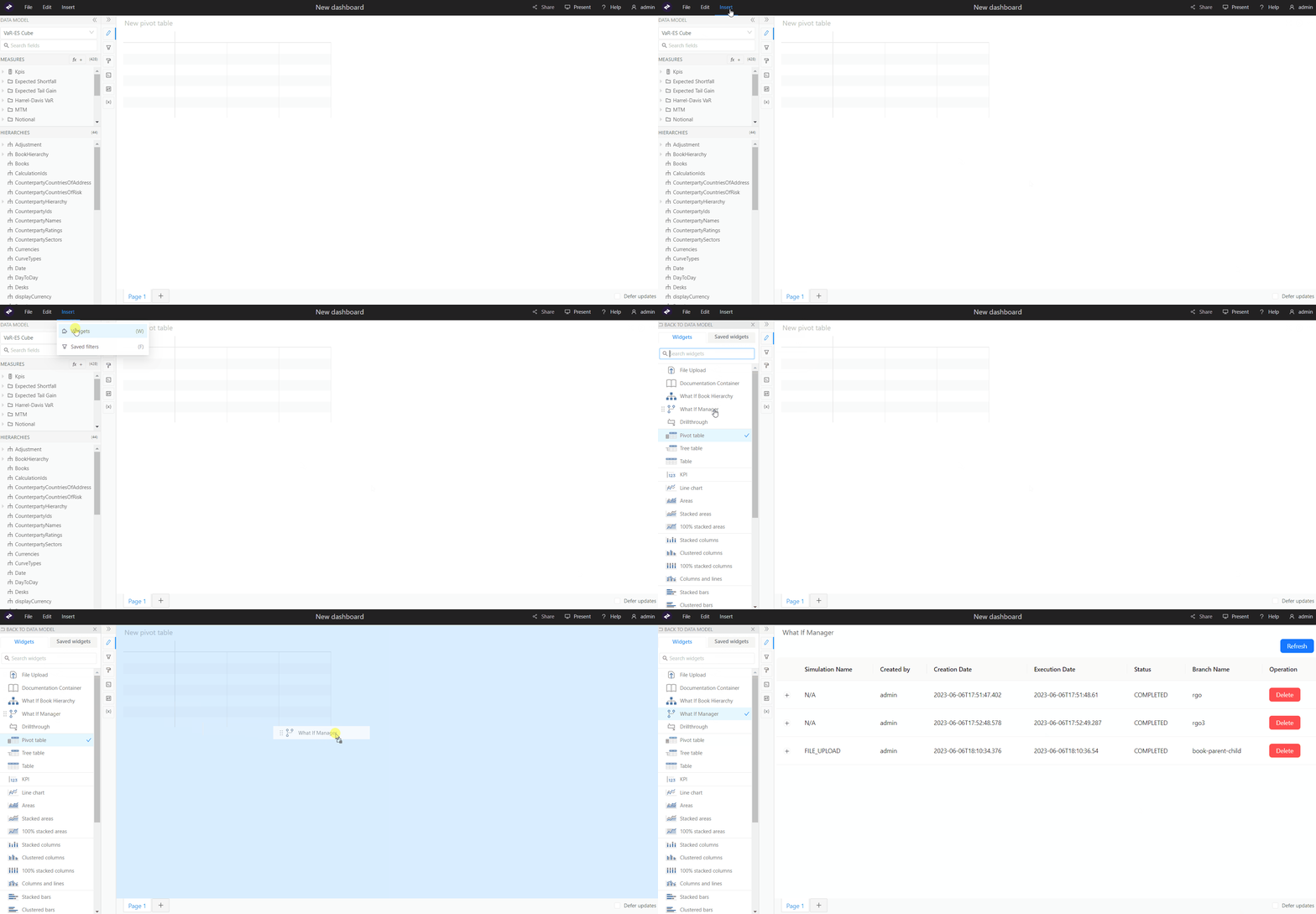 The widget displays a list of your branches:
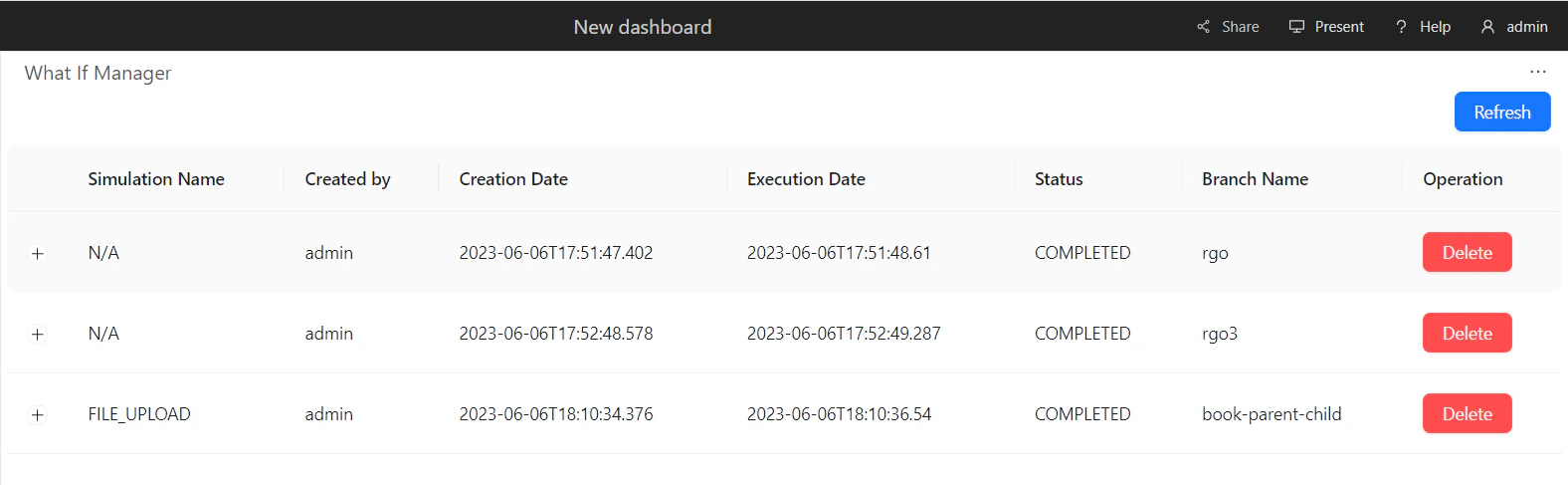 You can view the audit columns (Submission Name, Created by, Creation Date, Execution Date, Status, Branch Name, Operation), and remove a branch by clicking the **Delete** button.
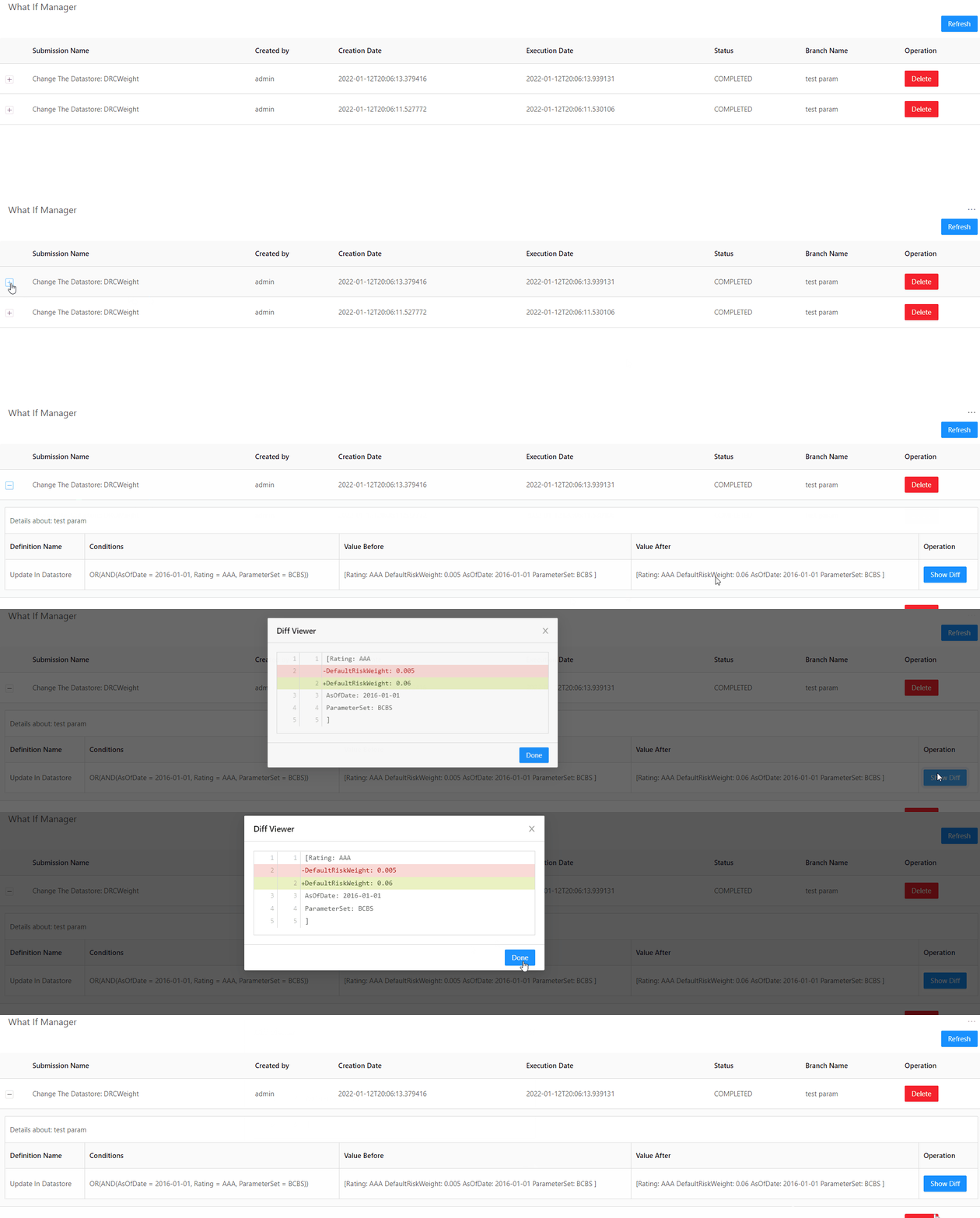
Clicking the + button in front of a row displays more details about your branch. Here you can also run a diff between the changes on your WhatIf branch and the master branch.
You can view the audit columns (Submission Name, Created by, Creation Date, Execution Date, Status, Branch Name, Operation), and remove a branch by clicking the **Delete** button.
Clicking the + button in front of a row displays more details about your branch. Here you can also run a diff between the changes on your WhatIf branch and the master branch.
 ## Audit Trail
Atoti Market Risk uses Hibernate to provide a default implementation of database-backed persistence, using an H2 in-memory database.
## Customizing the What-If configuration
The What-If framework has been designed to be adapted and configured
based on your use cases.
## Audit Trail
Atoti Market Risk uses Hibernate to provide a default implementation of database-backed persistence, using an H2 in-memory database.
## Customizing the What-If configuration
The What-If framework has been designed to be adapted and configured
based on your use cases.