> ## Documentation Index
> Fetch the complete documentation index at: https://docs.activeviam.com/llms.txt
> Use this file to discover all available pages before exploring further.
# Tips for validating the calculations
export const uiProductName = "Atoti UI";
export const productName = "Atoti FRTB";
In this section, we explain how the **Basel Framework** bookmarks can help you to validate the SBM calculations.
In addition to the overview on this page, you may find it helpful to watch our [video walk-through](../getting-started/video-walk-throughs#sbm-calculations) of these bookmarks.
## Displaying the Basel Framework bookmarks
{productName} comes with an analytical tool and a set of pre-defined bookmarks displaying the risk metrics. Ask your IT administrator for access to the application's URL.
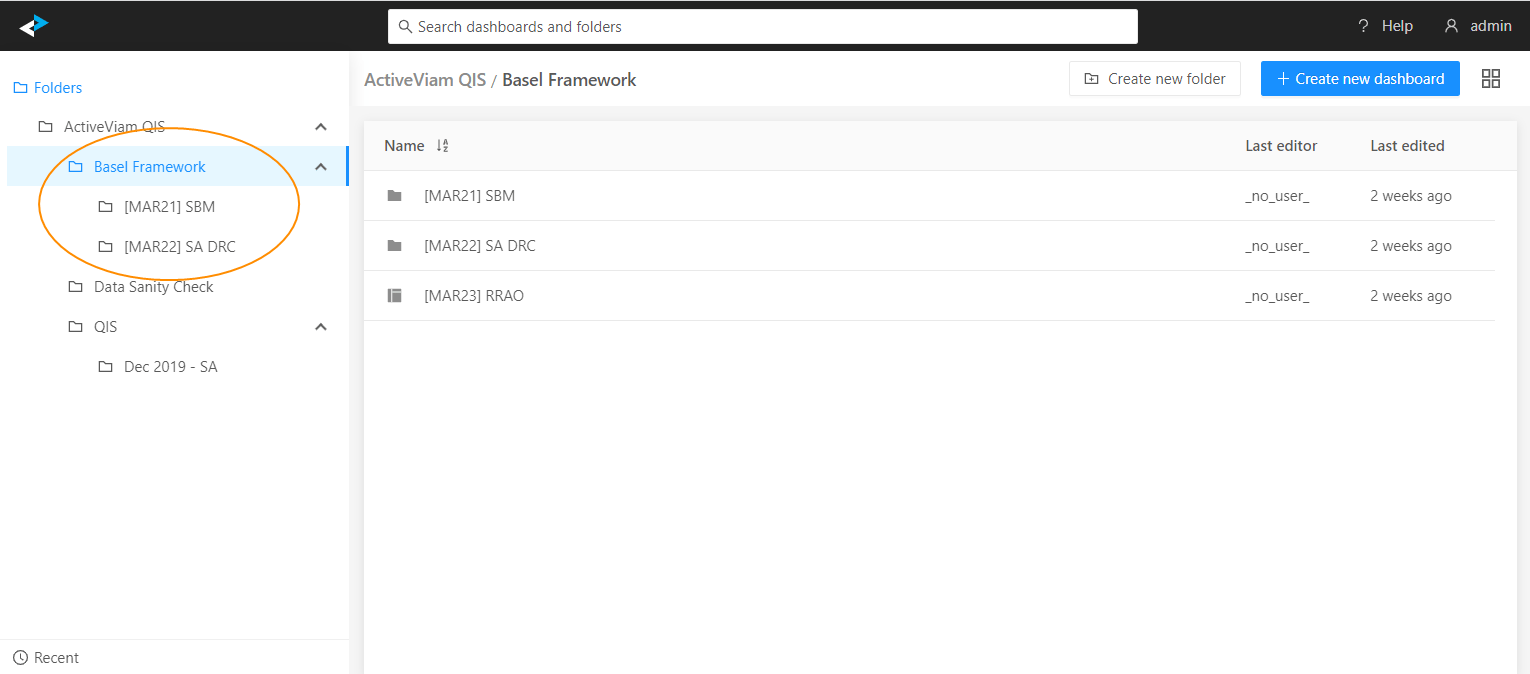
After you launch the application, click the ActiveViam icon in the top-left corner to open the Dashboards gallery. This presents the list of bookmarks available to you. In this tutorial we will talk about the **Basel Framework** bookmarks:
 To obtain the correct capital numbers, you need to provide a complete and consistent risk data set, as well as attributes required for classification, aggregation and bucketing. Start by checking the high-level input data summary displayed in the [Data Sanity Check](./data-sanity-check) bookmarks.
We have configured the **Basel Framework** bookmarks to help you navigate individual chains of the capital charge calculation, and visualize the interim results. The bookmarks are grouped according to the Consolidated Basel Framework chapters.
Let's take a tour of the **MAR21 SBM** bookmarks as an example.
## Example: \[MAR21] SBM
Let's review the bookmars under the **\[MAR21] SBM** folder.
The **Aggregate SBM** dashboard provides a summary of the SBM risk charge by desk.
To obtain the correct capital numbers, you need to provide a complete and consistent risk data set, as well as attributes required for classification, aggregation and bucketing. Start by checking the high-level input data summary displayed in the [Data Sanity Check](./data-sanity-check) bookmarks.
We have configured the **Basel Framework** bookmarks to help you navigate individual chains of the capital charge calculation, and visualize the interim results. The bookmarks are grouped according to the Consolidated Basel Framework chapters.
Let's take a tour of the **MAR21 SBM** bookmarks as an example.
## Example: \[MAR21] SBM
Let's review the bookmars under the **\[MAR21] SBM** folder.
The **Aggregate SBM** dashboard provides a summary of the SBM risk charge by desk.
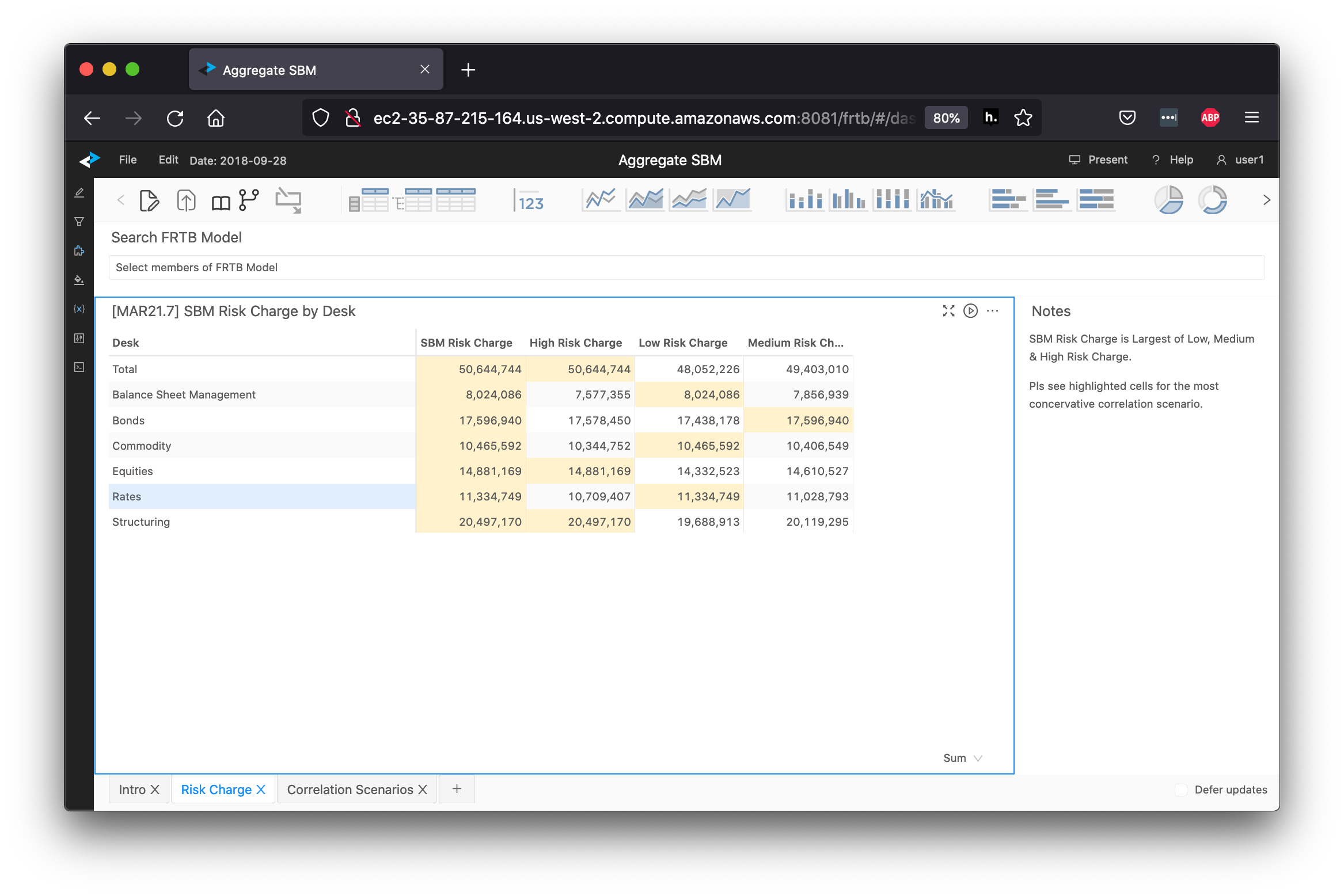
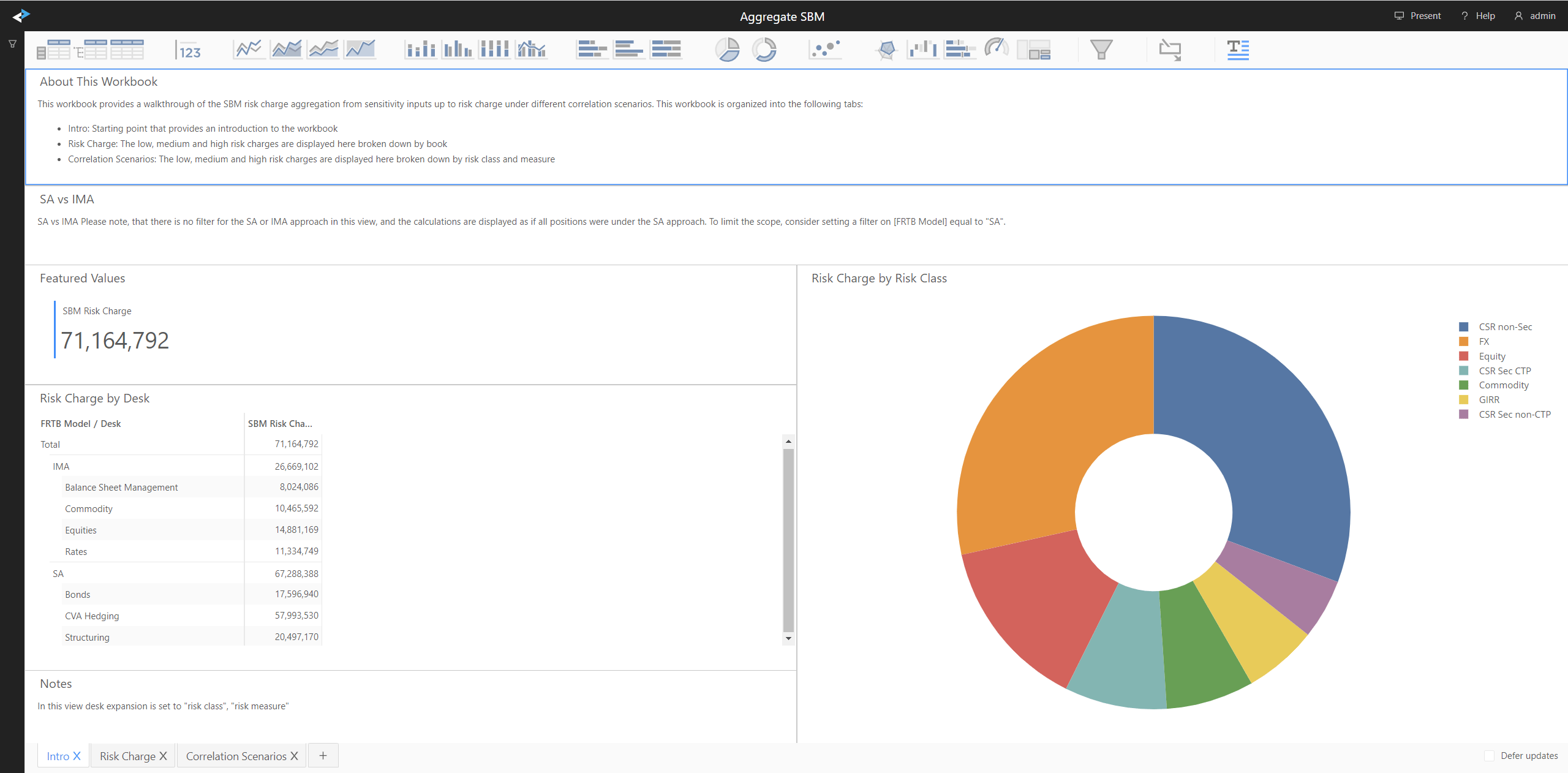 We can click on the **Risk Charge** tab to view high, low and medium scenario calculations by desk. When you change the filters in the view, the system automatically recalculates the capital charges.
 The **MAR21 SBM** folder contains walk-throughs of the Delta, Vega, Curvature rollup chains for each of the risk classes. Let's look at the **Equity Delta** example.
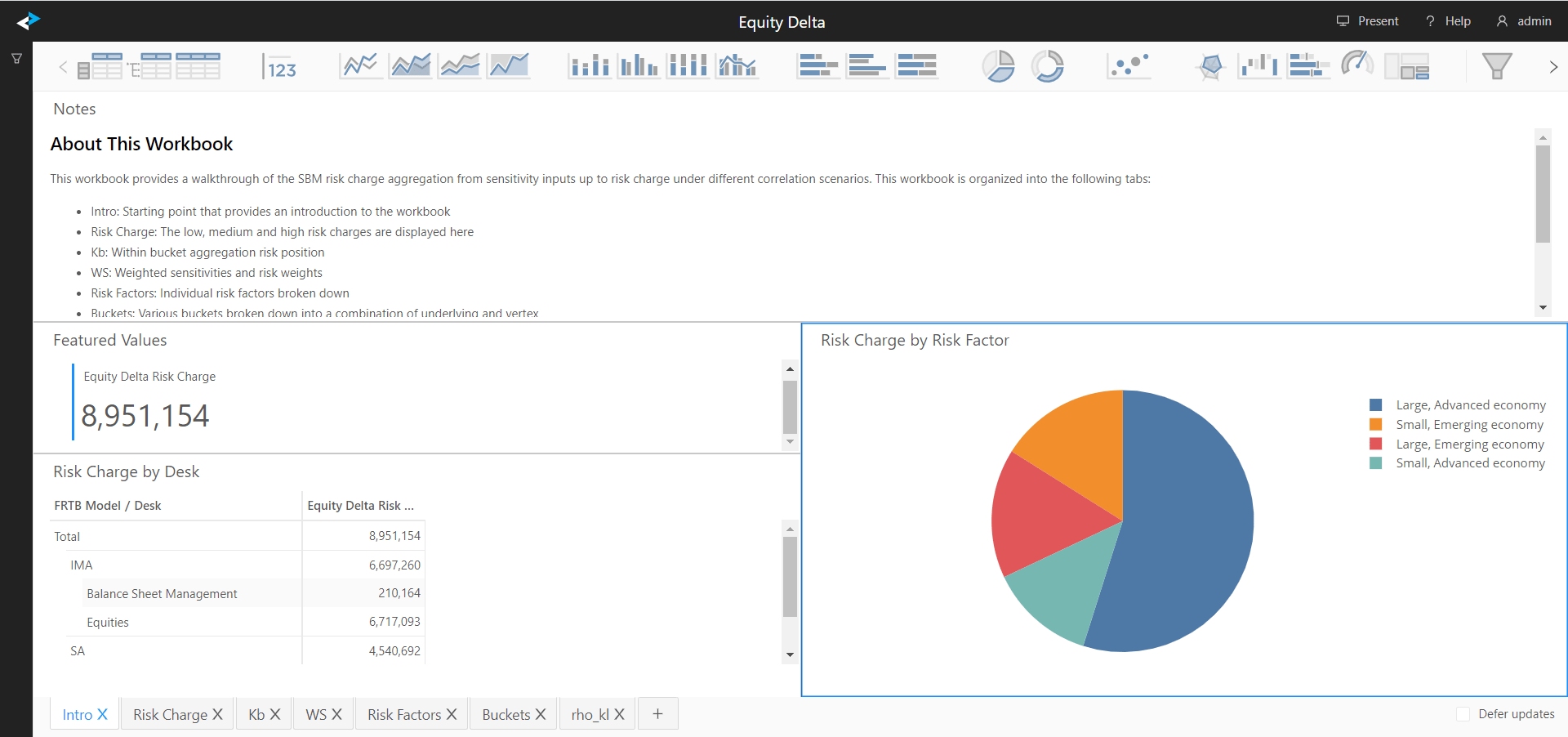 By default the bookmark displays Equity Delta risk metrics across all positions. Consider setting a filter on a desired desk, book or a list of positions. For information on the filtering feature, see the [{uiProductName} User Documentation](https://docs.activeviam.com/products/atoti/ui/5.2/).
This workbook is organized into the following tabs:
| Tab | What’s displayed |
| ---------------- | ----------------------------------------------------------------------------------------- |
| **Intro** | Starting point that provides an introduction to the workbook |
| **Risk Charge** | Low, medium and high risk charges |
| **Kb** | Within bucket aggregation - risk position from weighted sensitivities |
| **WS** | Weighted sensitivities - from input sensitivities and risk weights |
| **Risk Factors** | Input sensitivities by the regulatory risk factor |
| **Buckets** | Sensitivities classified into buckets, plus the fields used in the classification process |
| **rho\_kl** | Actual correlations for high, medium and low scenarios |
## Implementation details
To learn about the data transformations, mapping and aggregation functions for each of the capital calculation chains, see the corresponding section of the *Interpretation and Implementation of BCBS 457* chapter. See this example for [Equity](../interpret-impl/acr/sa/sa-sbm/equity/index).
## Measures documentation
You can also look up individual measure definitions, formulae and references, in the [Measures](../cube/measures/index) section of the cube reference.
By default the bookmark displays Equity Delta risk metrics across all positions. Consider setting a filter on a desired desk, book or a list of positions. For information on the filtering feature, see the [{uiProductName} User Documentation](https://docs.activeviam.com/products/atoti/ui/5.2/).
This workbook is organized into the following tabs:
| Tab | What’s displayed |
| ---------------- | ----------------------------------------------------------------------------------------- |
| **Intro** | Starting point that provides an introduction to the workbook |
| **Risk Charge** | Low, medium and high risk charges |
| **Kb** | Within bucket aggregation - risk position from weighted sensitivities |
| **WS** | Weighted sensitivities - from input sensitivities and risk weights |
| **Risk Factors** | Input sensitivities by the regulatory risk factor |
| **Buckets** | Sensitivities classified into buckets, plus the fields used in the classification process |
| **rho\_kl** | Actual correlations for high, medium and low scenarios |
## Implementation details
To learn about the data transformations, mapping and aggregation functions for each of the capital calculation chains, see the corresponding section of the *Interpretation and Implementation of BCBS 457* chapter. See this example for [Equity](../interpret-impl/acr/sa/sa-sbm/equity/index).
## Measures documentation
You can also look up individual measure definitions, formulae and references, in the [Measures](../cube/measures/index) section of the cube reference.