> ## Documentation Index
> Fetch the complete documentation index at: https://docs.activeviam.com/llms.txt
> Use this file to discover all available pages before exploring further.
# Connecting from Excel
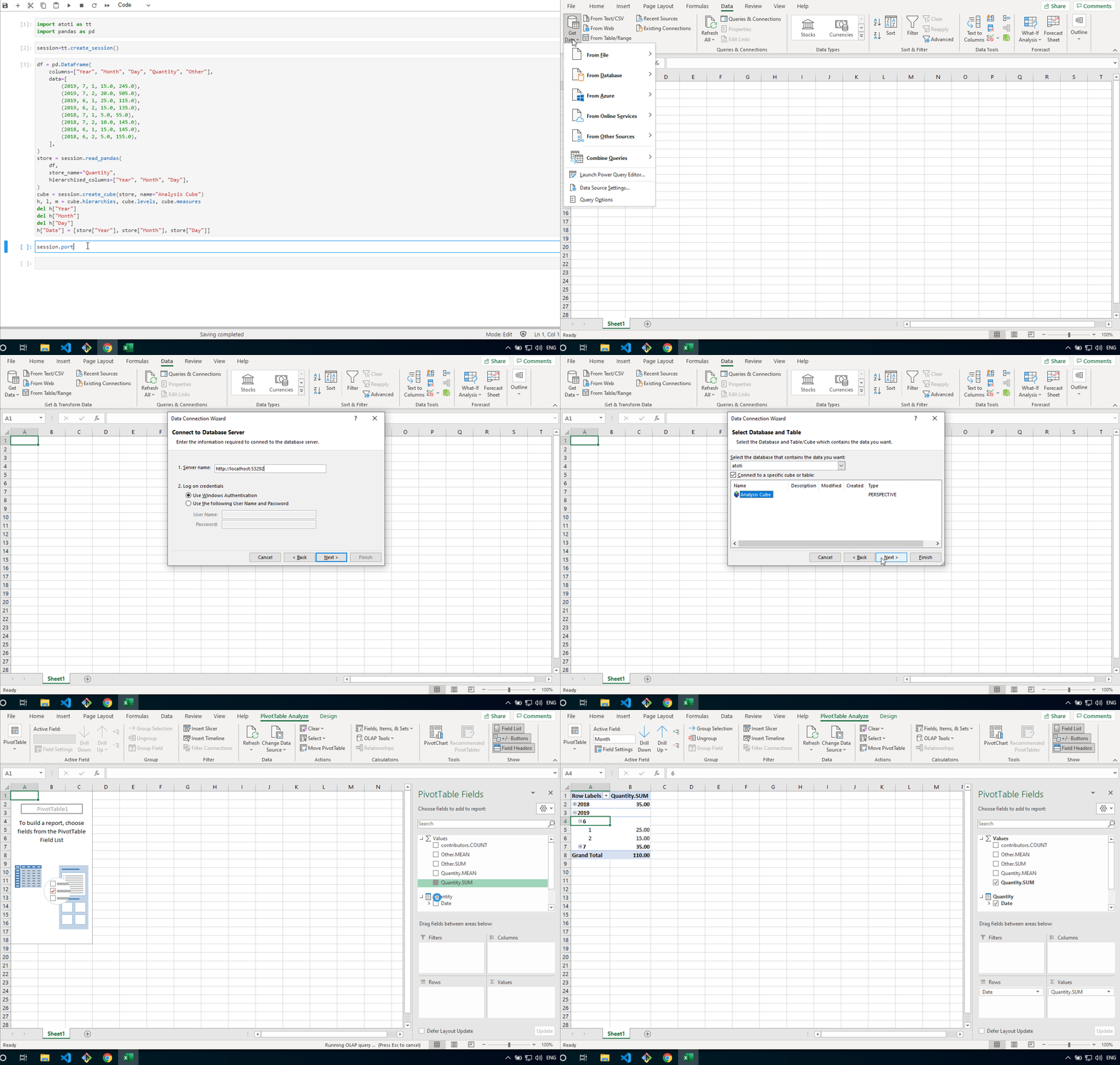
An Atoti session comes with its own dashboarding app but it can also be queried from other clients such as Excel.
With Excel, the connection is done through the session’s `/xmla` endpoint.
Create a new connection to an Analysis Services.
Use this URL for the server field and choose to connect with:
* **Use Windows Authentication** if [`Kerberos authentication`](../api/atoti.config.security.kerberos_config#atoti.KerberosConfig) has been configured accordingly
* **User Name and Password**:
* Without security, leave these fields blank.
* With [`security`](../api/atoti.config.session_config#atoti.SessionConfig.security), fill them with your basic authentication [`credentials`](../api/atoti.security.basic_authentication_security.BasicAuthenticationSecurity.credentials#atoti.security.basic_authentication_security.BasicAuthenticationSecurity.credentials).