> ## Documentation Index
> Fetch the complete documentation index at: https://docs.activeviam.com/llms.txt
> Use this file to discover all available pages before exploring further.
# Monitoring Query Execution
## Setting limits for Query Results
Controlling the size of **GetAggregatesQuery** queries can be very handy when there is a need to limit the number of resulting locations.
A typical example is the possibility to control big queries hitting a cluster at a data node level, allowing thus to limit / reduce
the traffic when using distribution. It can also act as a safeguard to prevent queries from consuming too much memory.
### Configurable limits on Query Results
Limiting queries results can be achieved using the `IQueriesResultLimit` context value. We distinguish two types of limit:
* **intermediateLimit**: It defines the limit number of point locations for a single intermediate result (i.e. retrieval).
* **transientLimit**: It defines the transient limit resulting from the accumulation of all the intermediate results within
**a single query**.
> Note that the default transient and intermediate result limit amount to 100,000 and 1,000,000 point locations respectively, and can be obtained by calling
> `QueriesResultLimit#defaultLimit()`.
Query results limit property can be enabled through Atoti context values,
```java theme={"languages":{"custom":["/engine/python-sdk/0.9/languages/pycon.tmLanguage.json"]}}
pivot.getContext().set(IQueriesResultLimit.class, QueriesResultLimit.defaultLimit());
```
or in the cube description
```java theme={"languages":{"custom":["/engine/python-sdk/0.9/languages/pycon.tmLanguage.json"]}}
StartBuilding.cube("tweets")
.withSingleLevelDimensions("sender_id")
.withDimension("time")
.withHierarchy("time")
.withLevel("year")
.withLevel("month")
.withLevel("day")
.withSharedContextValue(QueriesResultLimit.withLimit(10_000, 1_000_000))
```
or through query context values
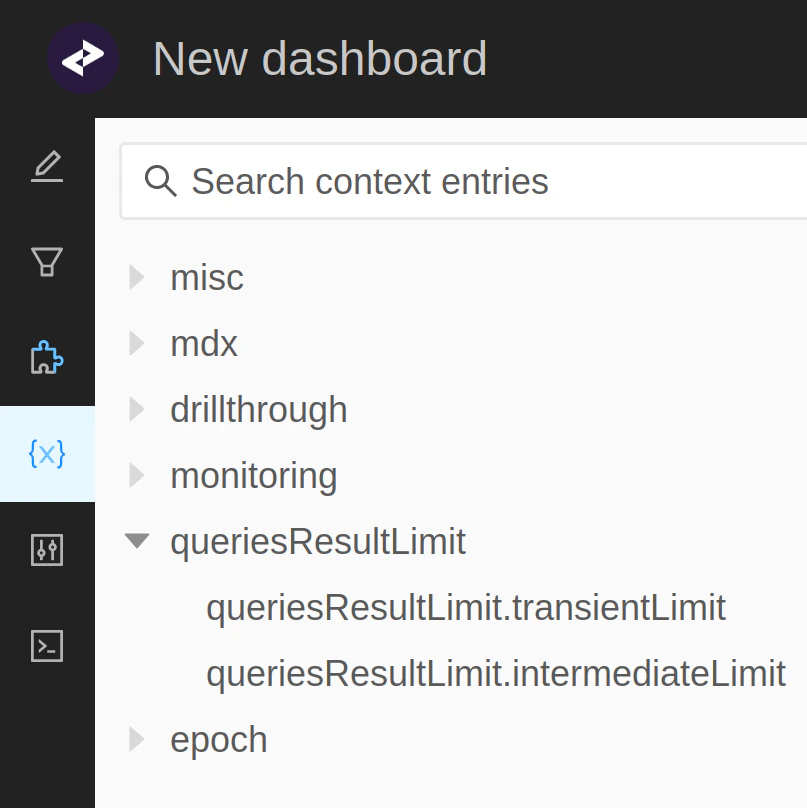 > Not defining a limit for queries is equivalent to using `QueriesResultLimit#withoutLimit()`.
Exceeding the configured limit will result in a `RetrievalResultSizeException`, aborting the execution of all operations involved in the query.
### Miscellaneous
When setting a limit for queries results, there is a couple of points to keep in mind:
* Intermediate queries results may exceed the configured limit even though the final result does not. A typical example is a copper join
including factless points that will be removed from the final result.
* In a distributed setup, if a data node exceeds the configured limit then the initial query will fail (partial results from other data nodes won't be accounted for).
* In a distributed polymorphic setup, expect the replication to produce additional locations and in some cases introduce points without underlying contribution.
> Not defining a limit for queries is equivalent to using `QueriesResultLimit#withoutLimit()`.
Exceeding the configured limit will result in a `RetrievalResultSizeException`, aborting the execution of all operations involved in the query.
### Miscellaneous
When setting a limit for queries results, there is a couple of points to keep in mind:
* Intermediate queries results may exceed the configured limit even though the final result does not. A typical example is a copper join
including factless points that will be removed from the final result.
* In a distributed setup, if a data node exceeds the configured limit then the initial query will fail (partial results from other data nodes won't be accounted for).
* In a distributed polymorphic setup, expect the replication to produce additional locations and in some cases introduce points without underlying contribution.