> ## Documentation Index
> Fetch the complete documentation index at: https://docs.activeviam.com/llms.txt
> Use this file to discover all available pages before exploring further.
# Change a widget's cube
> How to change the cube a widget targets in Atoti UI using the cube selector dropdown, including identifying which server each cube is hosted on, and the constraint that switching is limited to cubes sharing the same hierarchies and measures already in use.
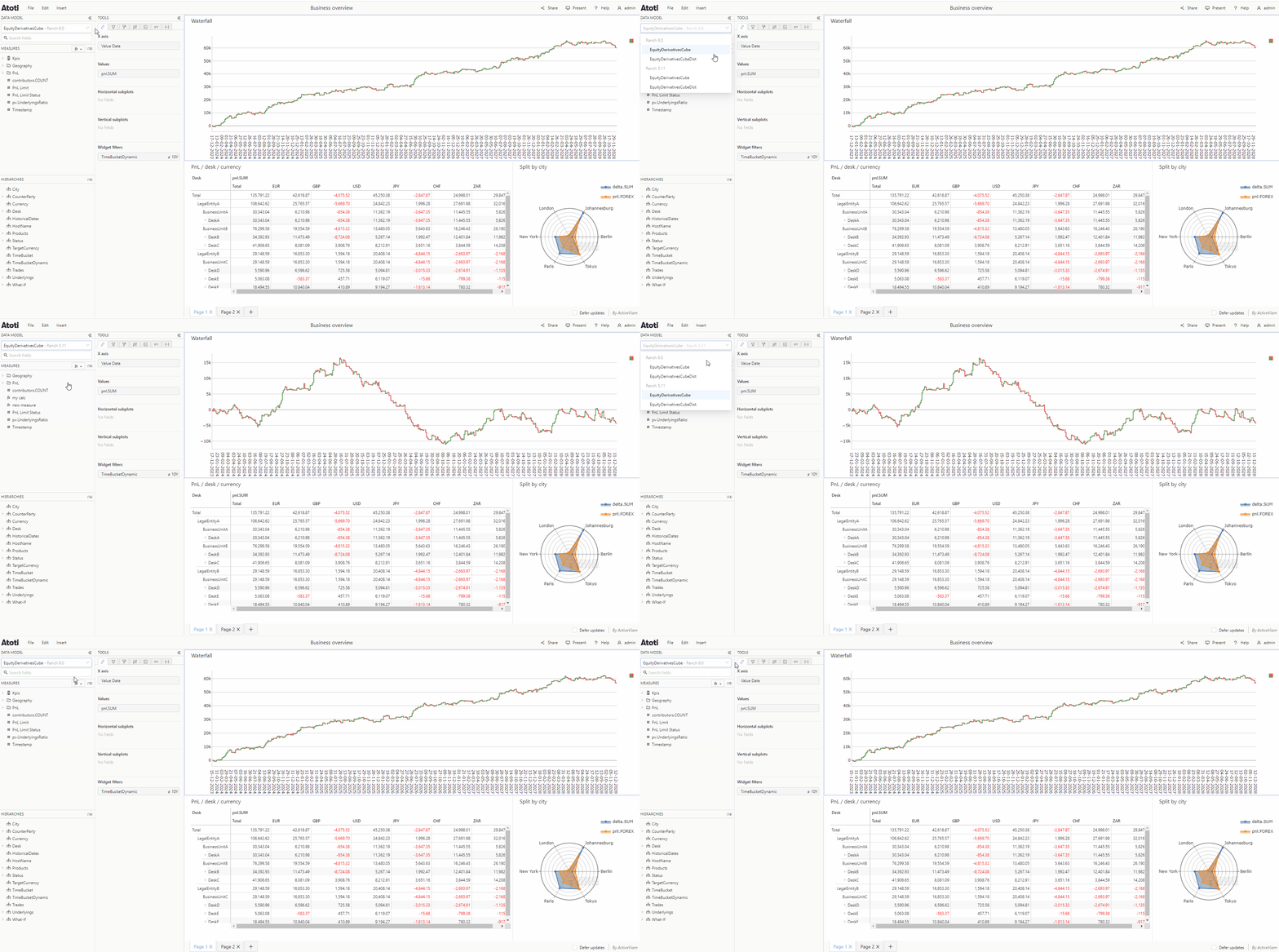
Atoti UI can be connected to multiple [cubes](../../navigate-atoti-ui/data-model#cube). A [widget](./about-widgets) can target any one of these cubes.
You can see the name of the currently selected cube in the cube selector drop down located at the top of the [data model](../../navigate-atoti-ui/data-model). The light grey text next to the cube name indicates which server the cube is on.
To see the available cubes, click to open the dropdown. To change which cube a widget targets, select the desired cube from the list in the dropdown.
Individual widgets on the same dashboard may target different cubes.
 If your widget already has
[hierarchies](../../navigate-atoti-ui/data-model#hierarchy) and/or
[measures](../../navigate-atoti-ui/data-model#measure) attached to it, then
you will only be able to switch to a cube which contains those same
hierarchies and/or measures.
If your widget already has
[hierarchies](../../navigate-atoti-ui/data-model#hierarchy) and/or
[measures](../../navigate-atoti-ui/data-model#measure) attached to it, then
you will only be able to switch to a cube which contains those same
hierarchies and/or measures.