> ## Documentation Index
> Fetch the complete documentation index at: https://docs.activeviam.com/llms.txt
> Use this file to discover all available pages before exploring further.
# Share content
> How to share dashboards, saved filters, and saved widgets in Atoti UI with named users or groups using the Share popup, assigning Reader or Editor access levels, with the canShare permission required to see sharing controls.
Only users with the 'canShare' [permission](../../developer-guide/customize-atoti-ui/permissions) will be able to see the **Share** popups and their triggers.
You cannot share an unsaved dashboard, filter or widget.
## Share a dashboard
To share a [dashboard](./dashboards), first open the **Share** popup. You can access it from the following places:
* From the [home page](../navigate-atoti-ui/home-page) by right-clicking on a dashboard tile to open the context menu, then choosing **Share**.
* From a dashboard, by clicking the **Share** button in the top navigation bar, or the **Share** menu item in the **File** menu.
Enter the name of the user or user group you wish to share with, then choose **Reader** or **Editor** from the dropdown. Add any additional users or user groups in the same way.
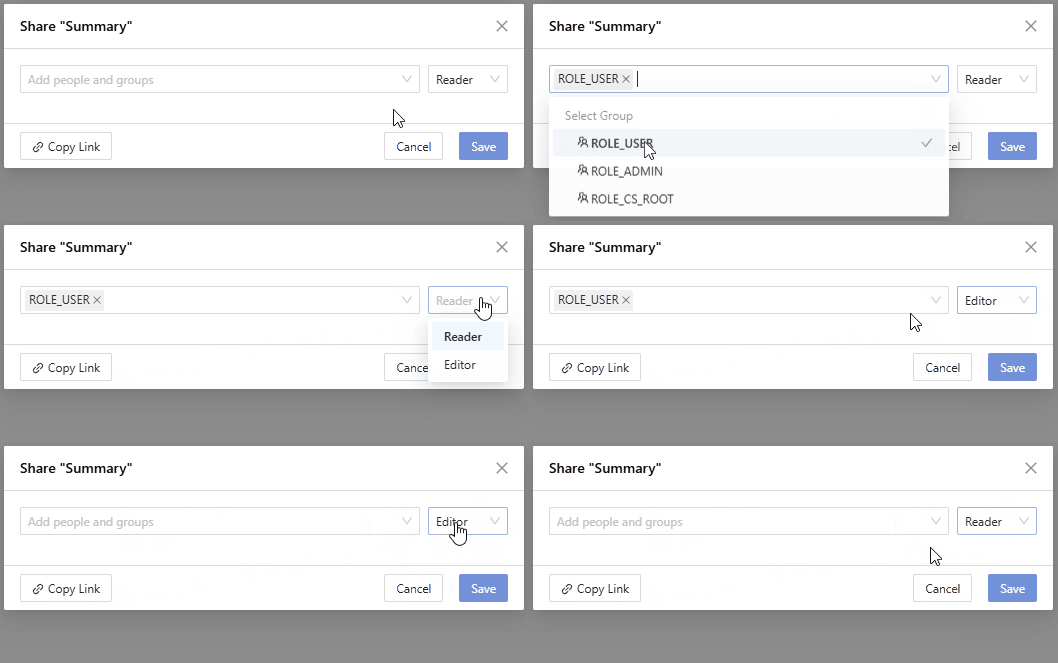 Readers can view a dashboard and explore the data, for example by drilling down members or adding filters. However, they cannot save these changes.
If a reader wants to save their changes, they can choose to **Save as** from
the **File** menu. This will save a new dashboard with their changes.
Click **Save** to close the popup and share your content.
Once a dashboard has been saved, it becomes directly accessible via URL to all users it has been shared with.
You can copy the URL from the following places:
* The address bar of your browser while visiting that dashboard.
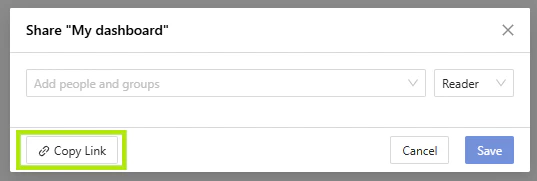
* In the **Share** popup, by clicking the **Copy link** button.
Readers can view a dashboard and explore the data, for example by drilling down members or adding filters. However, they cannot save these changes.
If a reader wants to save their changes, they can choose to **Save as** from
the **File** menu. This will save a new dashboard with their changes.
Click **Save** to close the popup and share your content.
Once a dashboard has been saved, it becomes directly accessible via URL to all users it has been shared with.
You can copy the URL from the following places:
* The address bar of your browser while visiting that dashboard.
* In the **Share** popup, by clicking the **Copy link** button.
 Shared dashboards are accessible through the homepage's [search](../navigate-atoti-ui/home-page#search) or the [Shared with me](../navigate-atoti-ui/home-page#shared-with-me) panel.
## Share a filter
It is possible to share a filter, or a folder of filters from the **Saved filters** menu.
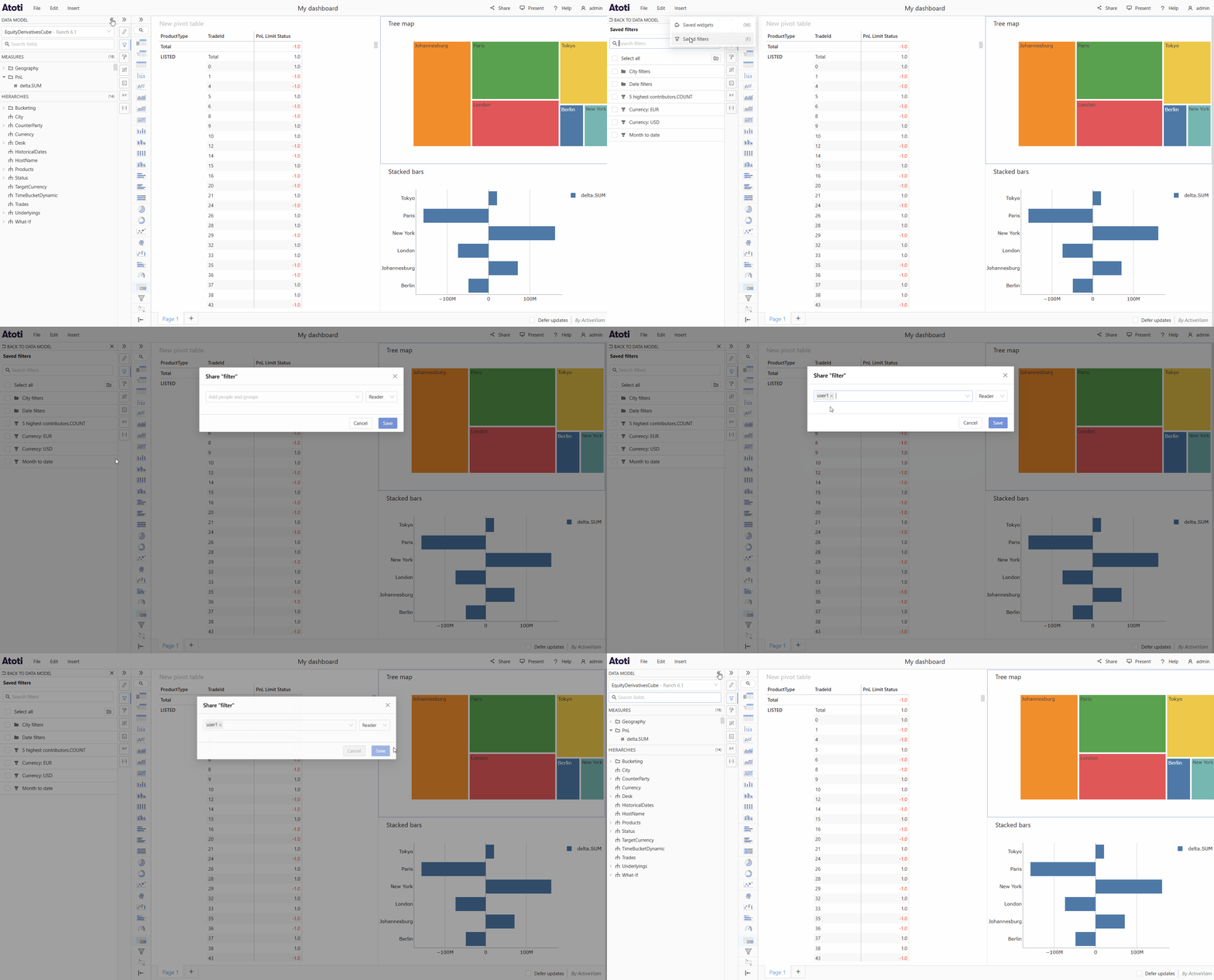
To open the **Saved filters** menu, click the **Insert** menu in the top navigation bar then choose **Saved filters**. Alternatively you can use the [keyboard shortcut](../navigate-atoti-ui/keyboard-shortcuts#manage-content) F. The **Saved filters** menu will appear on the left of the application in the place of the data model.
Hover over the tile of the folder or filter you wish to share, you will see the action icons appear. Click the share icon to open the share popup and follow the instructions above to share your filter.
Shared dashboards are accessible through the homepage's [search](../navigate-atoti-ui/home-page#search) or the [Shared with me](../navigate-atoti-ui/home-page#shared-with-me) panel.
## Share a filter
It is possible to share a filter, or a folder of filters from the **Saved filters** menu.
To open the **Saved filters** menu, click the **Insert** menu in the top navigation bar then choose **Saved filters**. Alternatively you can use the [keyboard shortcut](../navigate-atoti-ui/keyboard-shortcuts#manage-content) F. The **Saved filters** menu will appear on the left of the application in the place of the data model.
Hover over the tile of the folder or filter you wish to share, you will see the action icons appear. Click the share icon to open the share popup and follow the instructions above to share your filter.
 ## Share a widget
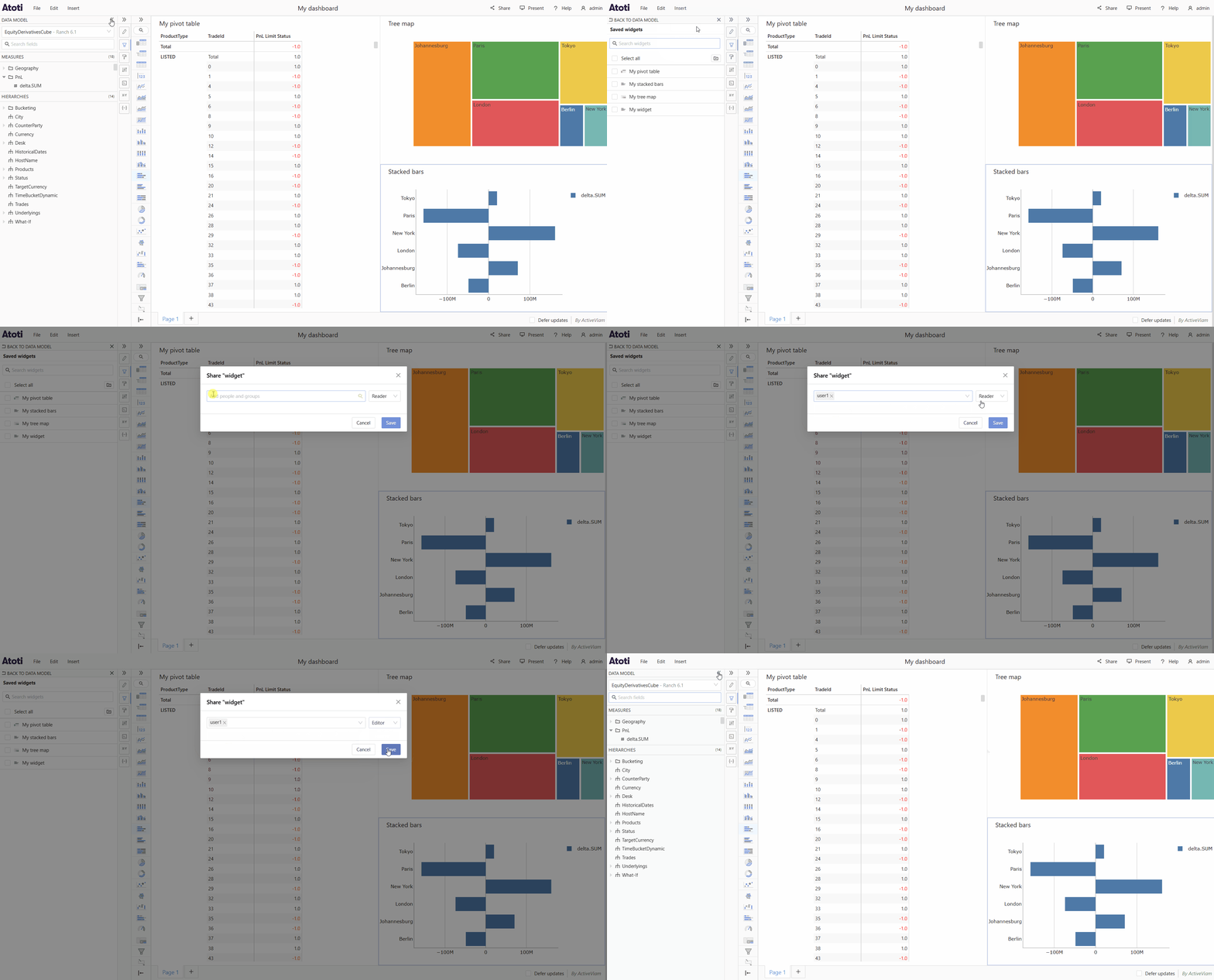
[Widgets](./widgets/about-widgets) can be shared in the same way as filters from the **Saved widgets** menu.
## Share a widget
[Widgets](./widgets/about-widgets) can be shared in the same way as filters from the **Saved widgets** menu.