> ## Documentation Index
> Fetch the complete documentation index at: https://docs.activeviam.com/llms.txt
> Use this file to discover all available pages before exploring further.
# Show or hide totals
> How to control totals visibility in Atoti UI tables and KPI widgets, including toggling grand total rows and columns and per-level subtotals from the Totals context menu, with advanced control via mdx.hiddengrandtotals and mdx.hiddensubtotals.
Atoti UI provides the ability to show or hide grand total rows and columns or subtotals on [table](../create-a-dashboard/widgets/about-widgets#tables) and [KPI widgets](../create-a-dashboard/widgets/about-widgets#kpi-widgets). By default, the totals are shown.
The ability to show or hide totals relies on a plugin. If you cannot find this
in your application, contact your system administrator.
## Grand total rows or columns
To show or hide grand total rows:
* Right-click anywhere on a table or KPI widget to open the context menu.
* Select **Totals** then **Show/Hide grand total rows**
Show or hide grand total columns in the same way.
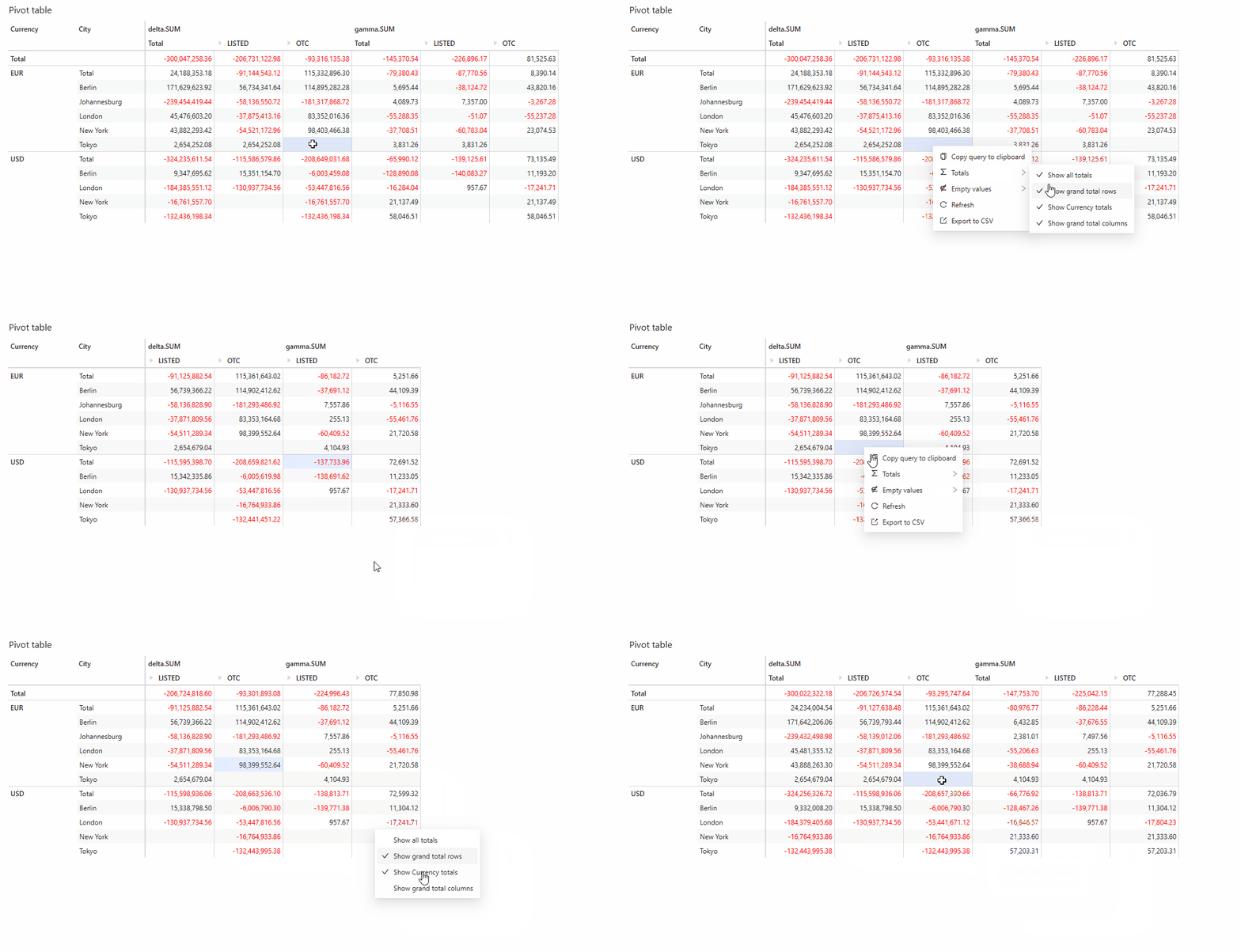 Advanced users may control the grand totals using the
[**mdx.hiddengrandtotals**](./context-values#mdxhiddengrandtotals) context
value.
## Subtotals
Subtotals can be shown or hidden on a per [**level**](../navigate-atoti-ui/data-model#level) basis. If you have several levels in your widget you can choose to show or hide the subtotals for each one.
To show or hide subtotals:
* Right-click on a cell from the level for which you wish to show or hide subtotals.
* Select **Totals** then **Show/Hide *'level name'* subtotals**.
If you wish to show or hide the subtotals for another level, follow the same steps.
Advanced users may control the grand totals using the
[**mdx.hiddengrandtotals**](./context-values#mdxhiddengrandtotals) context
value.
## Subtotals
Subtotals can be shown or hidden on a per [**level**](../navigate-atoti-ui/data-model#level) basis. If you have several levels in your widget you can choose to show or hide the subtotals for each one.
To show or hide subtotals:
* Right-click on a cell from the level for which you wish to show or hide subtotals.
* Select **Totals** then **Show/Hide *'level name'* subtotals**.
If you wish to show or hide the subtotals for another level, follow the same steps.
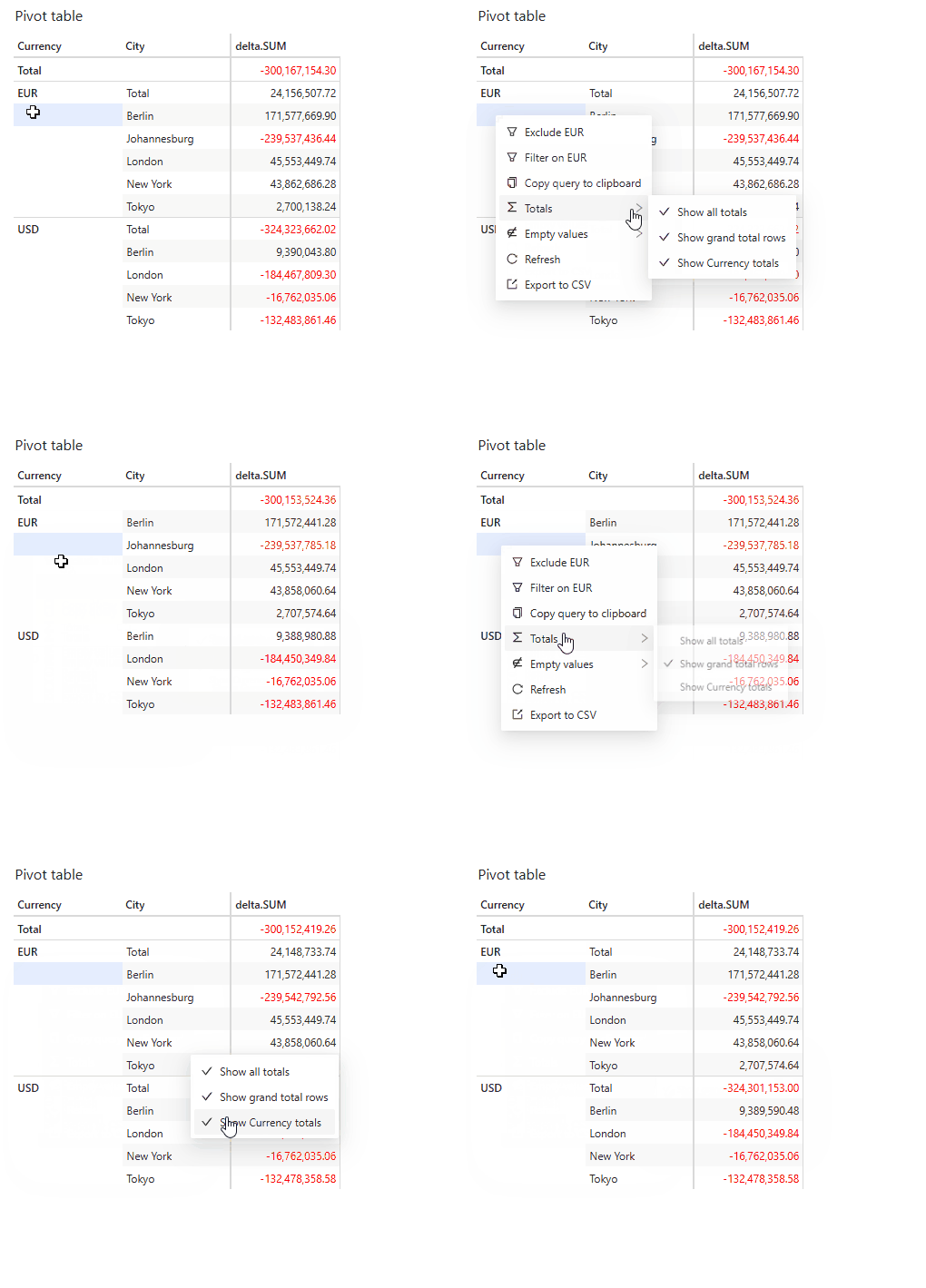 Advanced users may control the subtotals using the
[**mdx.hiddensubtotals**](./context-values#mdxhiddensubtotals) context value.
Advanced users may control the subtotals using the
[**mdx.hiddensubtotals**](./context-values#mdxhiddensubtotals) context value.