> ## Documentation Index
> Fetch the complete documentation index at: https://docs.activeviam.com/llms.txt
> Use this file to discover all available pages before exploring further.
# Highlight key data
Focus cell is a feature for [table widgets](../create-a-dashboard/widgets/about-widgets#tables). It highlights the full row and full column of a hovered or clicked cell, forming a crosshair pattern. This makes it easier to read values across large tables by visually anchoring a cell's position. The feature is off by default and can be enabled as a user preference or for a specific widget.
## How to enable Focus cell
Focus cell can be enabled at two levels: as a user preference in the [**Settings**](../navigate-atoti-ui/settings) popup, which acts as the default for your table widgets, or individually for a specific widget.
To enable Focus cell as a user preference:
1. Open the [**Settings**](../navigate-atoti-ui/settings) popup.
2. Toggle **Focus cell** on.
Widgets that do not have an explicit per-widget override follow this preference. Changing it therefore affects all such widgets, whether existing or new.
To enable Focus cell for a specific widget:
1. Click the **Behavior** icon, next to the [data model](../navigate-atoti-ui/data-model) on the left of the application.
2. Toggle **Focus cell** on or off for the target widget.
The per-widget toggle overrides the user preference for that widget.
Use the per-widget toggle to enable Focus cell on a specific table without
changing the preference for your other widgets.
## How to highlight a row and column
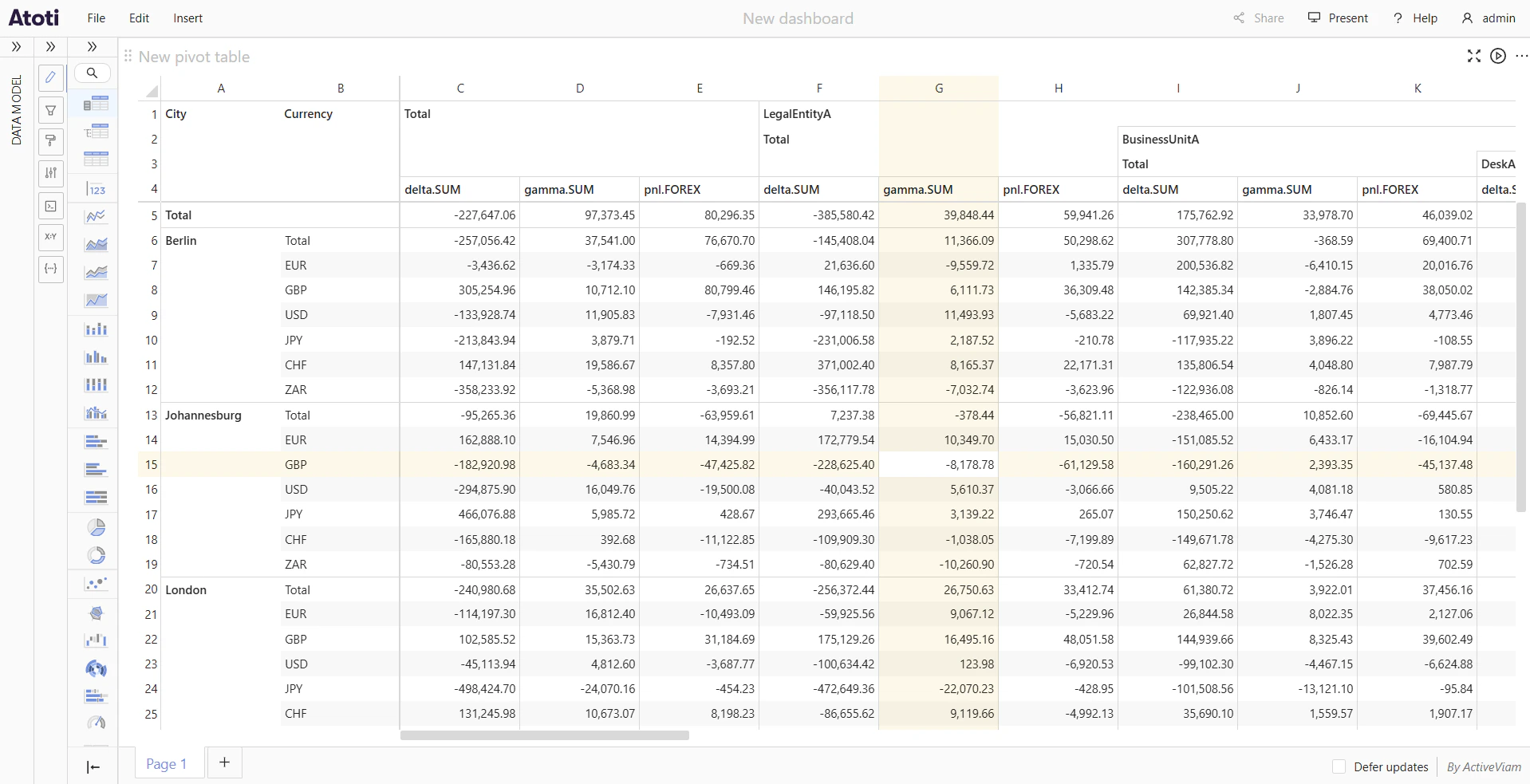
When Focus cell is enabled, hovering over any data cell, total cell, or subtotal cell highlights the entire row and column that pass through it. The hovered cell itself is not highlighted, so its text remains easy to read.
Moving the cursor to a different cell shifts the highlight to that cell's row and column.
 ## How to pin a highlight
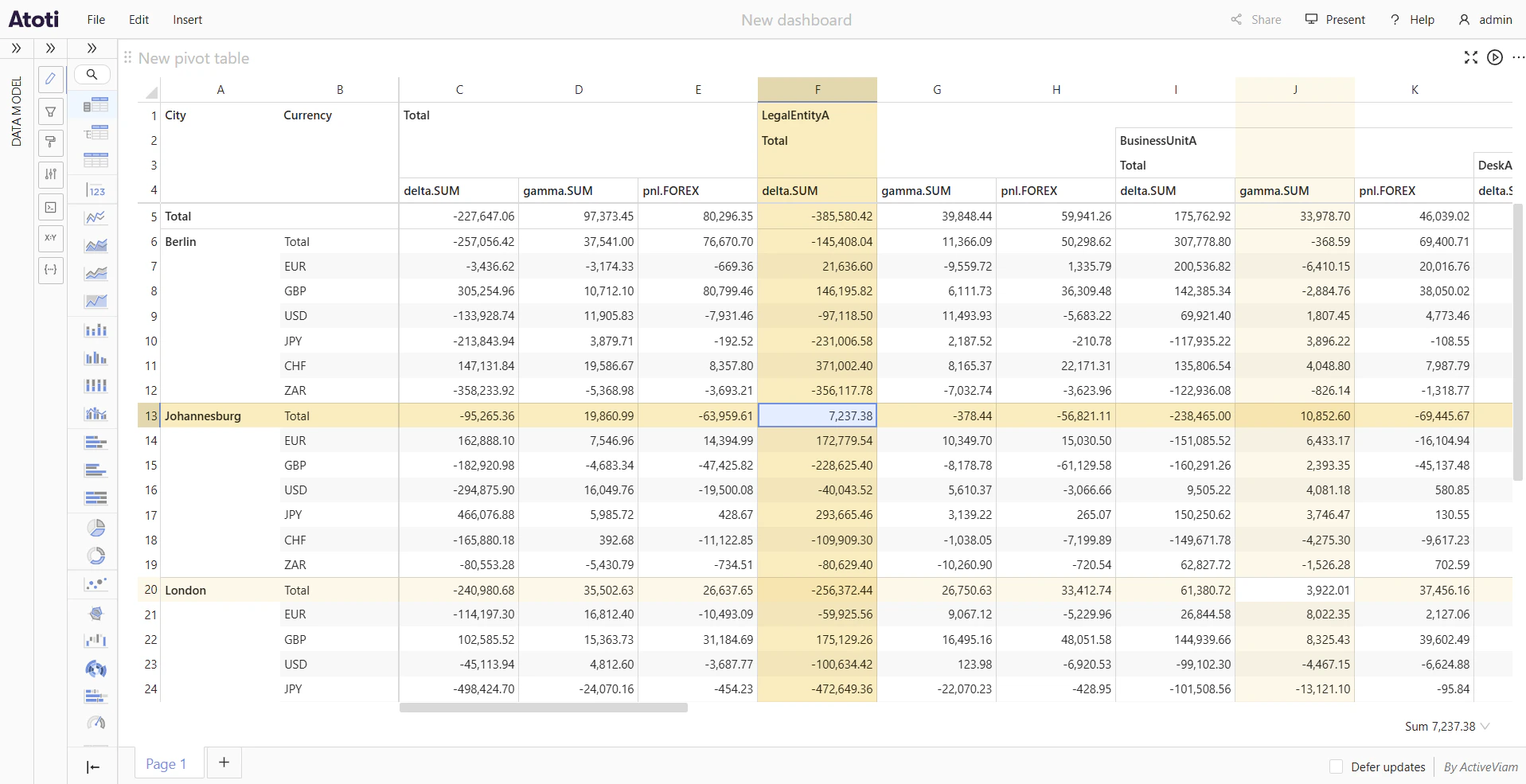
Clicking a cell pins the crosshair highlight at that position. The pinned row and column stay highlighted even after the cursor moves away. The pinned highlight uses a stronger shade than the hover highlight, making it easy to distinguish.
To move the pin, click a different cell. There is only one pinned cell per widget at a time.
## How to pin a highlight
Clicking a cell pins the crosshair highlight at that position. The pinned row and column stay highlighted even after the cursor moves away. The pinned highlight uses a stronger shade than the hover highlight, making it easy to distinguish.
To move the pin, click a different cell. There is only one pinned cell per widget at a time.
 ## How to customize the highlight color
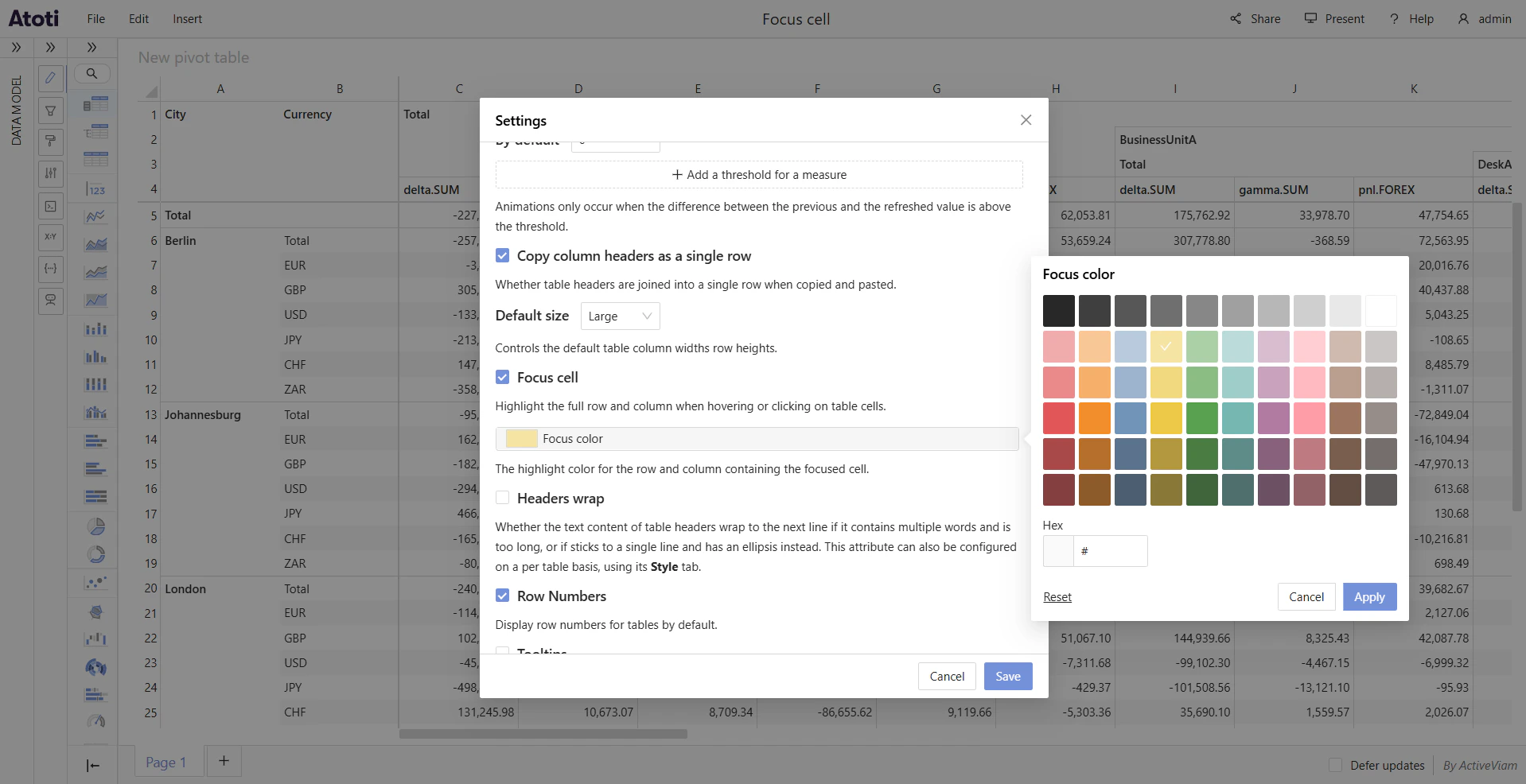
The **Focus color** setting controls the color used for both the hover highlight and the pinned highlight. It is a user preference set in the [**Settings**](../navigate-atoti-ui/settings) popup; there is no per-widget override for the color. The default is yellow.
To change the highlight color:
1. Open the [**Settings**](../navigate-atoti-ui/settings) popup.
2. Click the **Focus color** swatch tile to open the color popover.
3. Select a color from the preset palette, or type a value directly into the **Hex** input field.
4. To restore the default color, click **Reset** inside the popover.
5. Click **Apply** to confirm the change, or **Cancel** to discard it.
## How to customize the highlight color
The **Focus color** setting controls the color used for both the hover highlight and the pinned highlight. It is a user preference set in the [**Settings**](../navigate-atoti-ui/settings) popup; there is no per-widget override for the color. The default is yellow.
To change the highlight color:
1. Open the [**Settings**](../navigate-atoti-ui/settings) popup.
2. Click the **Focus color** swatch tile to open the color popover.
3. Select a color from the preset palette, or type a value directly into the **Hex** input field.
4. To restore the default color, click **Reset** inside the popover.
5. Click **Apply** to confirm the change, or **Cancel** to discard it.