> ## Documentation Index
> Fetch the complete documentation index at: https://docs.activeviam.com/llms.txt
> Use this file to discover all available pages before exploring further.
# Create a custom menu item
> How to create and register a custom context menu item for widgets in Atoti UI using MenuItemPlugin and the useMenuItem hook, including wiring the plugin key into a widget's contextMenuItems list in plugins.ts.
Menu items are interactive options available within the Context Menu, which appears when you right-click on a widget. Each menu item triggers a specific, predefined action that helps users interact with or modify the widget's behavior.
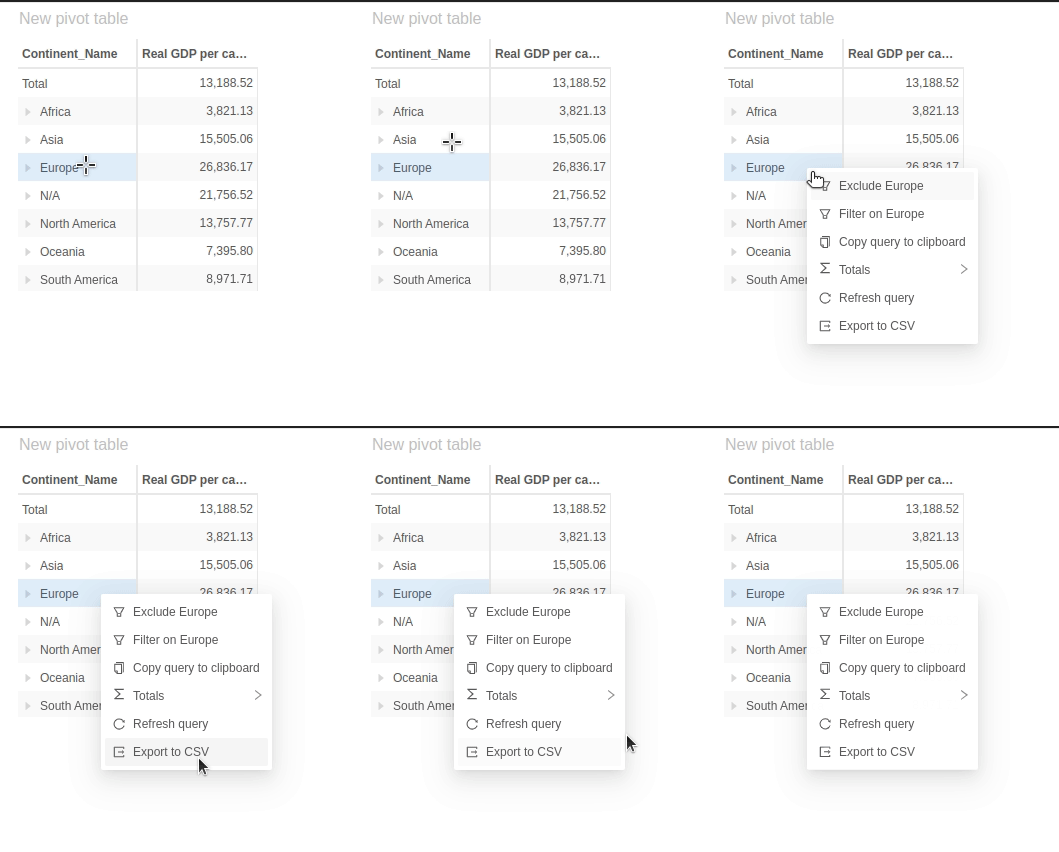 To create and add a new menu item to Atoti UI, follow these steps:
* Create a react hook that returns the [menu item](https://ant.design/components/menu)
* Create [pluginMenuItem](../../../reference/types#menuitemplugin) to make the new menu item available to the UI
* Register the new menu item and add it to relevant widgets
## Menu item hook
Menu items in Atoti UI are [plugins](../../../reference/types#menuitemplugin). The underlying library that Atoti UI uses is [Ant design](https://ant.design/components/menu). You must retrieve the menu items through a hook. This hook needs:
* an **onClick** prop which has the action after being selected.
* an **icon** which is displayed next to the menu item in the context menu
* a **label** which has the text in the menu.
To create a simple menu item that sends out a "Hello world" alert you can make the following hook:
```jsx theme={"languages":{"custom":["/engine/python-sdk/0.9/languages/pycon.tmLanguage.json"]}}
function useCustomItemMenuItem() {
const handleClick = () => {
alert("hello world!");
};
return {
onClick: handleClick,
icon: ,
label:
To create and add a new menu item to Atoti UI, follow these steps:
* Create a react hook that returns the [menu item](https://ant.design/components/menu)
* Create [pluginMenuItem](../../../reference/types#menuitemplugin) to make the new menu item available to the UI
* Register the new menu item and add it to relevant widgets
## Menu item hook
Menu items in Atoti UI are [plugins](../../../reference/types#menuitemplugin). The underlying library that Atoti UI uses is [Ant design](https://ant.design/components/menu). You must retrieve the menu items through a hook. This hook needs:
* an **onClick** prop which has the action after being selected.
* an **icon** which is displayed next to the menu item in the context menu
* a **label** which has the text in the menu.
To create a simple menu item that sends out a "Hello world" alert you can make the following hook:
```jsx theme={"languages":{"custom":["/engine/python-sdk/0.9/languages/pycon.tmLanguage.json"]}}
function useCustomItemMenuItem() {
const handleClick = () => {
alert("hello world!");
};
return {
onClick: handleClick,
icon: ,
label: Foo
,
};
}
```
## Menu item plugin
The **menu item plugin** is an object containing all the information needed to register the menu item in Atoti. It needs:
* a **key** to register the menu item
* **useMenuItem** to implement the action it should do.
```jsx theme={"languages":{"custom":["/engine/python-sdk/0.9/languages/pycon.tmLanguage.json"]}}
import { MenuItemPlugin } from "@activeviam/atoti-ui-sdk";
export const pluginMenuItemCustomItem: MenuItemPlugin = {
key: "custom-item",
useMenuItem: useCustomItemMenuItem,
};
```
The new plugin needs to be wired into `plugins.ts`.
It is put in the `menuItemPlugins` array:
```diff theme={"languages":{"custom":["/engine/python-sdk/0.9/languages/pycon.tmLanguage.json"]}}
+ import { pluginMenuItemCustomItem } from "./pluginMenuItemCustomItem";
const menuItemPlugins: MenuItemPlugin[] = [
+ pluginMenuItemCustomItem,
pluginMenuItemDuplicateWidget,
...
];
```
* You can then wire its key to the chosen widget's list of context menu items.
`plugins.tsx`:
```diff theme={"languages":{"custom":["/engine/python-sdk/0.9/languages/pycon.tmLanguage.json"]}}
...
+ pluginWidgetPivotTable.contextMenuItems = [ "custom-item" ];
...
```