> ## Documentation Index
> Fetch the complete documentation index at: https://docs.activeviam.com/llms.txt
> Use this file to discover all available pages before exploring further.
# Tasks screen
> Overview of the Tasks screen in Atoti Sign-Off, including available actions, table column descriptions, and filter options for managing and tracking daily tasks.
The **Tasks** screen provides you with the information and functionality required for completing your daily tasks. The screen displays a list of all your tasks across all your task definitions. From here you can perform the following actions:
| Action | Description |
| ------------------------ | ---------------------------------------------------------------------------------------------------------------------------------------------------------------------------------------------- |
| Start/Restart task | Start a task before performing any adjustments. This takes a snapshot of your data for the scope of that task. |
| View linked dashboards | Go to the Atoti dashboard linked to the task. This can be set up when [configuring the task definition](../configure-tasks/create-task/create-task-ui). |
| View analysis dashboards | See all your adjustments on the selected task in a dedicated dashboard, or view the changes for each adjustment. For details, see [Analysis dashboards](./adjustments/perform-adjustments-ui). |
| View history | See the audit log for the selected task. See [Audit](../audit) for details. |
| Upload adjustments | Bulk upload adjustments in a CSV file. For details, see [Upload Adjustments](./adjustments/signoff-adjustments-upload). |
| Approve/Reject | Approve or reject a task. |
## Real-time updates
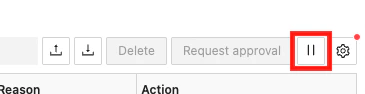
By default, tasks on this screen are updated in **real-time**. You can disable/enable real-time updates by clicking the pause/play button next to the table configuration button:
 To have more than six open connections for real-time updates, you must have HTTP/2 enabled.
This is a limitation of [Server-sent events](https://developer.mozilla.org/en-US/docs/Web/API/Server-sent_events),
which are used to send the updates. You can enable HTTP/2 by setting the `spring.http2.enabled`
property to `true` in the `application.yml` file.
Note that you must be using a secure connection
for this to work. To [secure your application](https://docs.spring.io/spring-boot/reference/features/ssl.), contact your network administrator.
## Table columns
The screen contains a table displaying details of your daily tasks.
To have more than six open connections for real-time updates, you must have HTTP/2 enabled.
This is a limitation of [Server-sent events](https://developer.mozilla.org/en-US/docs/Web/API/Server-sent_events),
which are used to send the updates. You can enable HTTP/2 by setting the `spring.http2.enabled`
property to `true` in the `application.yml` file.
Note that you must be using a secure connection
for this to work. To [secure your application](https://docs.spring.io/spring-boot/reference/features/ssl.), contact your network administrator.
## Table columns
The screen contains a table displaying details of your daily tasks.
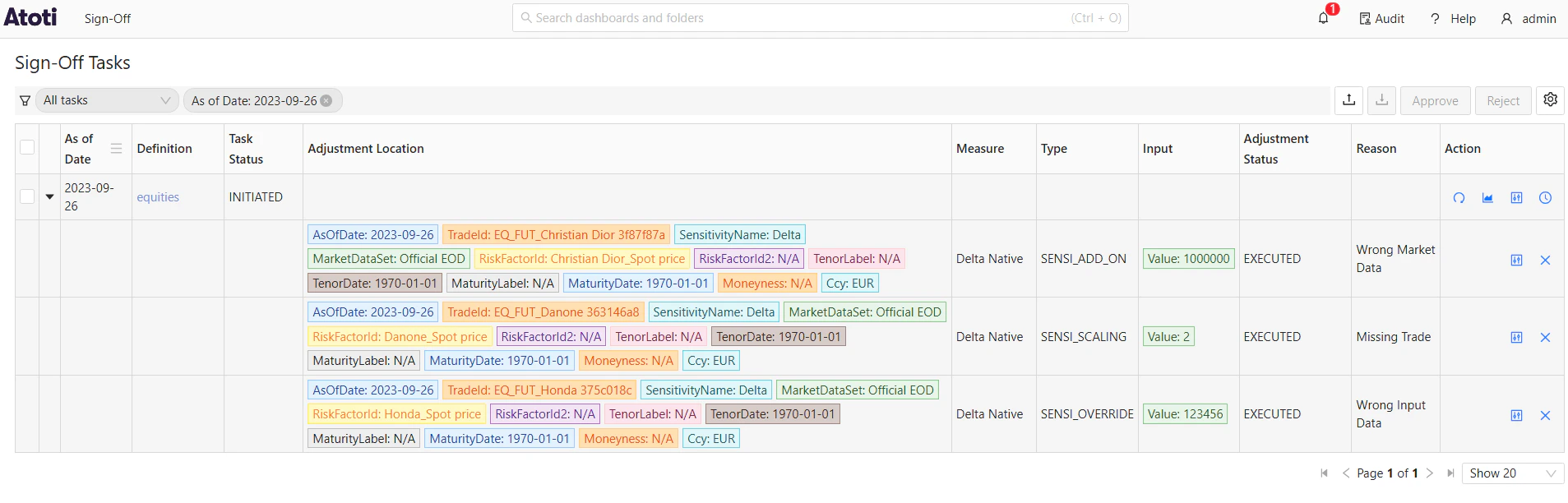 | Field Name | Description | Example |
| ------------------- | ---------------------------------------------------------------------------------------------------------------------------------------------------------------------------------- | -------------------- |
| As of Date | The As of Date of the daily task. | |
| Definition | Name of the task definition. | |
| Task Status | The current status of the daily task. | |
| Adjustment Location | The cube location of the adjustment. | |
| Measure | The measures the adjustment applies to. | VaR |
| Type | The type of adjustment. See [Types and levels of adjustment](./adjustments/perform-adjustments-ui) for details. | VAR\_ROLL\_OVER |
| Input | The value of the adjustment: data used to fulfill the adjustment. | AsOfDate: 2025-03-05 |
| Adjustment Status | The status of the adjustment. | EXECUTED |
| Reason | The reason for the adjustment. | Missing trade |
| Actions | The actions you can carry out on the entry: - Copy: Duplicate an existing task definition to speed up creation. - History: view the audit history of the selected task definition. | |
## Filters
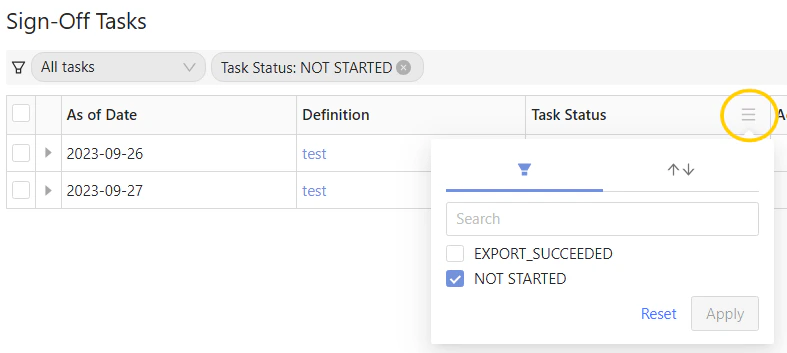
In the column headers you can filter the table values. For example, when starting a task, it may be useful to set **Task Status** to display tasks that are in the **NOT\_STARTED** state so you can see the tasks you need to work on.
| Field Name | Description | Example |
| ------------------- | ---------------------------------------------------------------------------------------------------------------------------------------------------------------------------------- | -------------------- |
| As of Date | The As of Date of the daily task. | |
| Definition | Name of the task definition. | |
| Task Status | The current status of the daily task. | |
| Adjustment Location | The cube location of the adjustment. | |
| Measure | The measures the adjustment applies to. | VaR |
| Type | The type of adjustment. See [Types and levels of adjustment](./adjustments/perform-adjustments-ui) for details. | VAR\_ROLL\_OVER |
| Input | The value of the adjustment: data used to fulfill the adjustment. | AsOfDate: 2025-03-05 |
| Adjustment Status | The status of the adjustment. | EXECUTED |
| Reason | The reason for the adjustment. | Missing trade |
| Actions | The actions you can carry out on the entry: - Copy: Duplicate an existing task definition to speed up creation. - History: view the audit history of the selected task definition. | |
## Filters
In the column headers you can filter the table values. For example, when starting a task, it may be useful to set **Task Status** to display tasks that are in the **NOT\_STARTED** state so you can see the tasks you need to work on.