> ## Documentation Index
> Fetch the complete documentation index at: https://docs.activeviam.com/llms.txt
> Use this file to discover all available pages before exploring further.
# Upload adjustments
> How to create a large number of adjustments at once in Atoti Sign-Off by uploading a CSV file, including prerequisites, upload steps, and error handling.
The best way to create a large number of adjustments simultaneously is to upload your adjustments in a CSV file. For details on the format, see [Adjustments](../../input-files/adjustments).
This video shows you how to upload and download adjustments:
To upload your files:
Prerequisites:
* Ensure you have a definition for your task.
* Ensure the task referenced in your file is created and initiated.
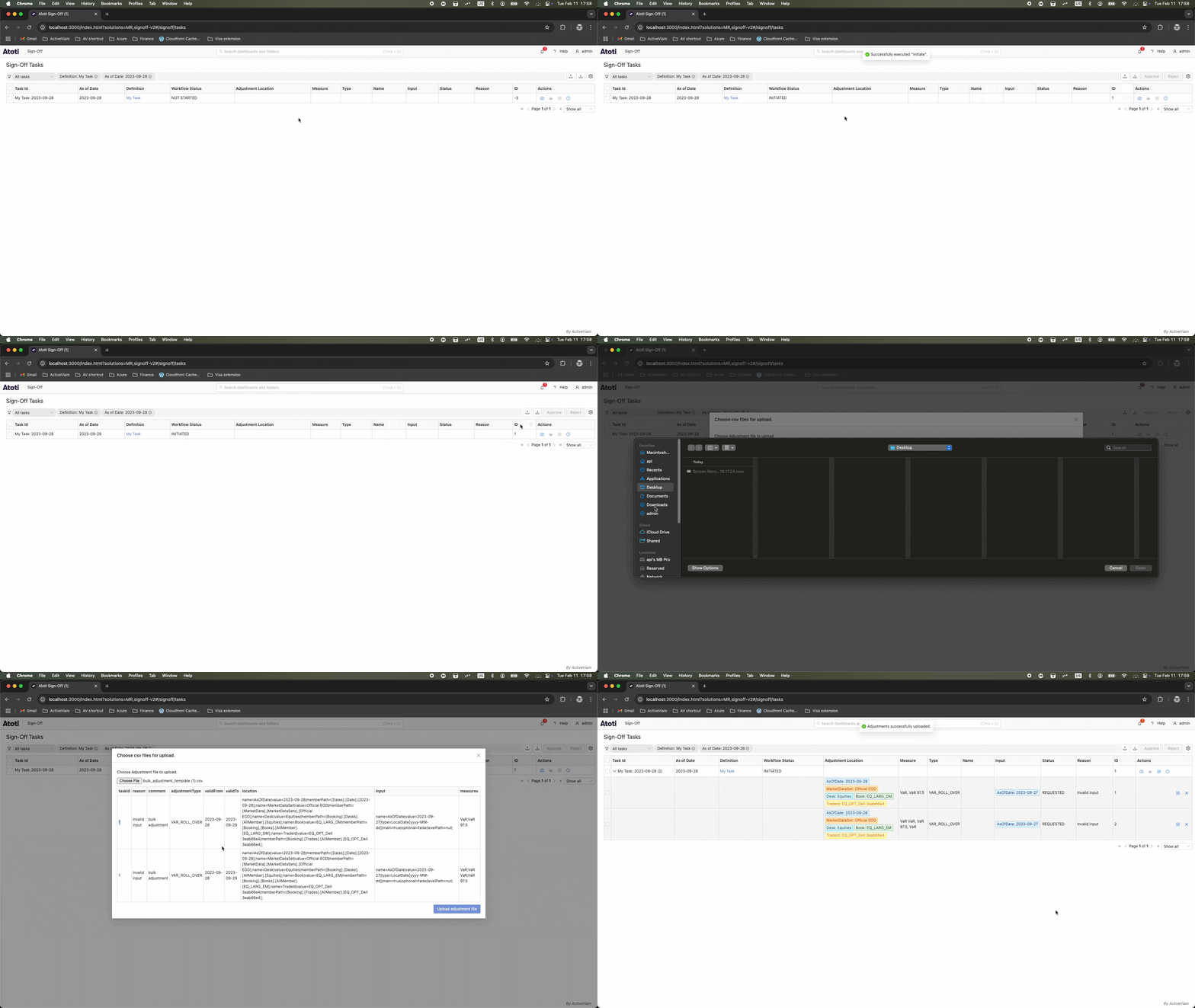
1. In the **Tasks** screen, click the upload icon to open a dialog, then click **Choose file**.
2. In the file browser, select your CSV file.
3. Review the imported file.
4. Click **Upload adjustments file**. This creates your adjustments or displays an error.
 If a single adjustment cannot be performed, none are performed.