> ## Documentation Index
> Fetch the complete documentation index at: https://docs.activeviam.com/llms.txt
> Use this file to discover all available pages before exploring further.
# Migrate limits data
> How to migrate existing Atoti Limits data from CSV sources to an external database by starting in CSV_TO_PERSISTENT mode and triggering the migration REST endpoints via the Swagger UI
## Overview
Once you have configured your external database and set up the connection to it, you can migrate your existing Limits data to the database.
This is done in two steps:
## 1. Start Limits in the CSV to Persistent mode
Atoti Limits can be started in the `CSV_TO_PERSISTENT` mode by setting the property `limits.data.mode=csv_to_persistent`. This will start Atoti Limits as if prior to the introduction of persistence. Please do this and wait for Atoti Limits to connect to all your Atoti Server sources.
## 2. Trigger the migration endpoint
Once Atoti Limits is started and all of your limits data has been loaded, you can trigger one or more of the migration endpoints we have provided.
The easiest way to do this is via the [Swagger UI](../rest-services#swagger-ui).
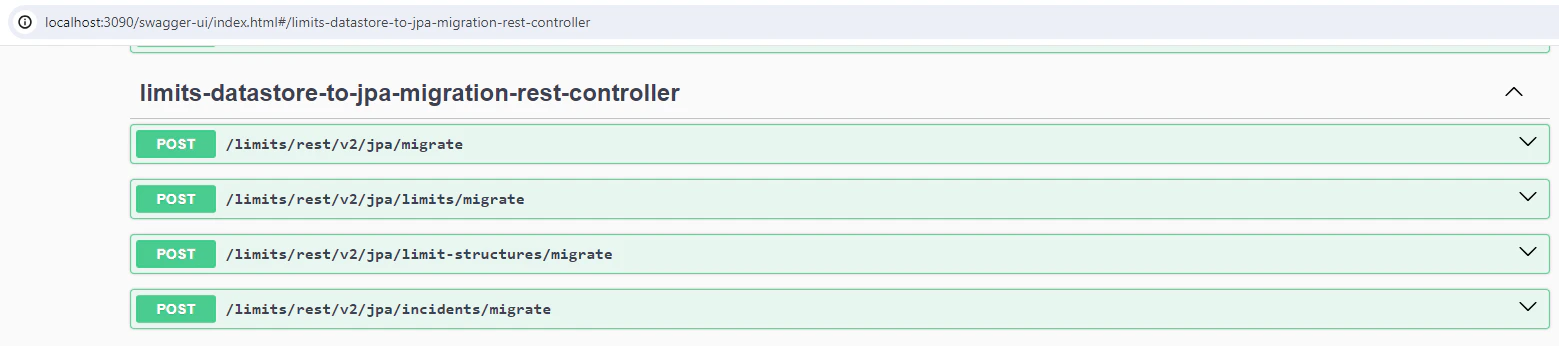 The following endpoints are available:
1. `/limits/rest/v2/jpa/migrate` : this will migrate all limit structures, limits, and incidents in your datastore to your connected database. **This is the recommended endpoint to trigger.**
2. `/limits/rest/v2/jpa/limit-structures/migrate` : this will migrate all limit structures to your connected database.
3. `/limits/rest/v2/jpa/limits/migrate` : this will migrate all limits in your datastore to your connected database.
4. `/limits/rest/v2/jpa/incidents/migrate` : this will migrate all incidents in your datastore to your connected database.
These endpoints will only be available when using the `CSV_TO_PERSISTENT` mode. This is because we expect you to migrate once and to then switch to the `PERSISTENT` mode.
Other endpoints exist that you can then use to manage your data appropriately. These are located by default at `limits/rest/v2/spring/jpa` but the location can be customized in your [application.yml](../../user-ref/properties/property-files/application-yml).
The following endpoints are available:
1. `/limits/rest/v2/jpa/migrate` : this will migrate all limit structures, limits, and incidents in your datastore to your connected database. **This is the recommended endpoint to trigger.**
2. `/limits/rest/v2/jpa/limit-structures/migrate` : this will migrate all limit structures to your connected database.
3. `/limits/rest/v2/jpa/limits/migrate` : this will migrate all limits in your datastore to your connected database.
4. `/limits/rest/v2/jpa/incidents/migrate` : this will migrate all incidents in your datastore to your connected database.
These endpoints will only be available when using the `CSV_TO_PERSISTENT` mode. This is because we expect you to migrate once and to then switch to the `PERSISTENT` mode.
Other endpoints exist that you can then use to manage your data appropriately. These are located by default at `limits/rest/v2/spring/jpa` but the location can be customized in your [application.yml](../../user-ref/properties/property-files/application-yml).